Overview:
N3 AI Accounting provides flexible export options that allow users to convert transaction forms into PDF, Excel, or Word. This feature makes it easy to share documents with customers, submit them to stakeholders, and store files for compliance—without needing external tools.
Scenario:
Your company needs to submit a copy of an Official Receipt to a third-party platform—such as a vendor billing portal, e-procurement system, or government audit portal—that only accepts uploaded PDF or Word files. Instead of printing or reformatting the document manually, you use the Export feature in N3 AI Accounting to generate the required file format instantly. This ensures the document meets the platform’s upload requirements while saving time and preventing formatting errors.
Procedure:
To export a form in N3 AI Accounting, follow these steps:
Open the Form
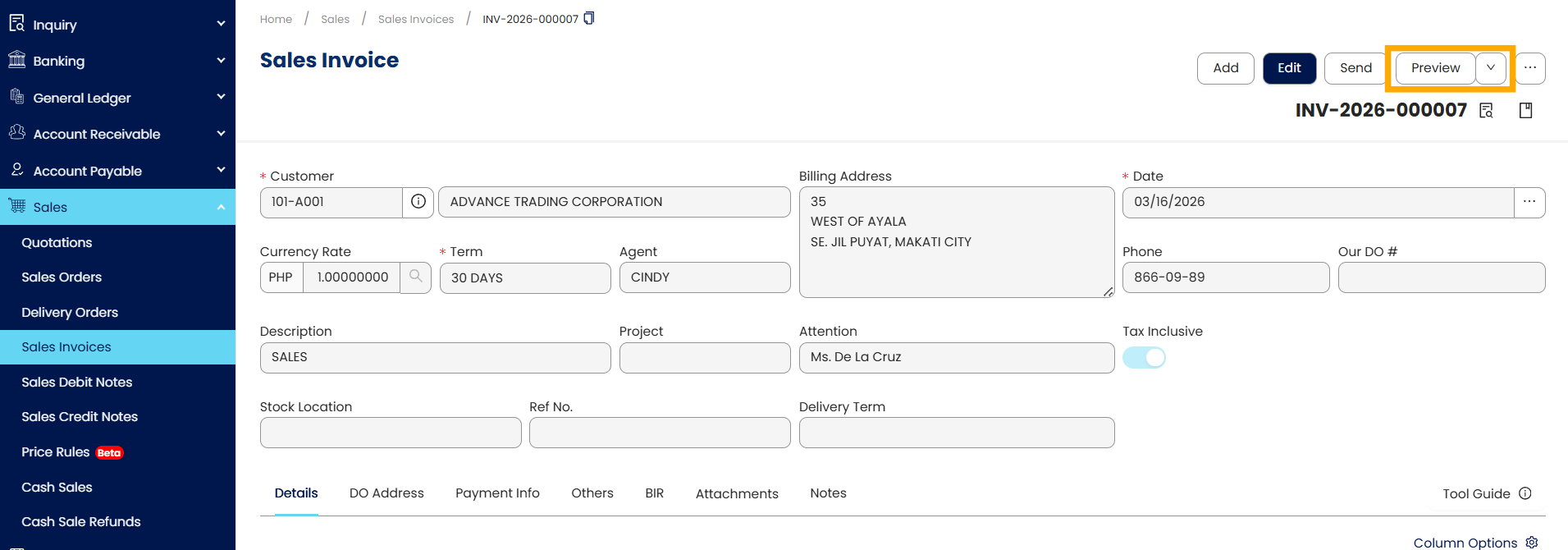
Open the specific form you want to export (e.g., Sales Invoice, Purchase Order, Official Receipt).
Click on Preview to display the form.
Access the Export Function
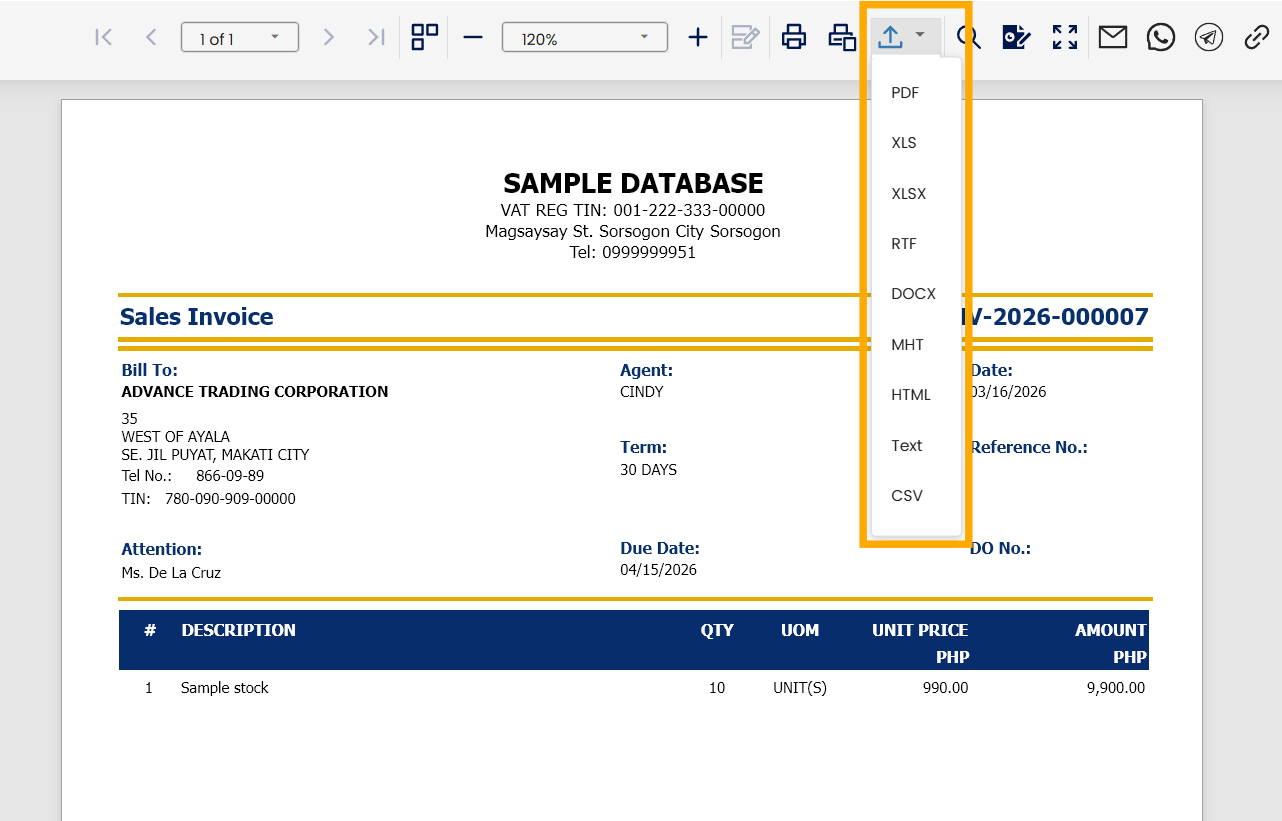
On the preview page, go to the upper toolbar and click the Export To icon.
The system displays the list of available file formats.
Select Format and Download
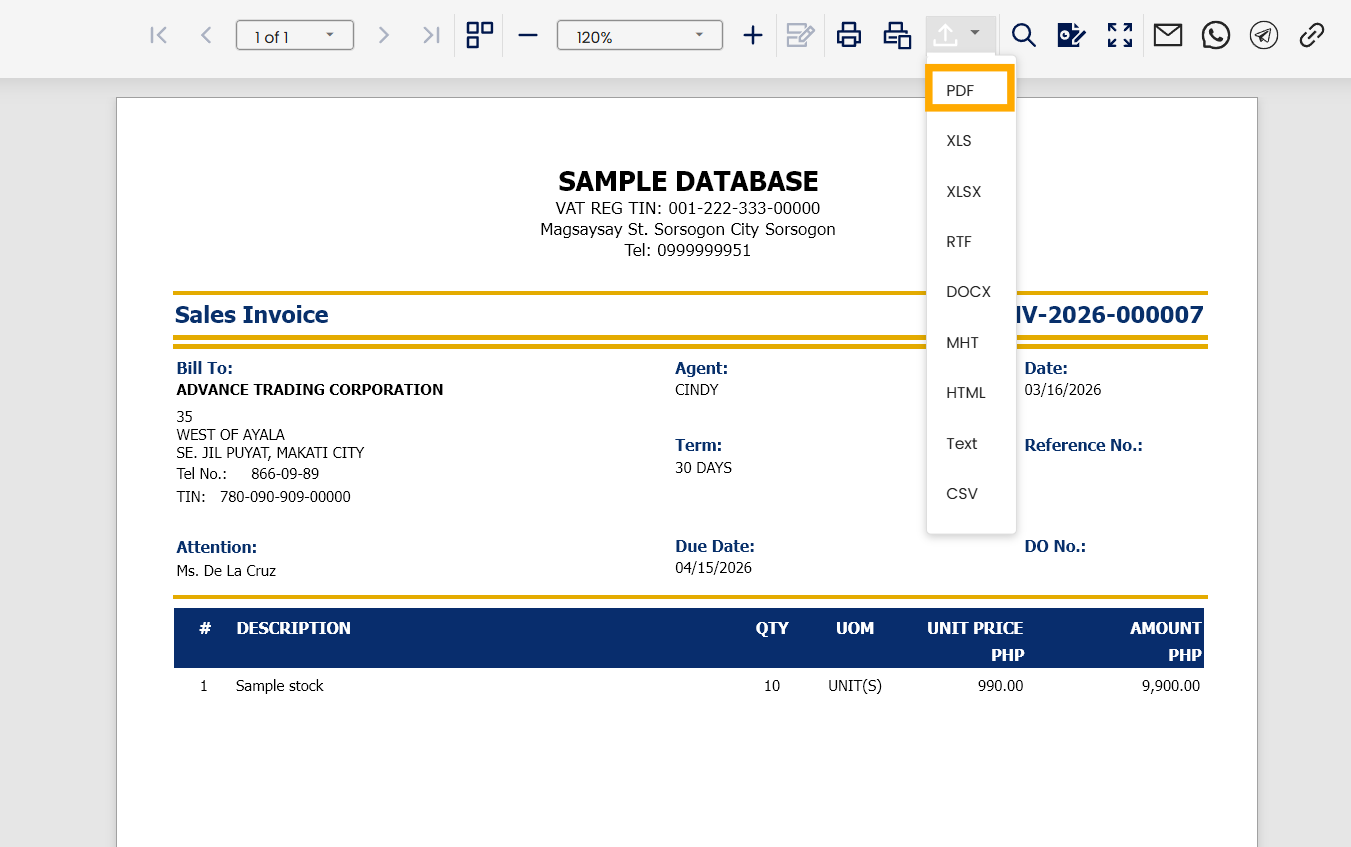
Choose your preferred file format (e.g., PDF, Excel, Word) from the dropdown list.
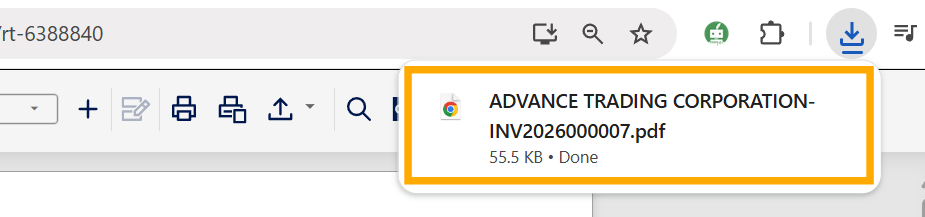
The system automatically downloads the file to your device.
Application:
Use the Export feature to perform the following:
Client distribution – Provide Sales Invoices or Official Receipts in PDF format for customer documentation.
Supplier communication – Share Purchase Orders in PDF or Word format with suppliers when required.
Financial audit support – Supply exported Vouchers or transaction forms in Excel for easier auditor review.
Record archiving – Save important forms as PDF files for long-term storage and compliance purposes.
Team collaboration – Export forms to Word or Excel for internal editing, annotations, or approval workflows.
System Scope: N3 AI Accounting (formerly QNE AI Cloud Accounting)
Was this article helpful?
That’s Great!
Thank you for your feedback
Sorry! We couldn't be helpful
Thank you for your feedback
Feedback sent
We appreciate your effort and will try to fix the article