Overview:
Sales Credit Notes are used to reduce or adjust a customer’s outstanding sales receivable after a Sales Invoice has already been issued.
They are typically created when:
Goods are returned by customers
Billing errors need correction
Post-sale adjustments (discounts or rebates) are granted
Instead of modifying the original Sales Invoice, a Sales Credit Note records the adjustment separately and can be applied to the invoice using the Knockoff feature.
Benefit:
This ensures accurate audit records while maintaining the integrity of the original sales transaction.
Scenario:
A customer returns several defective items after a Sales Invoice has already been issued. Instead of modifying the original invoice, the company creates a Sales Credit Note to reduce the customer's outstanding balance.
The credit note is then applied to the related Sales Invoice using the Knockoff feature to offset the receivable.
Procedure:
Navigate to the Sales Credit Notes Module
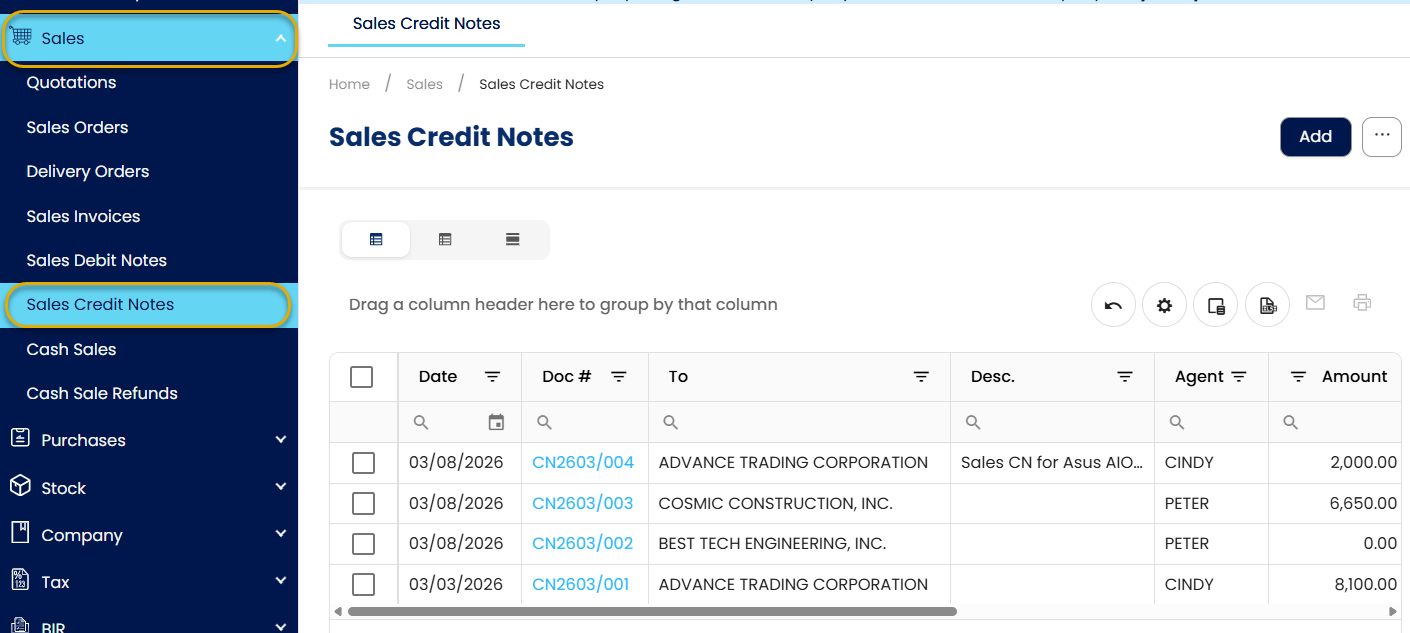
Go to Sales > Sales Credit Notes. This module displays all previously recorded Sales Credit Note transactions.
Create a New Sales Credit Note
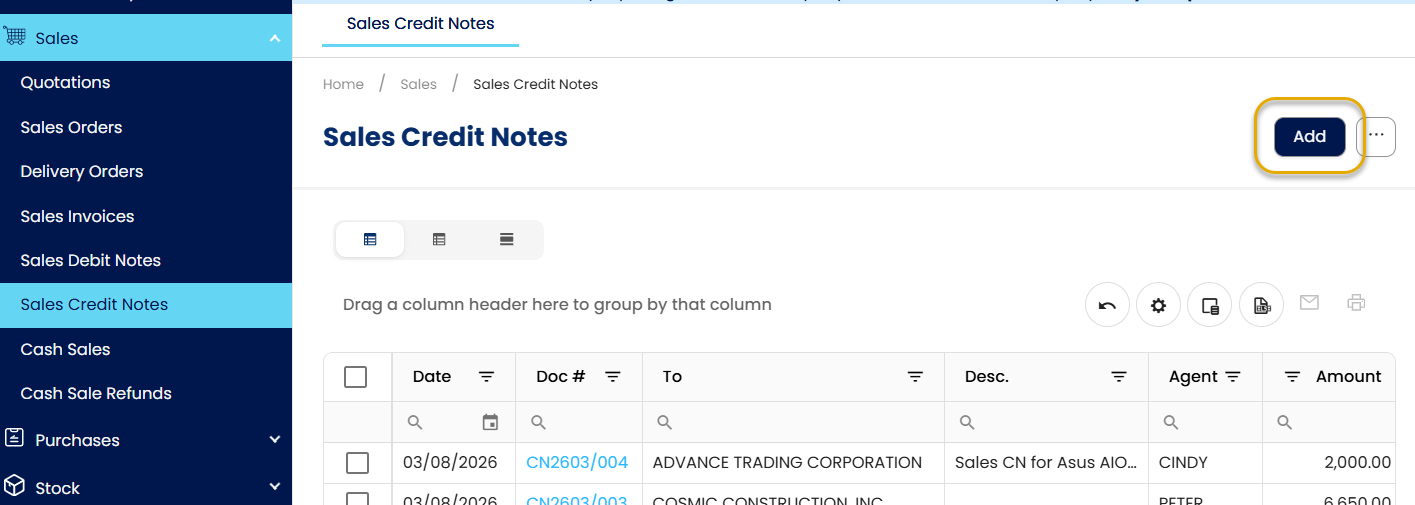
Click Add to create a new Sales Credit Note.
Enter Credit Note Details
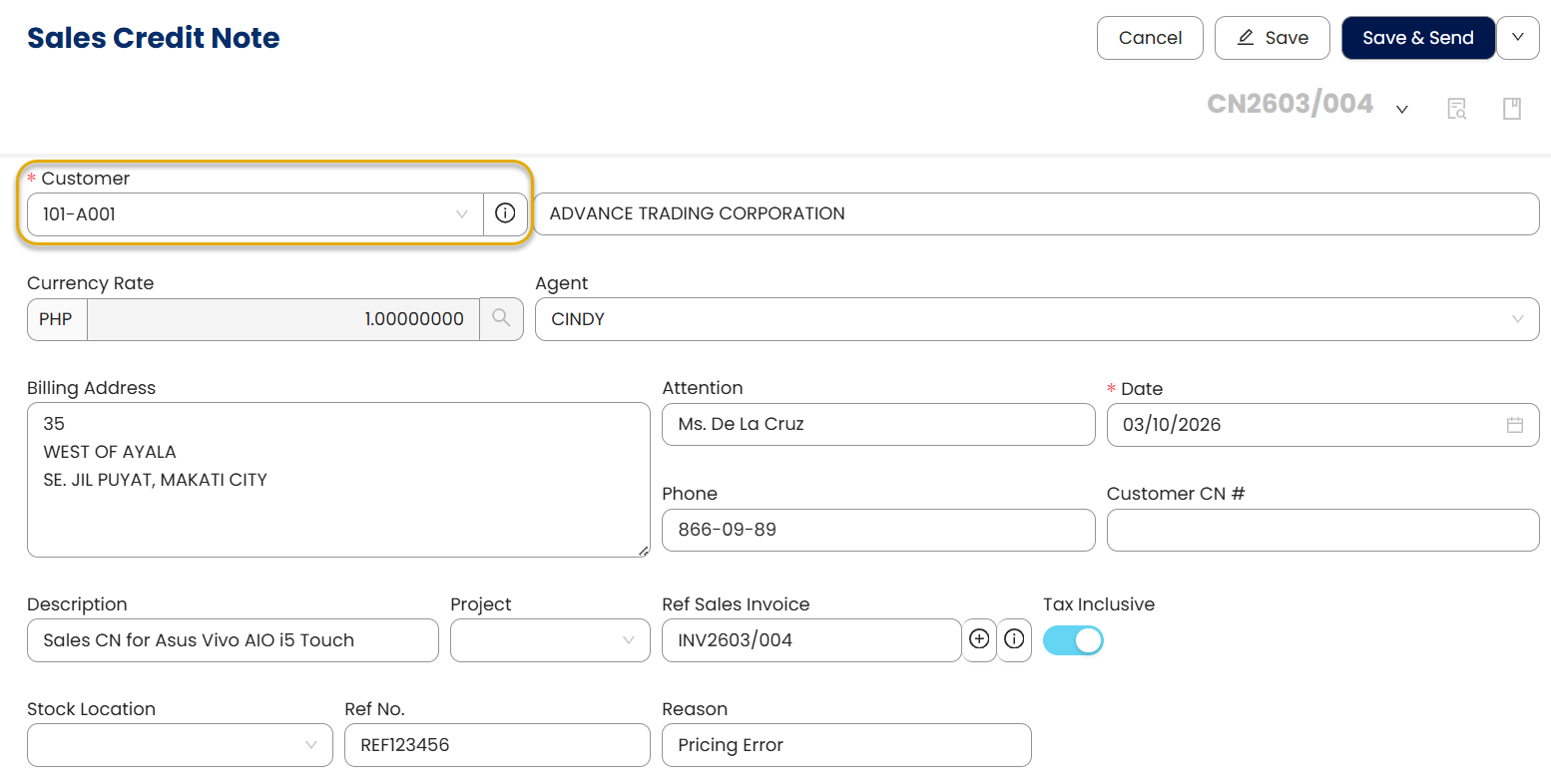
Complete the required fields:
Select the Customer
Enter the necessary transaction details (Date, Description, Ref No., Reason, etc.)
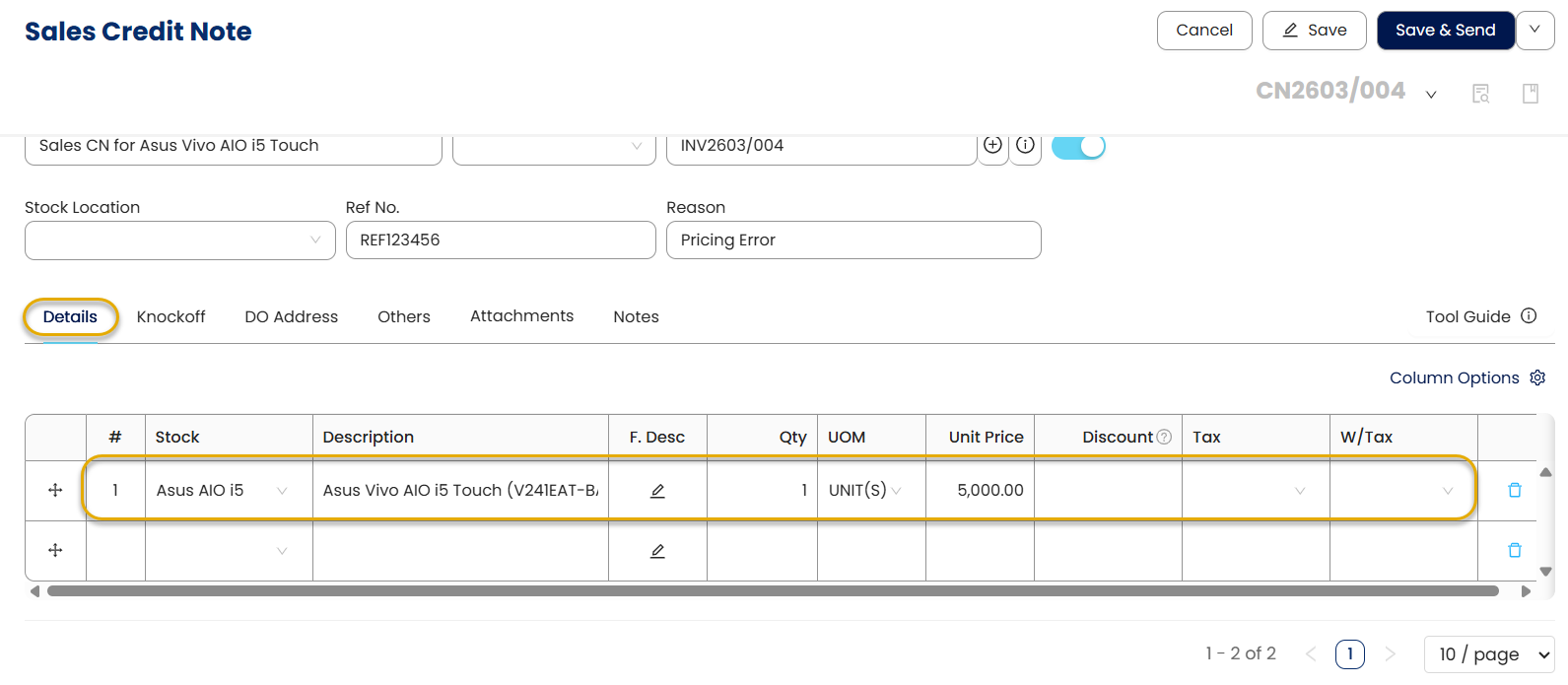
Under the Details tab, select the stock item(s) being credited.
Enter the quantity, unit price, and any other applicable fields.
Apply the Credit Note to the Sales Invoice
Apply the Credit Note to the Customer’s outstanding invoices:
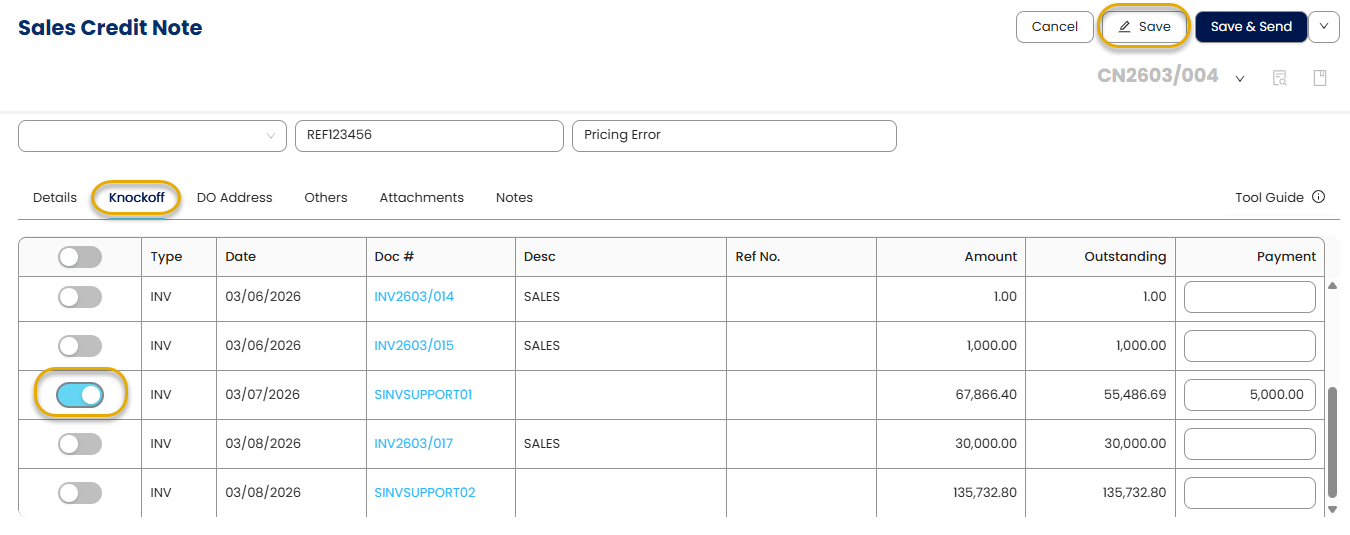
Open the Knockoff Tab.
The system displays all open receivables for the selected customer.
Select the Sales Invoice(s) where the credit note will be applied.
Click Save.
Preview and Confirm the Credit Note
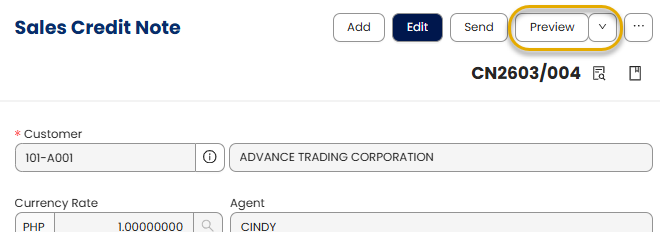
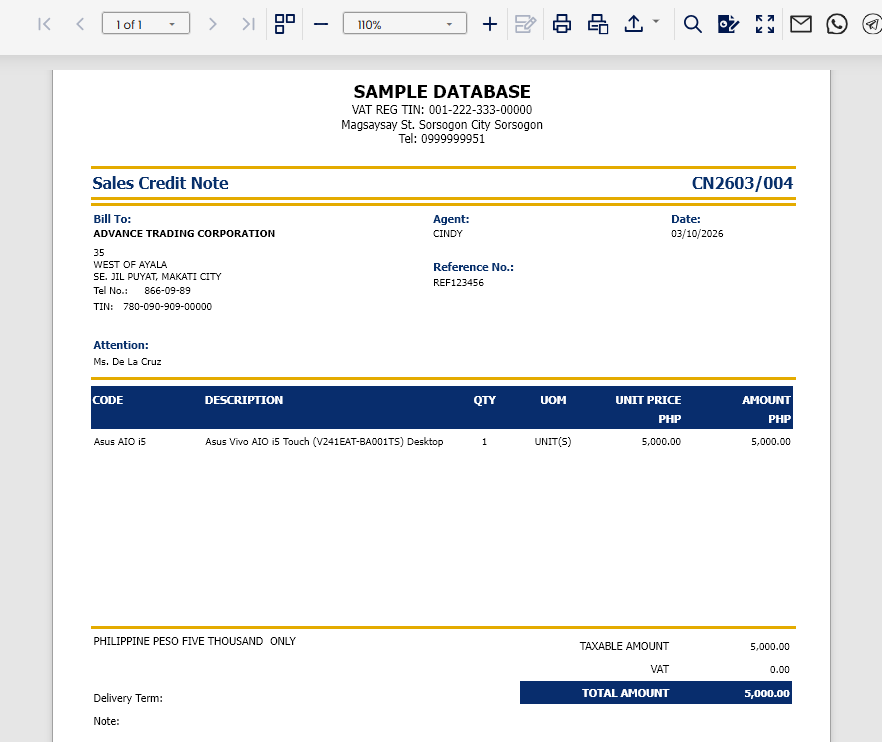
Click Preview to review the Sales Credit Note form and verify that all details are correct.
Output:
Application:
Sales Credit Notes can be used in several operational situations, including:
Processing product returns – Record returned goods and reduce the customer's outstanding invoice balance.
Correcting billing errors - Adjust incorrect quantities, pricing, or tax calculations without modifying the original Sales Invoice.
Applying post-sale discounts or rebates – Provide negotiated price adjustments after the invoice has been issued.
Handling partial order cancellations – Reduce receivables when part of an order is cancelled after invoicing.
System Scope: QNE AI Cloud Accounting / N3 AI Accounting
Was this article helpful?
That’s Great!
Thank you for your feedback
Sorry! We couldn't be helpful
Thank you for your feedback
Feedback sent
We appreciate your effort and will try to fix the article