Overview:
Delivery Orders (DOs) in N3 AI are critical for tracking the movement of goods from your business to your customers. They act as confirmation that items have been dispatched, help streamline inventory management, and ensure accurate record-keeping for sales and logistics. Efficient management of delivery orders ensures timely fulfillment, minimizes errors, and provides transparency to both the accounting and operations teams.
Scenario:
Imagine you are a sales officer in a company that sells office supplies. A client calls to place an order for multiple items, including desks, chairs, and stationery. To process the request efficiently, you need to create a sales order in N3 AI to confirm the order details, check stock availability, and prepare for delivery.
Procedure:
Step 1: Initiate a New Sales Order
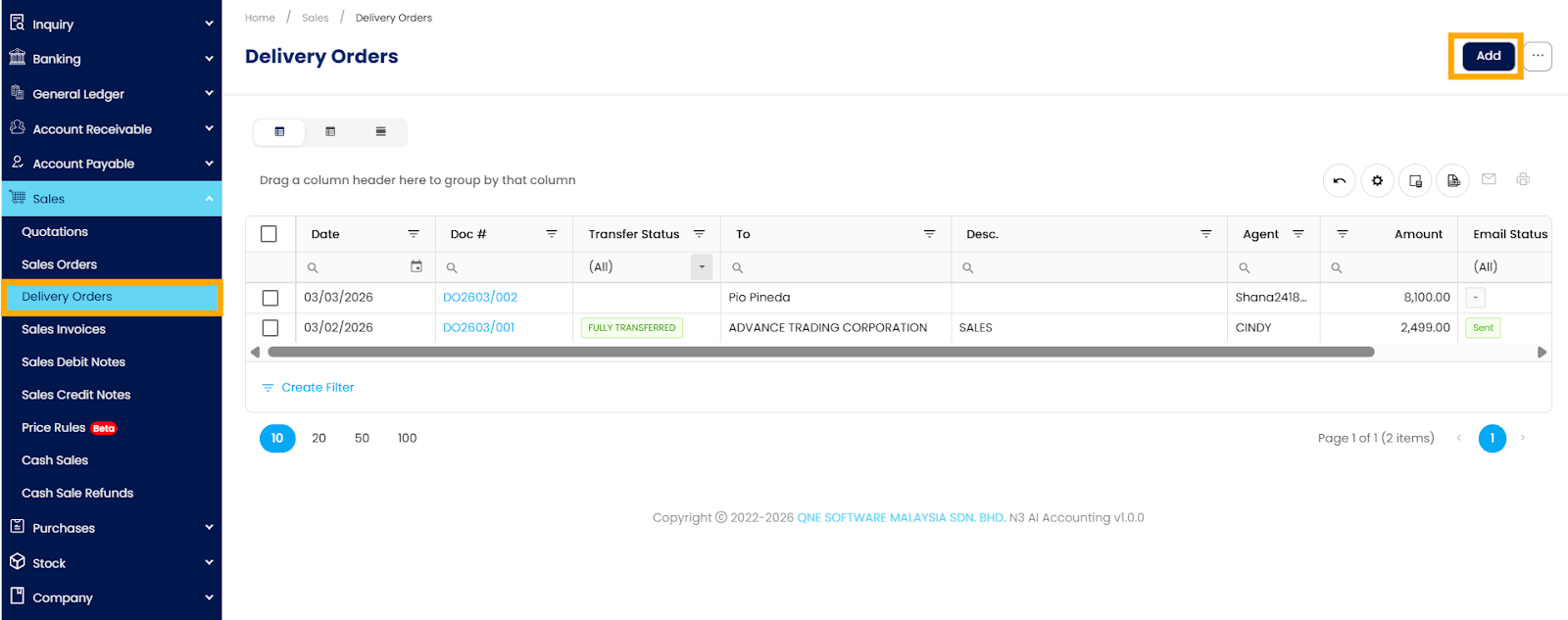
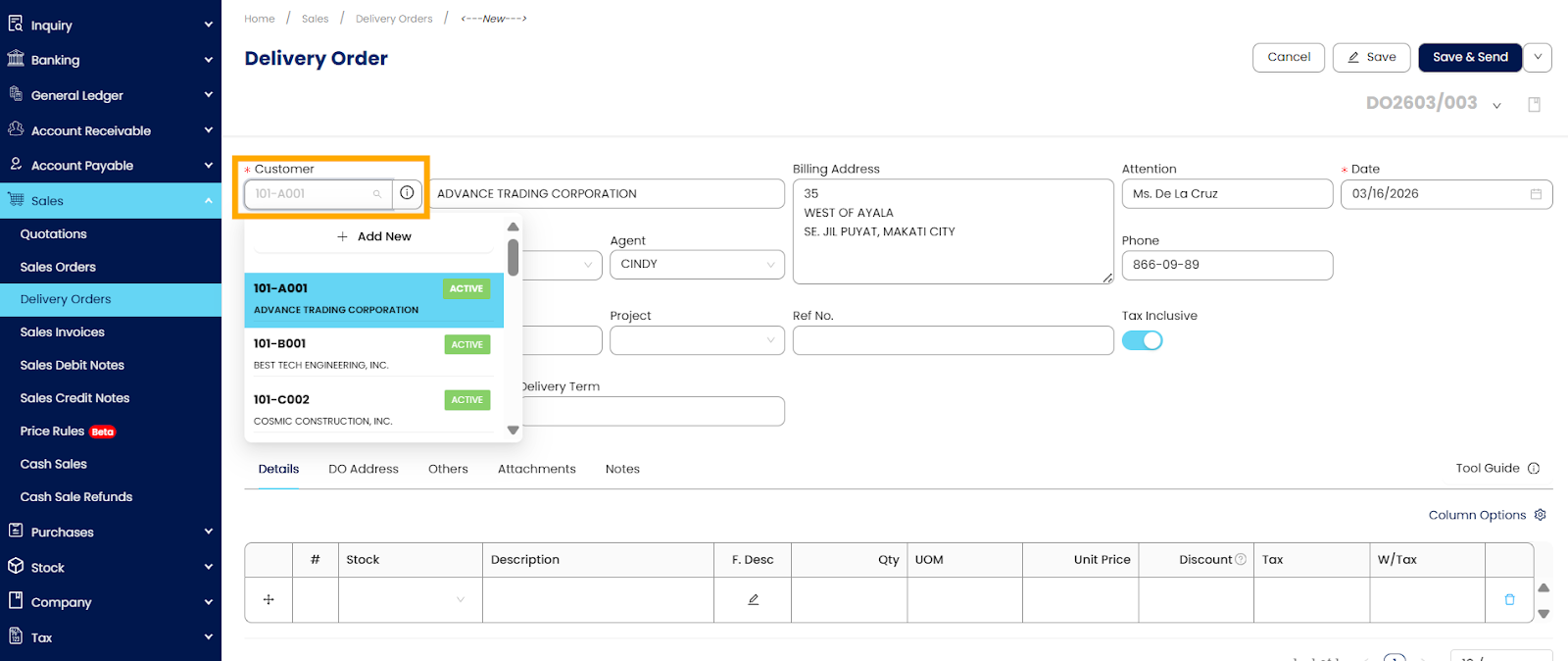
Navigate to the Sales Module → Delivery Orders → click Add.
Select the customer from the existing list or add a new customer if necessary. Ensure that all relevant customer details (address, contact number, and payment terms) are accurate.
Step 2: Add Items to the Sales Order
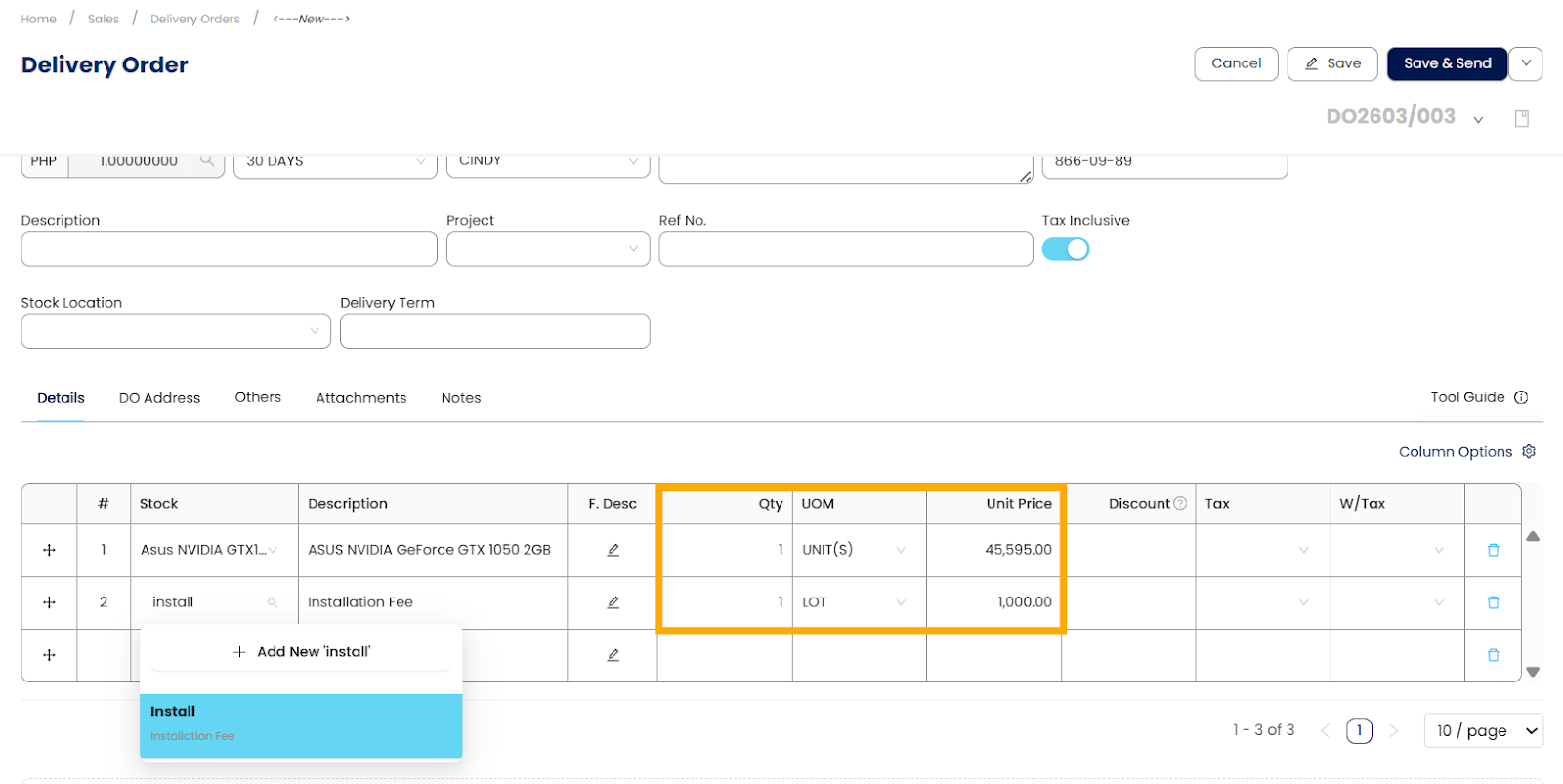
Click Add Item or Select Product/Service.
Enter the quantity for each item. N3 AI will automatically pull the price and apply any existing discounts.
Step 3: Configure Order Details
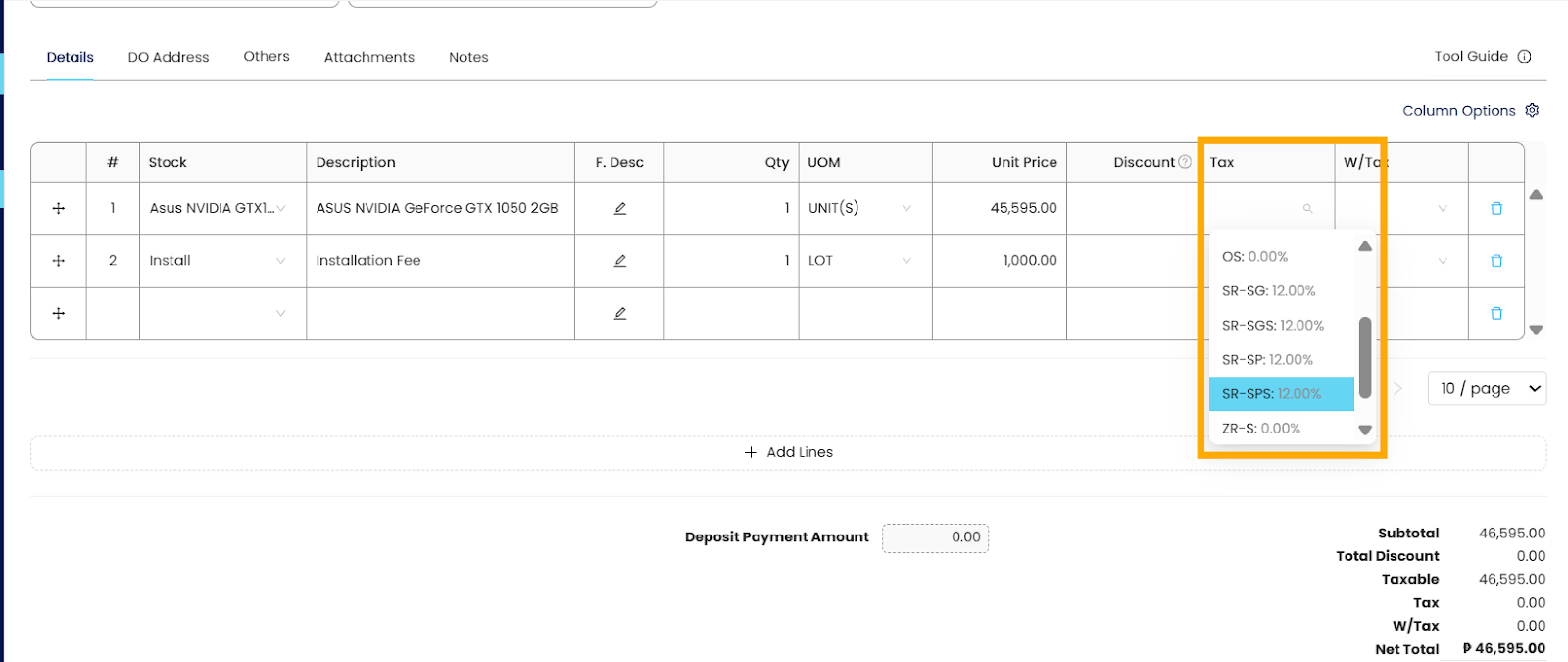
Adjust taxes, discounts, and shipping charges as applicable. N3 AI calculates totals in real-time, ensuring accuracy.
Step 4: Review and Save
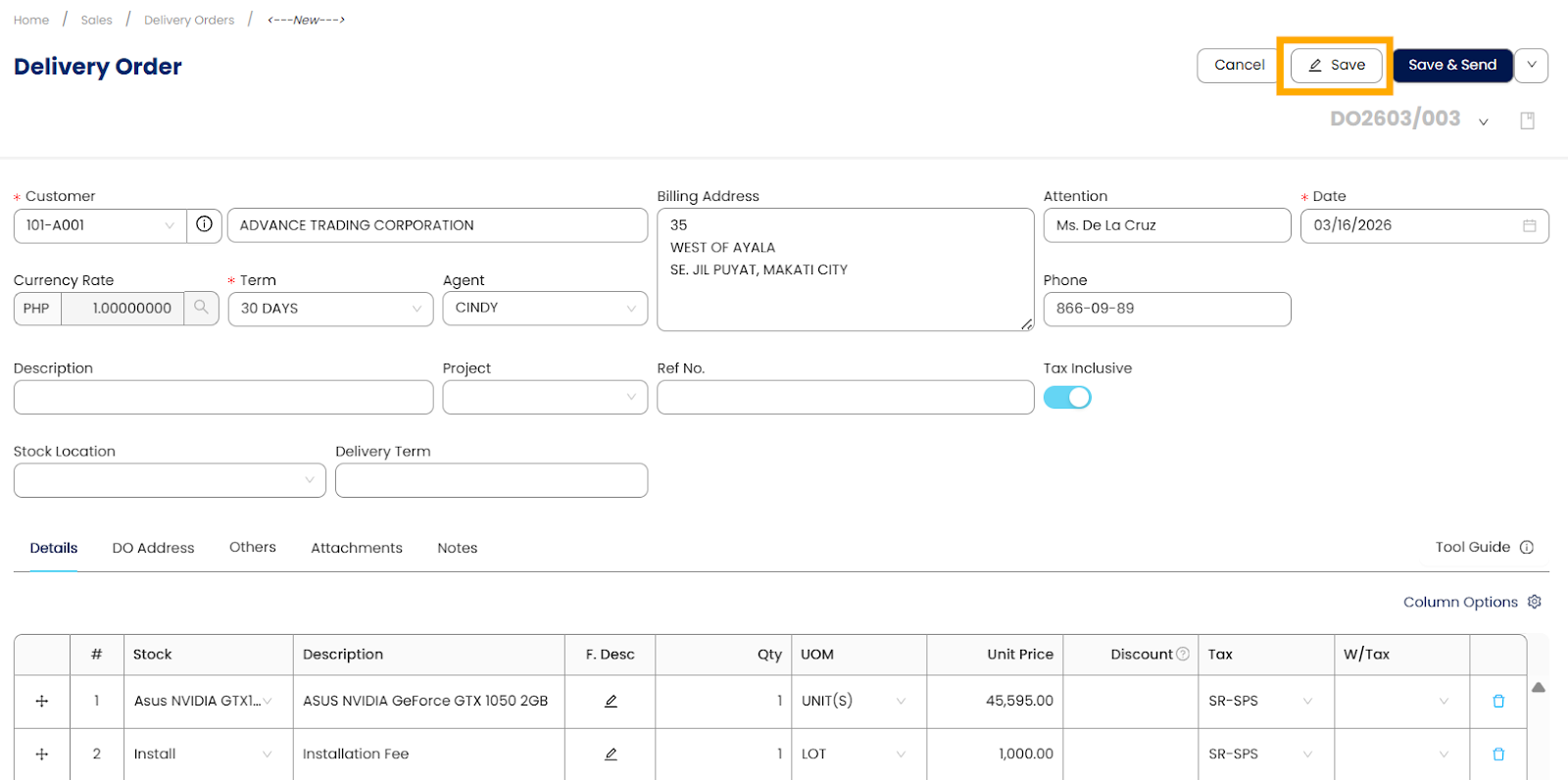
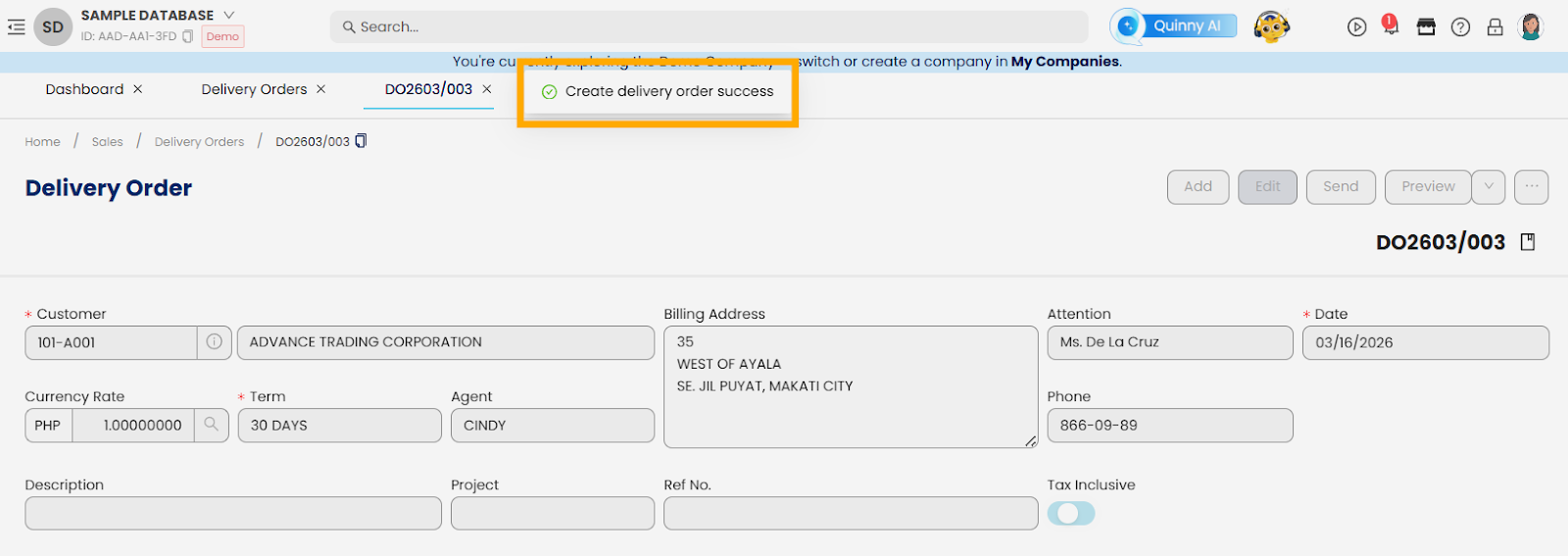
Double-check all entries: items, quantities, prices, and customer information.
Click Save to finalize the sales order.
Step 5: Send the Delivery Order to the Customer (optional)
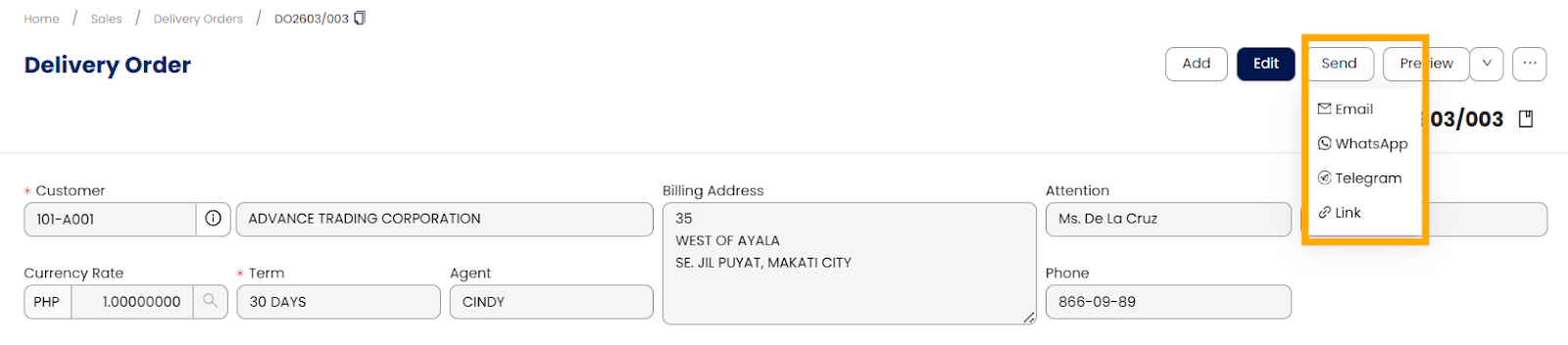
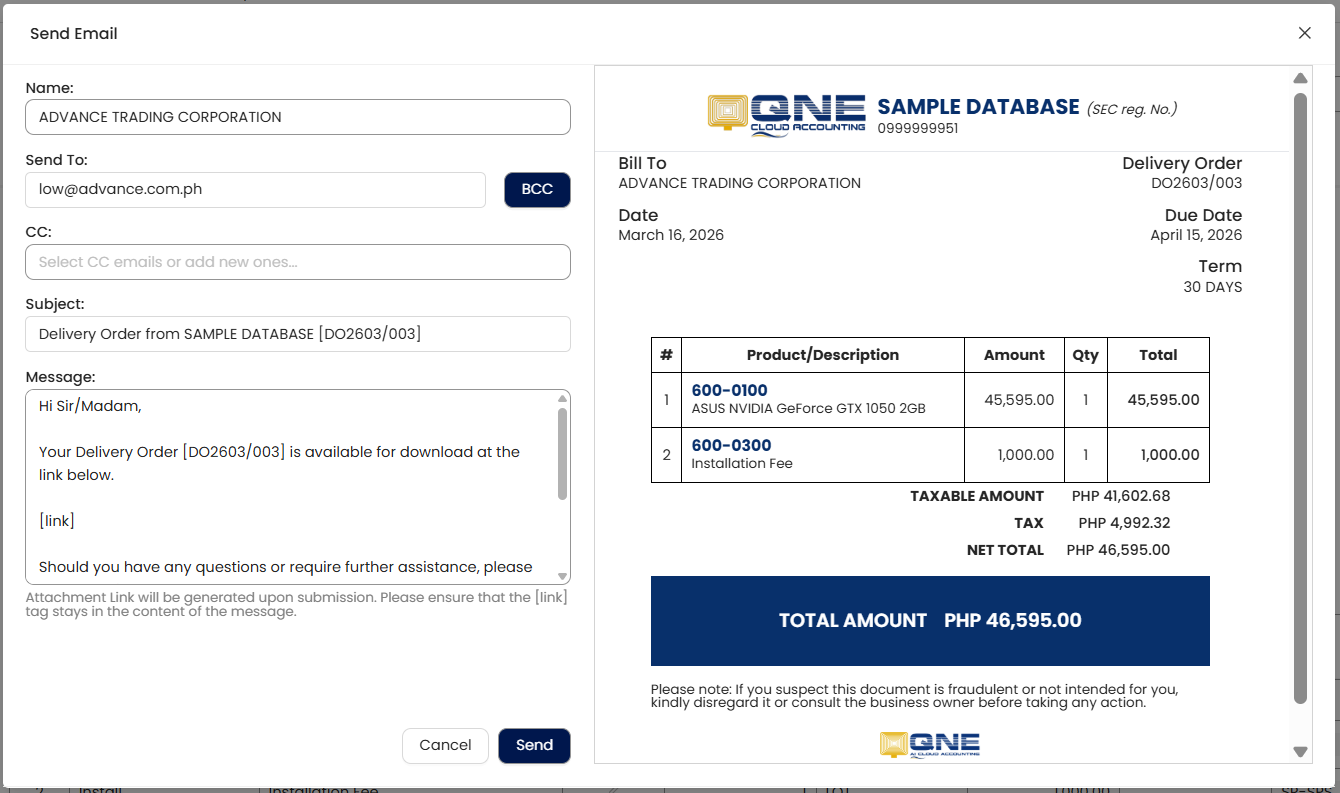
Open the saved Delivery Order and click Send via Email.
Send the Delivery Order and track its status within N3 AI for follow-up.
Procedures: Edit & Delete
Editing A Delivery Order
Navigate to Sales Module → Delivery Orders.
Locate the specific order then Click to Open..
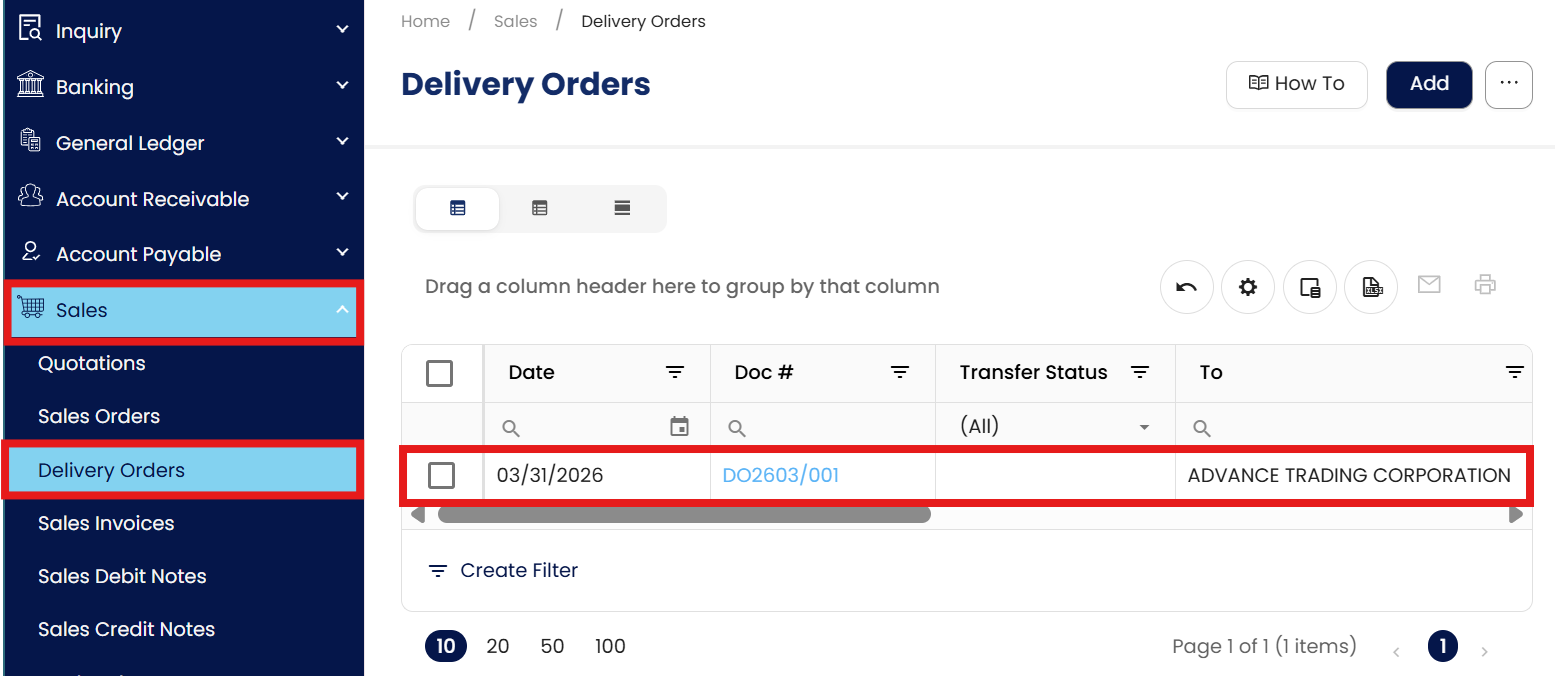
Click the Edit icon to modify necessary fields.

Requirement: Ensure modifications comply with internal policies. It is crucial to log the justification for the change in the system's "Remarks" or "Notes" section for audit purposes.
Click Save.

Deleting or Cancelling A Delivery Order
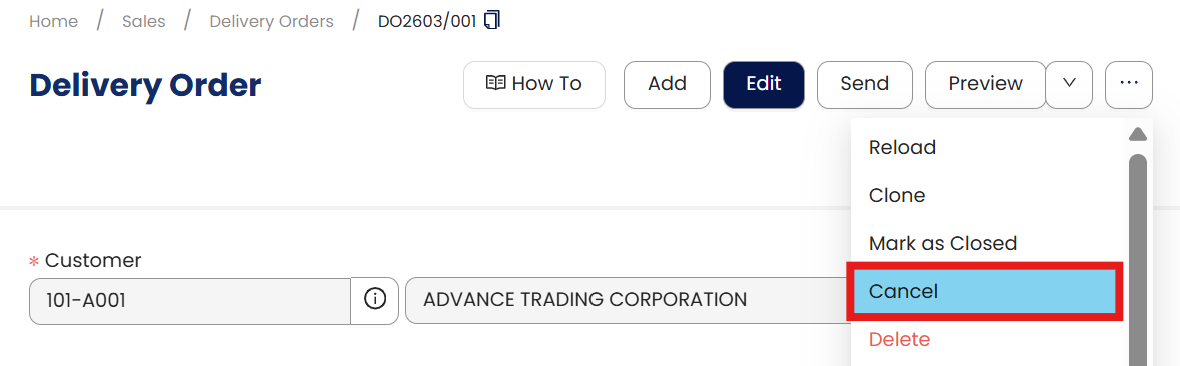
Access the desired delivery order from the management system.
Cancellation (Recommended): Instead of outright deletion, which may violate BIR regulations, use the Cancel function. This keeps the record intact for compliance while nullifying the transaction.
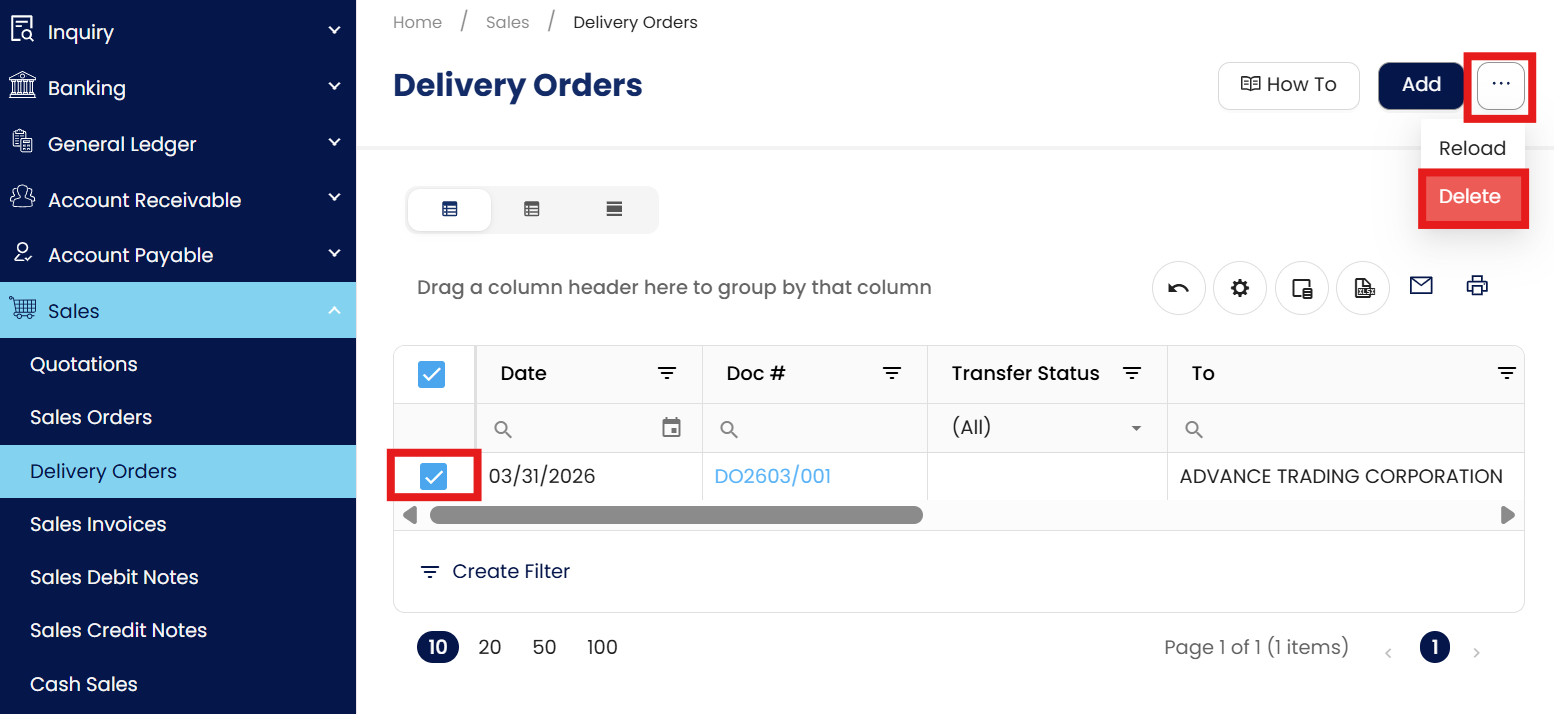
Deletion: If your internal policy allows, click the Delete icon.
Application:
Example 1: Partial Shipments
A customer orders 100 units of a product, but only 60 units are currently available in stock. Using N3 AI, you can create a delivery order for the 60 available units and mark the remaining 40 units for future delivery. This ensures inventory accuracy and provides clear communication to the customer.
Example 2: Coordinating Multiple Warehouses
A company operates from two warehouses. By specifying the warehouse location in the delivery order, N3 AI automatically adjusts inventory from the correct location. This prevents stock discrepancies and allows smooth coordination between warehouse and accounting teams.
Example 3: Integration with Invoicing
Once a delivery order is confirmed, N3 AI can link it directly to a sales invoice. This ensures that invoicing matches actual deliveries, reducing errors and improving cash flow management.
Important Note:
Editing and Deleting Transactions: According to regulatory guidelines, modifications or deletions of recorded transactions in the system may be strictly prohibited once Computerized Accounting System (CAS) approved. It's vital to adhere to your company's internal policy regarding these functionalities. It is generally advisable to disable or limit the ability to edit/delete to maintain compliance with regulations.
System Scope: QNE AI Cloud Accounting / N3 AI Accounting
Was this article helpful?
That’s Great!
Thank you for your feedback
Sorry! We couldn't be helpful
Thank you for your feedback
Feedback sent
We appreciate your effort and will try to fix the article