Overview:
The BIR Form 2550 is a Value-Added Tax (VAT) return required by the Bureau of Internal Revenue. It is used to report VAT sales, purchases, input tax, output tax, and the resulting VAT payable or refundable for a specific period.
In N3 AI Accounting, the BIR Form 2550 report compiles VAT transactions into the required BIR form structure. This allows accountants and finance teams to review VAT totals and generate reports that can be used for filing. This reduces manual computation and helps improve reporting accuracy. The system generates both 2550M and 2550Q reports based on recorded VAT transactions.
Scenario:
An accountant is preparing the company’s monthly VAT filing. Instead of manually calculating VAT from multiple reports, he uses the BIR 2550 feature in N3 AI Accounting to generate a consolidated VAT report for the period. This allows him to quickly review totals and prepare information needed for VAT filing.
Procedure:
Important:
Before generating BIR Form 2550:
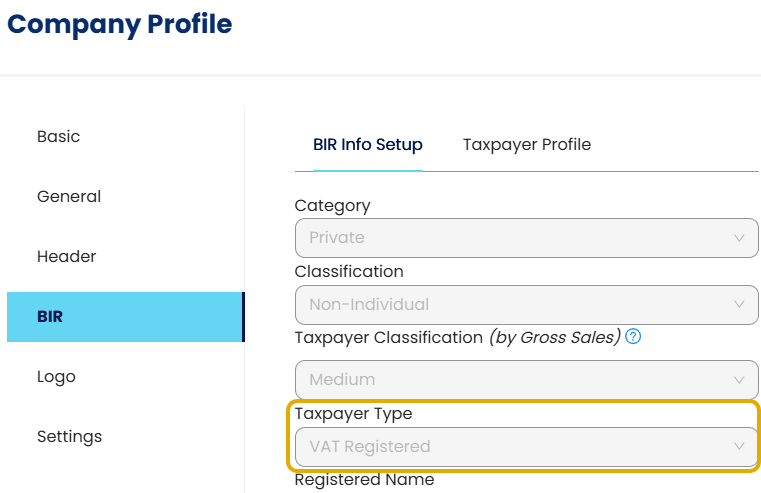
Ensure the company is set as VAT Registered under Company Profile > BIR
Ensure VAT transactions exist for the reporting period
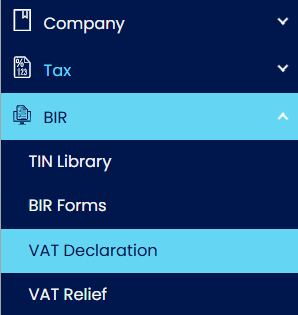
Go to BIR > VAT Declaration.
Note:
The VAT Declaration form automatically calculates monthly VAT amounts based on recorded transactions. Users should review the computed values and enter any required manual adjustments before saving.
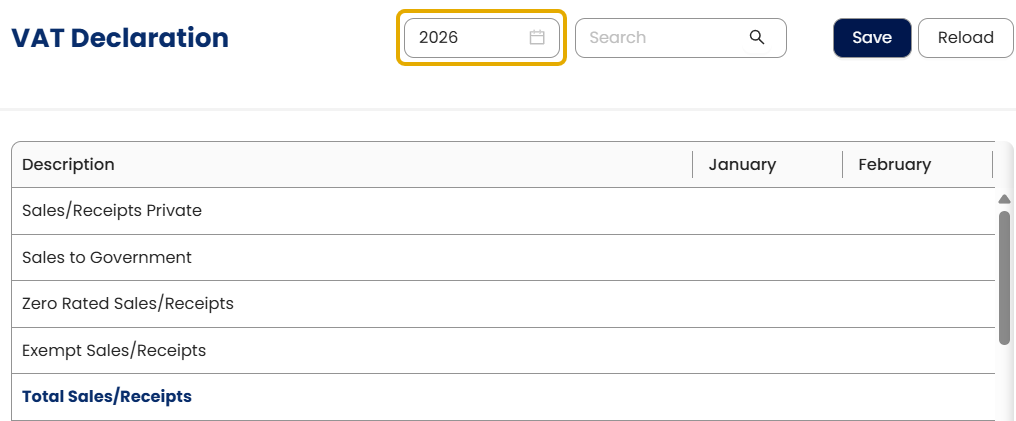
Select the working year.
Review the system-generated monthly VAT amounts.
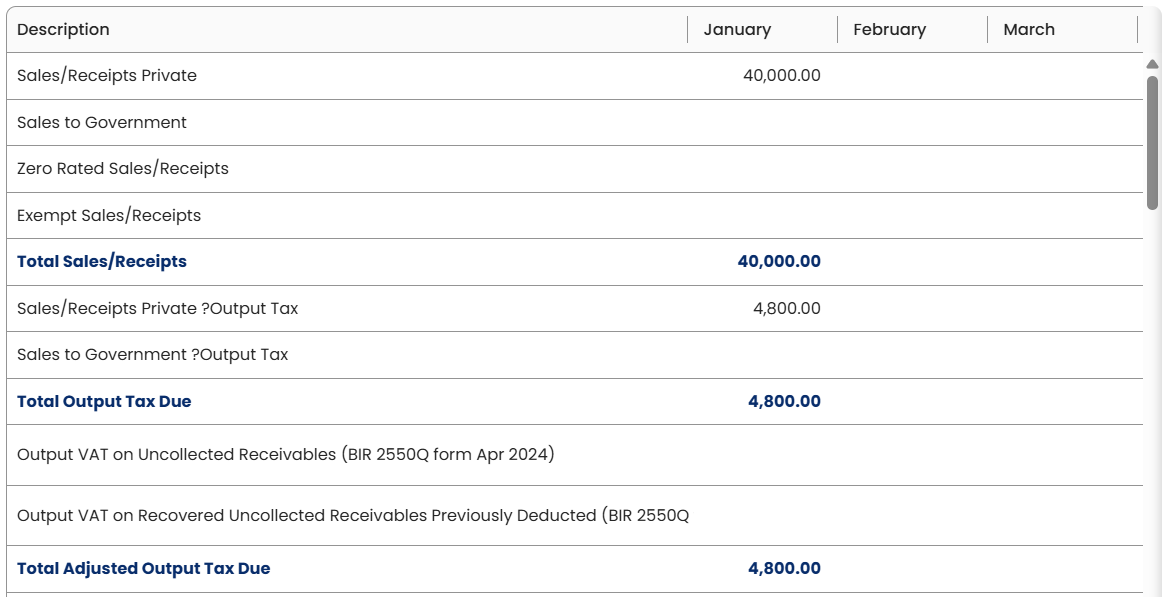
Enter any required manual values.
Click Save.

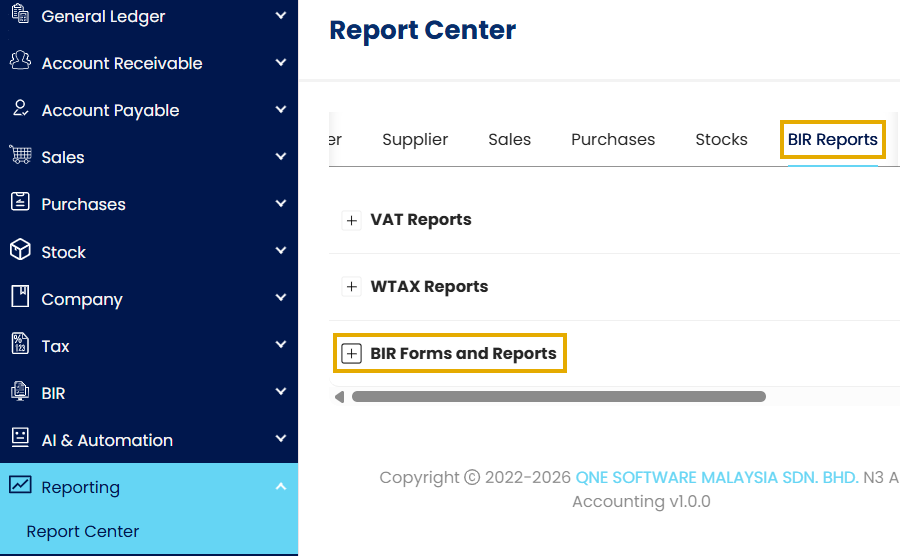
Go to Reporting > Report Center > BIR Reports > BIR Forms and Reports.
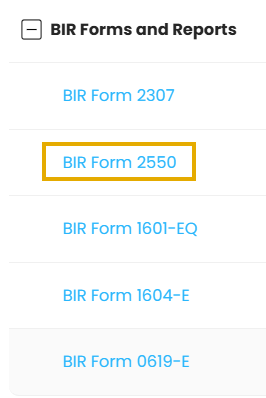
Select BIR Form 2550 from the report list.
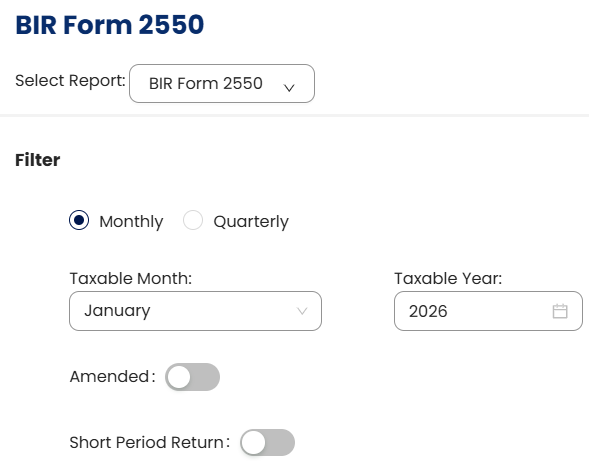
Under Filter, set the report parameters:
Select the form to generate (Monthly or Quarterly)
Select the Taxable Month and Year (Monthly) or Period Range (Quarterly)
Toggle Amended to ON if you are preparing an amended return.
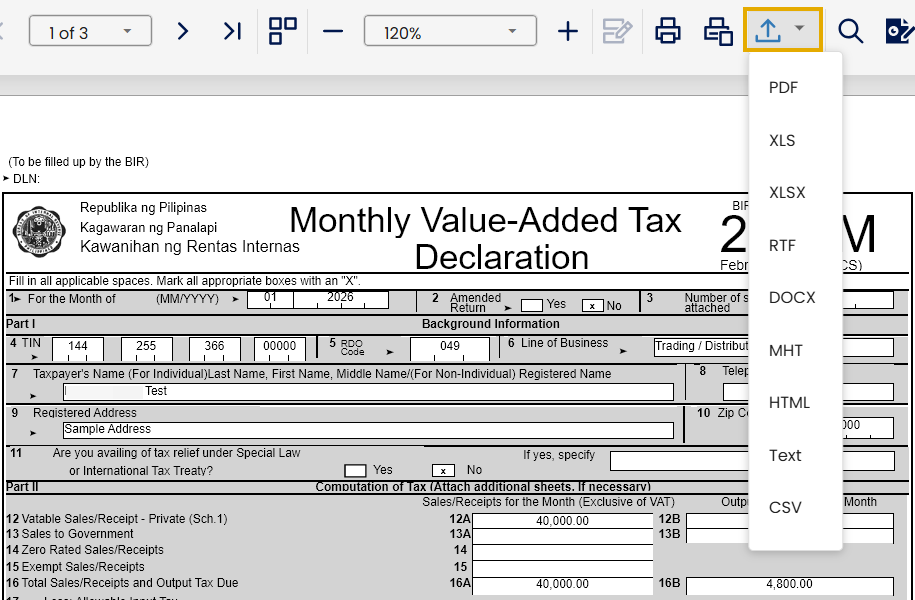
Click Preview to generate and review the BIR Form 2550 report.

Click Export and choose your preferred format.
Application:
The BIR Form 2550 report can be used for the following business purposes:
1. Monthly VAT Filing Preparation
Generate the 2550M report to summarize VAT sales, purchases, and tax amounts for the selected month. This helps accountants review VAT figures before preparing the monthly VAT declaration.
2. Quarterly VAT Filing Preparation
Use the 2550Q report to consolidate VAT transactions for quarterly reporting. This allows finance teams to review totals before completing quarterly VAT submissions.
3. VAT Verification and Review
Review input and output VAT amounts to ensure transactions are properly recorded. This helps identify discrepancies before generating final tax reports.
4. Audit Support Documentation
Use the generated BIR Form 2550 report as supporting documentation during internal reviews or external audits to validate VAT transaction records.
5. VAT Planning and Cash Flow Monitoring
Analyze VAT payable amounts to help plan upcoming tax payments and monitor the company’s short-term cash flow requirements.
System Scope: QNE AI Cloud Accounting / N3 AI Accounting
Was this article helpful?
That’s Great!
Thank you for your feedback
Sorry! We couldn't be helpful
Thank you for your feedback
Feedback sent
We appreciate your effort and will try to fix the article