Overview:
A Past Invoice in N3 Cloud Accounting is a feature used to record sales transactions dated prior to the system’s cut-off date. It ensures that historical invoices are properly captured without affecting current accounting balances, maintaining the accuracy and integrity of financial records.
Scenario:
You need to record an invoice that occurred before the company’s system cut-off date. Instead of affecting current financial data, the system allows you to tag it as a Past Invoice to maintain proper accounting records.
Procedure:
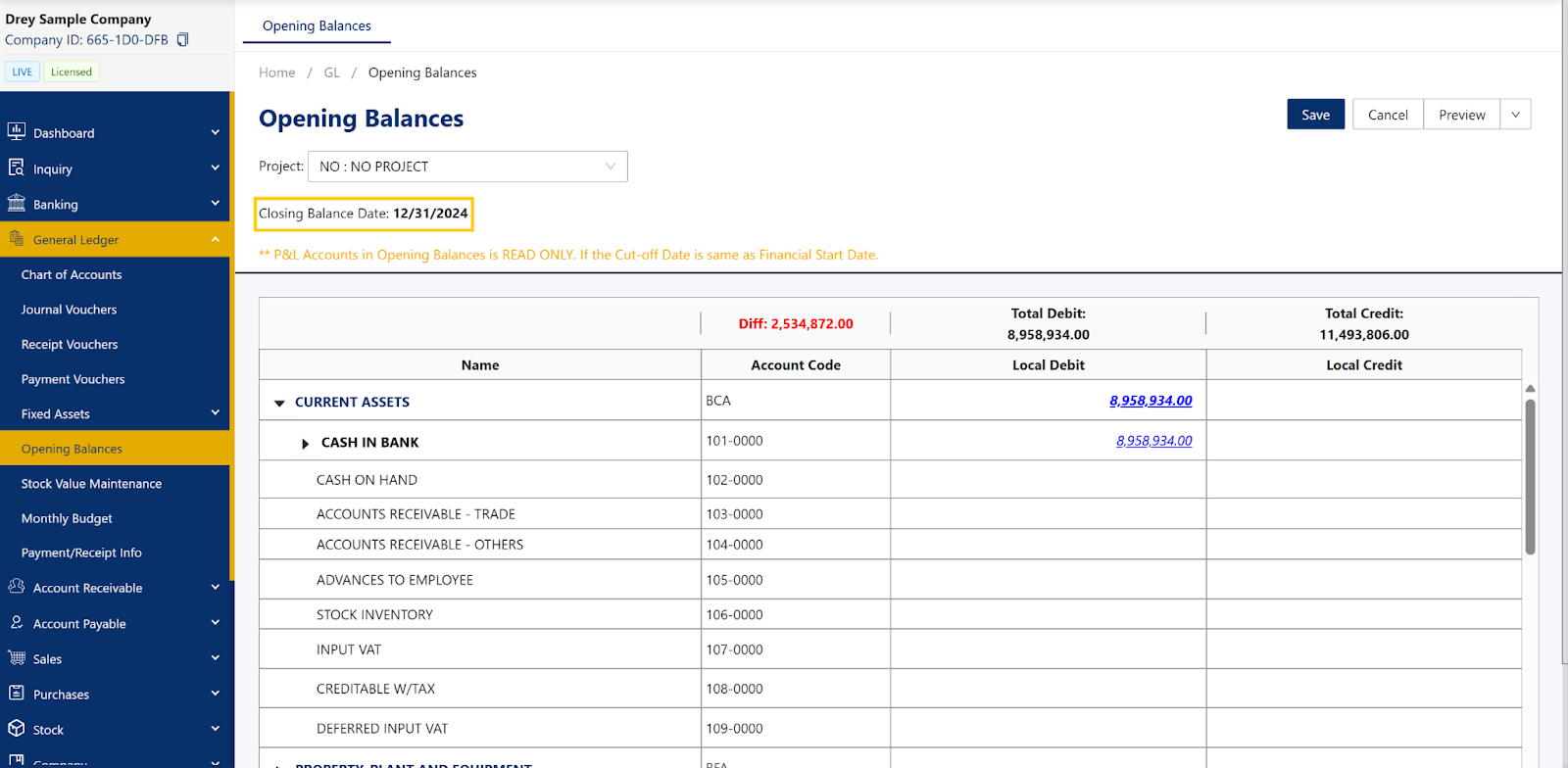
Go to the Chart of Accounts and check the configured cut-off date. The Past Invoice will be based on this date.
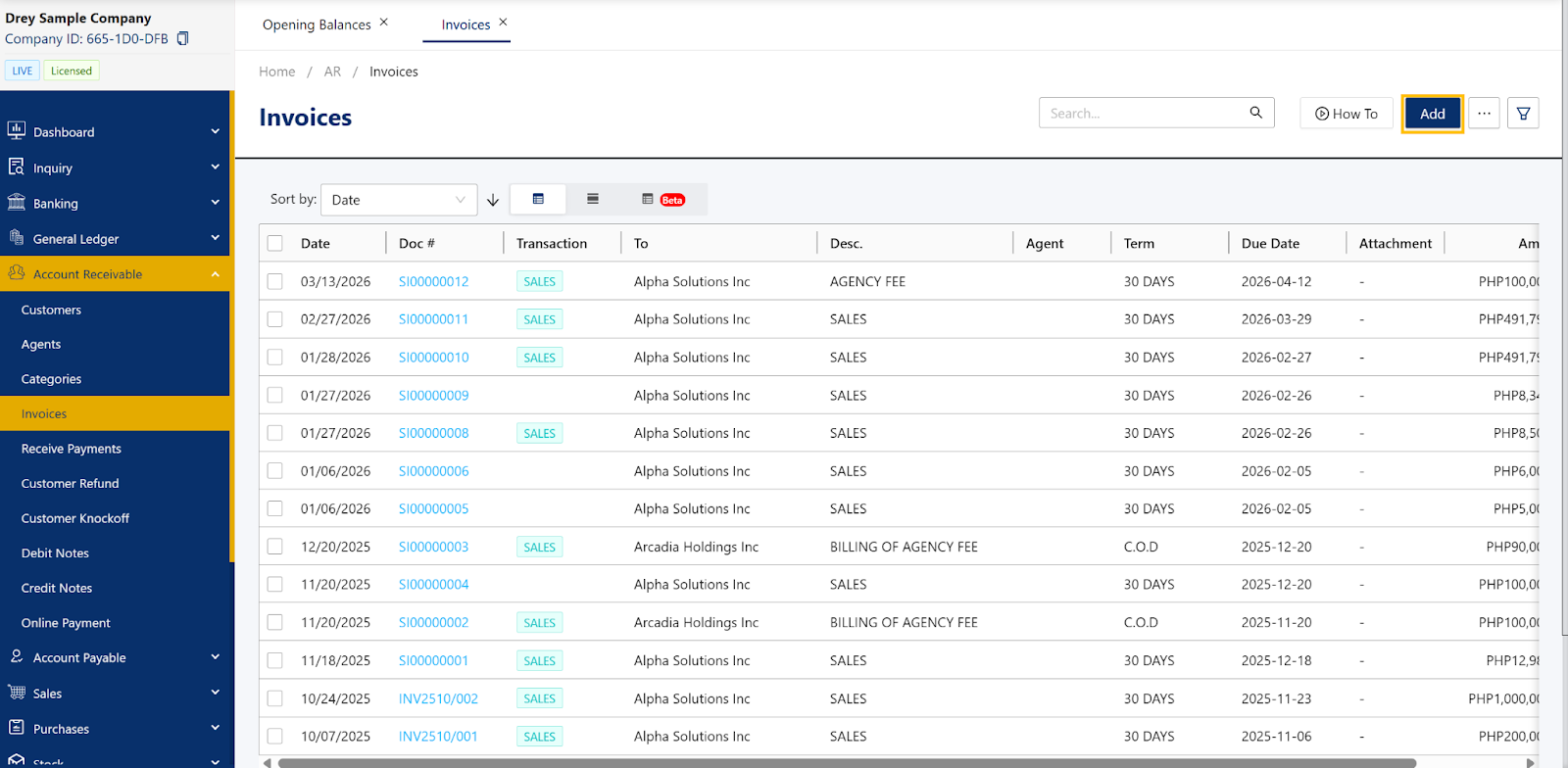
To create a Past Invoice, navigate to Customer > Invoice, then click Add.
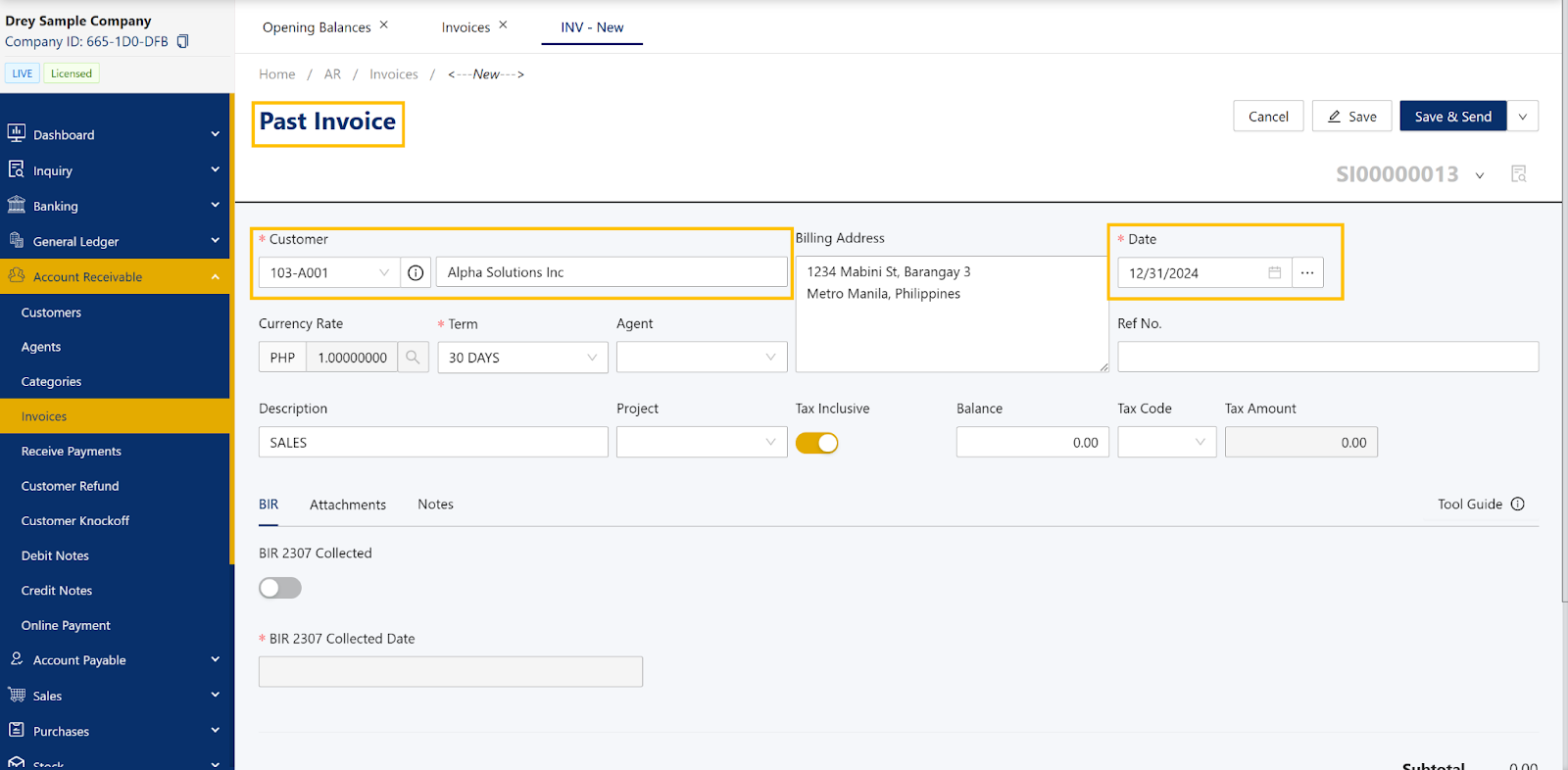
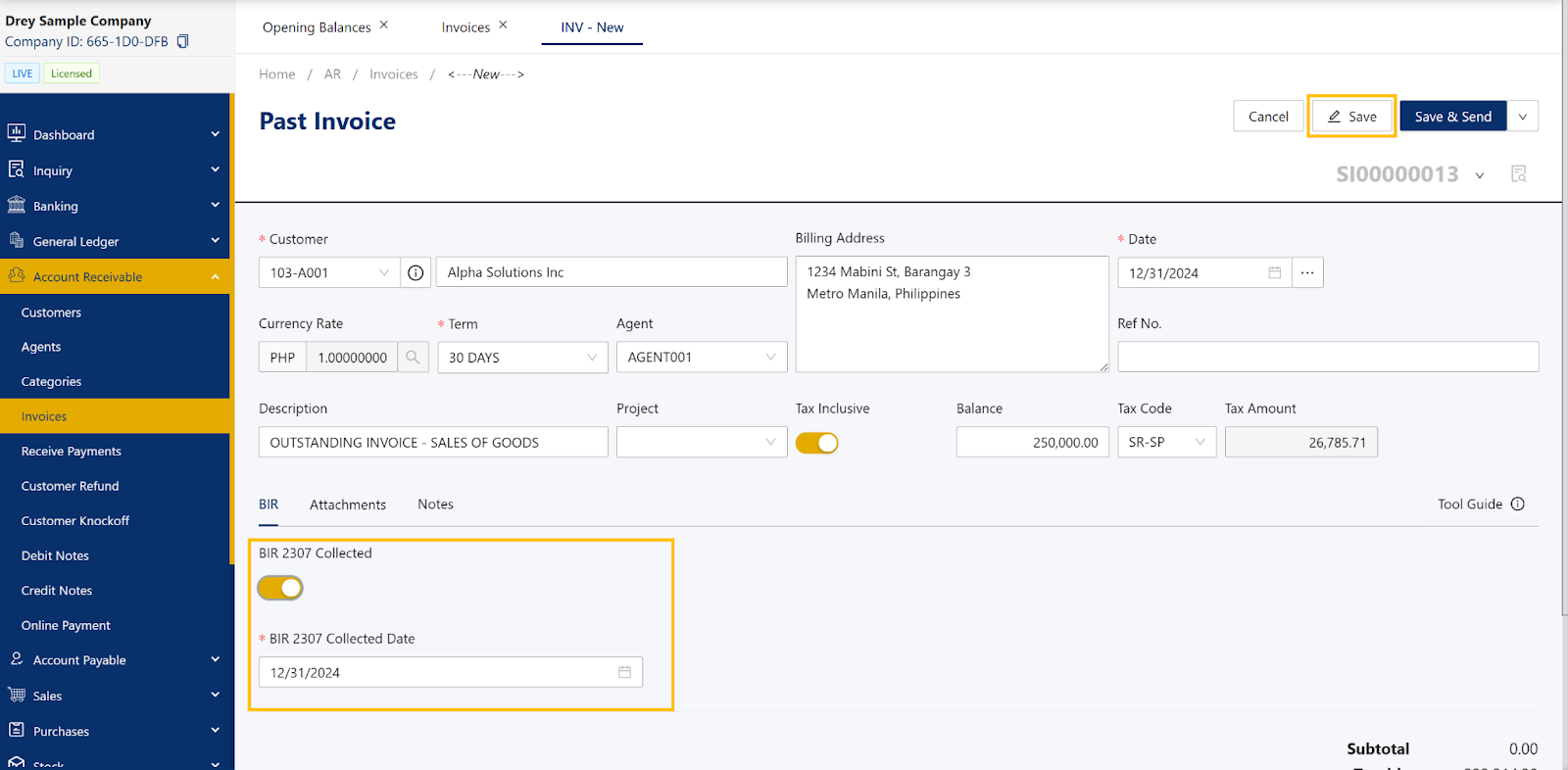
Select the appropriate customer and change the invoice date to a date prior to the cut-off date. Once the date is set earlier than the cut-off, the document title will automatically change to Past Invoice.
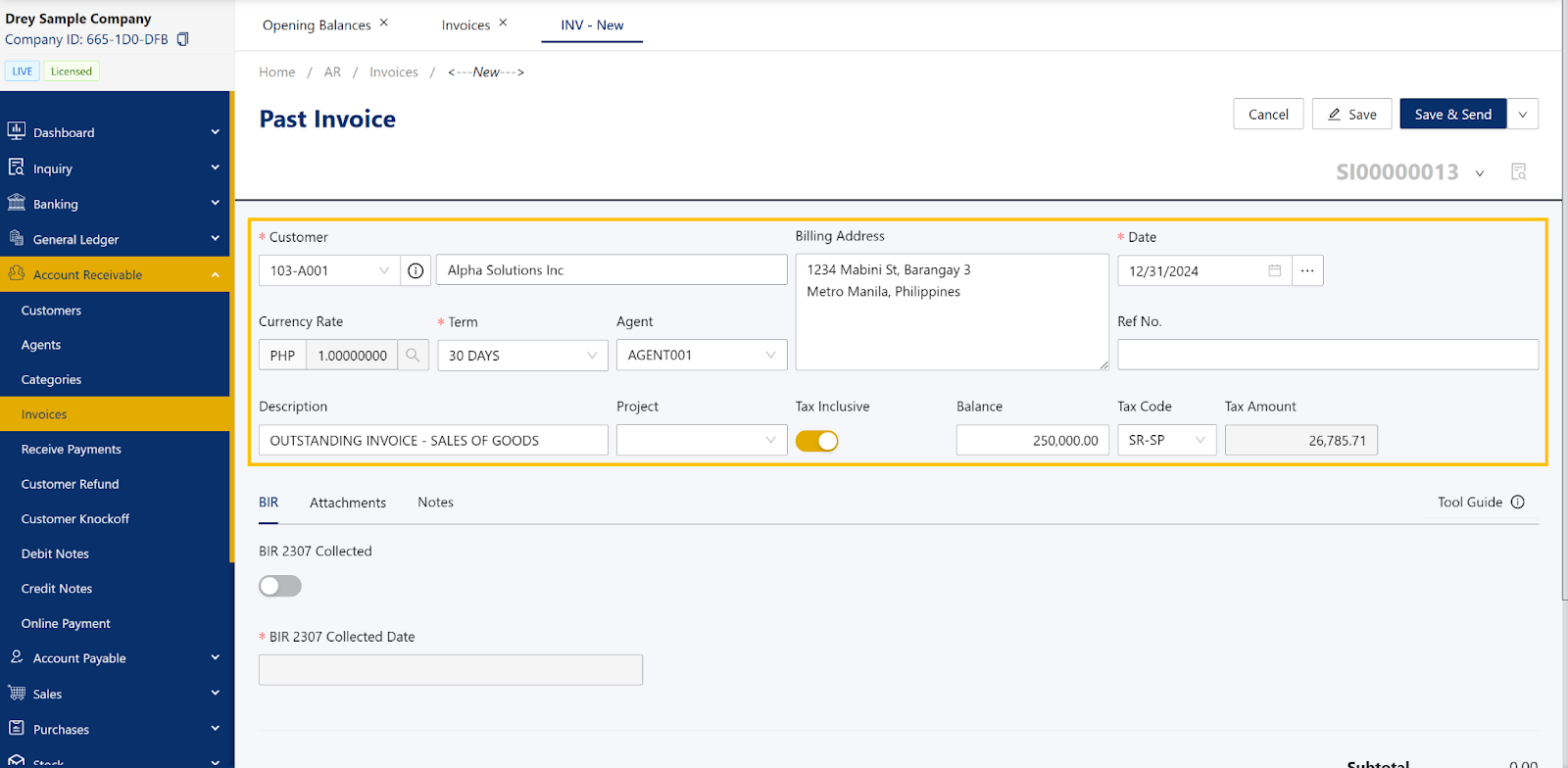
Input all required details such as Terms, Agent, Description, Tax Code, and Balance.
Under the BIR tab, you may also tick the option if BIR Form 2307 has been received. If received, input the receive date.
Once all details are complete, click Save.
Application:
This feature is useful for recording historical transactions during system implementation or migration. It ensures that prior-period invoices are properly documented without affecting current accounting balances, helping maintain accurate financial reporting and audit compliance.
System Scope: QNE AI Cloud Accounting / N3 AI Accounting
Was this article helpful?
That’s Great!
Thank you for your feedback
Sorry! We couldn't be helpful
Thank you for your feedback
Feedback sent
We appreciate your effort and will try to fix the article