Overview:
The Supplier Control Summary report provides a consolidated view of all supplier control account balances. It helps users monitor total payables, verify alignment between subsidiary ledger balances and their corresponding control accounts, and detect discrepancies before financial closing. This report is especially useful for accounts payable teams, purchasing departments, and anyone responsible for managing supplier liabilities.
Scenario:
As part of month-end closing, an accounts payable officer needs to confirm that the outstanding payables recorded per supplier match the balances reflected in the related control accounts. Instead of reviewing each supplier ledger manually, the officer generates the Supplier Control Summary report to view all supplier balances in one summarized list. This makes it easier to identify inconsistencies and ensure accurate financial reporting.
Procedure:
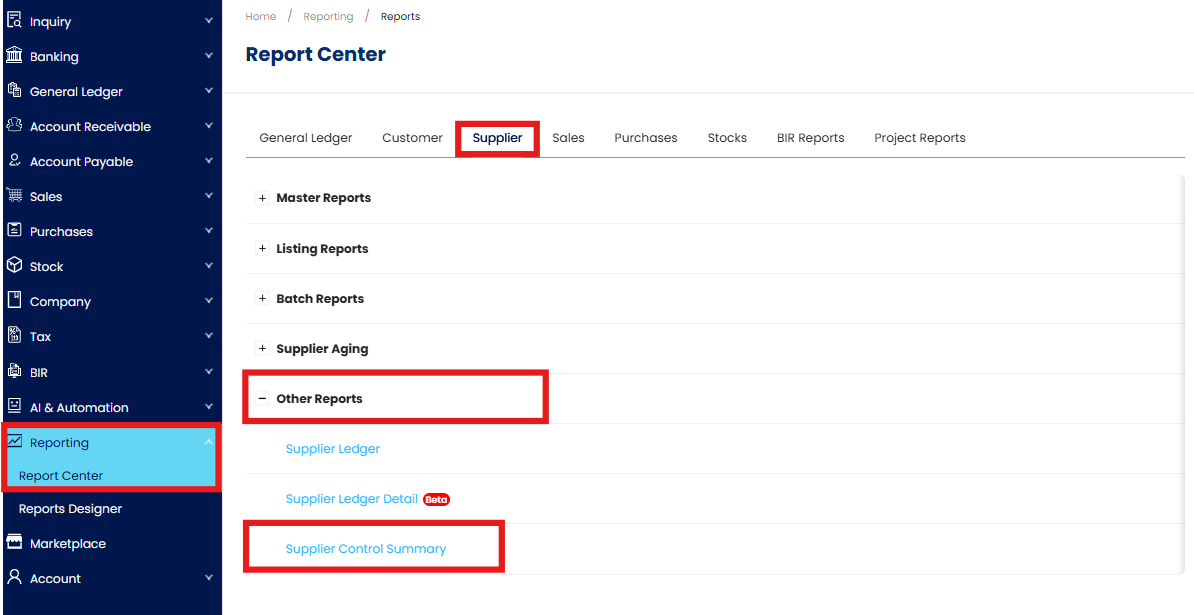
Go to Reporting > Report Center > Supplier > Other Reports > Supplier Control Summary
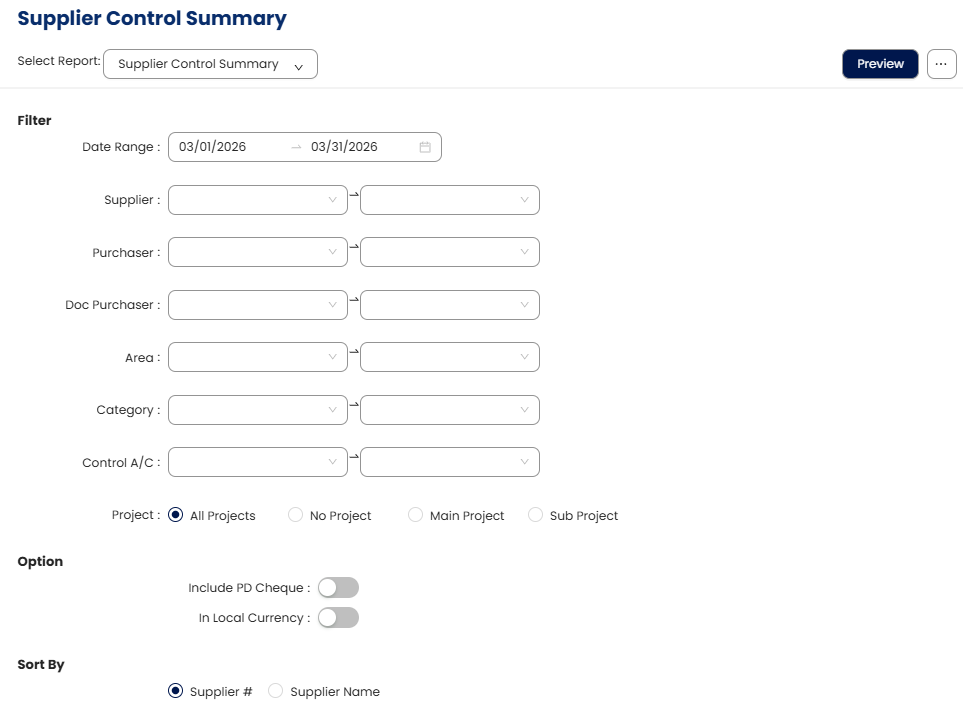
In the Filter section, configure the following options as needed:
Date Range – Select the reporting period.
Supplier – Filter by specific supplier or leave blank to include all.
Purchaser – Filter by assigned purchaser.
Doc Purchaser – Filter by document purchaser, if applicable.
Area – Filter by supplier area or region.
Category – Select the supplier category.
Control A/C – Choose the supplier control account.
Project - Filter by project (visible only if the add-on module is enabled).
Include PD Cheque – Enable this option to include Post-Dated Cheques in the summary.
In Local Currency – Enable this option to display balances in local currency.
Sort By – Select Supplier Code or Supplier Name for sorting.
Click Preview to generate the report
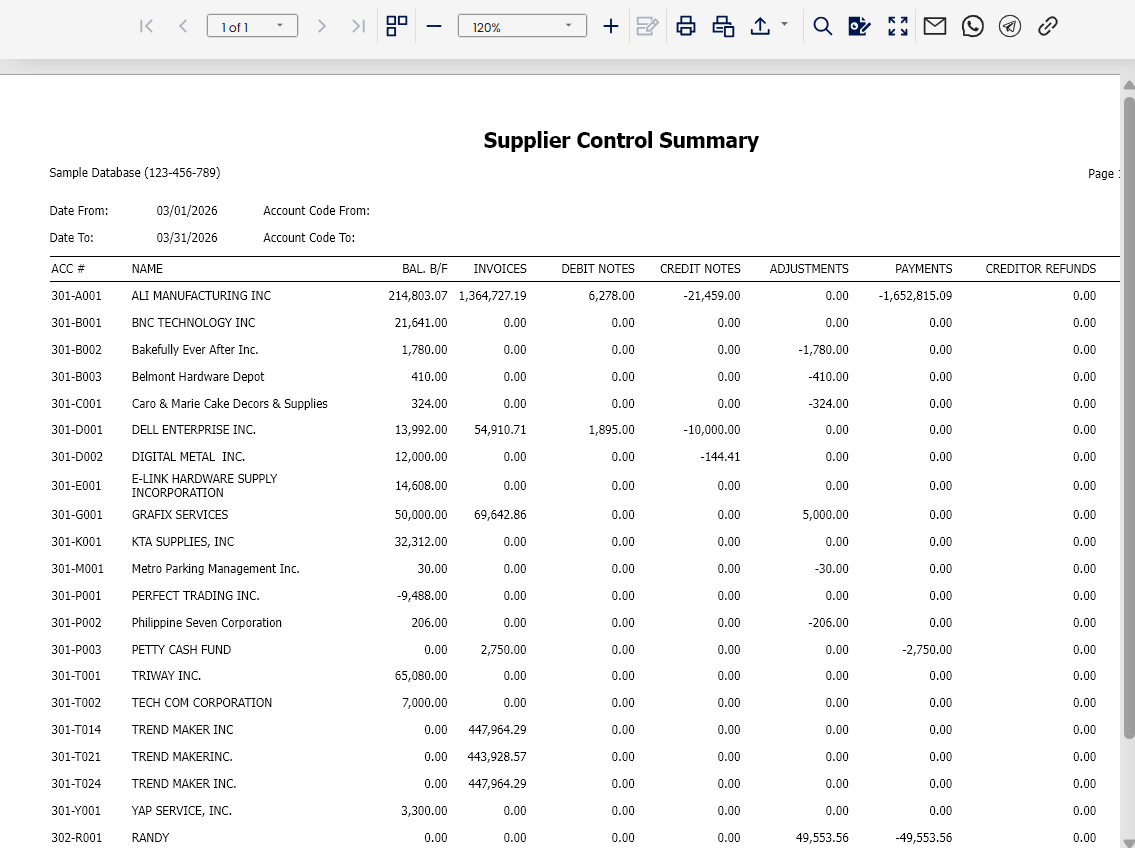
Review the results to confirm alignment between supplier balances and the selected control accounts.
Application:
Payables Reconciliation: Ensure supplier balances match the totals recorded in control accounts.
Financial Health Monitoring: Track total liabilities owed to suppliers at a summarized level.
Audit Support: Provide auditors with a consolidated summary of supplier balances for verification.
Expense & Vendor Analysis: Monitor payables across different areas, categories, or projects.
Management Insight: Supply decision-makers with a quick overview of outstanding supplier obligations.
System Scope: N3 AI Accounting (formerly QNE AI Cloud Accounting)
Was this article helpful?
That’s Great!
Thank you for your feedback
Sorry! We couldn't be helpful
Thank you for your feedback
Feedback sent
We appreciate your effort and will try to fix the article