Overview:
The Discount Rules module allows businesses to automate discount application across sales transactions. By defining discounts per customer and item, the system automatically applies the correct discount during transaction entry. This helps ensure pricing consistency, reduce manual adjustments, and improve sales efficiency.
The module supports two discount types:
Fixed Amount – applies a fixed discount value
Percentage – applies a percentage-based discount
Scenario:
A company provides special pricing arrangements to selected customers, such as fixed discounts on specific items or percentage-based discounts based on agreements. To eliminate manual discount entry and reduce pricing errors, the sales team sets up Discount Rules so discounts are automatically applied once the customer and item are selected in a sales transaction.
Procedure:
Enable Discount Rules Priority
Discount Rules will automatically be available once Price Rules are enabled, as long as the feature is included in the subscribed plan.
Create or Maintain Discount Rules
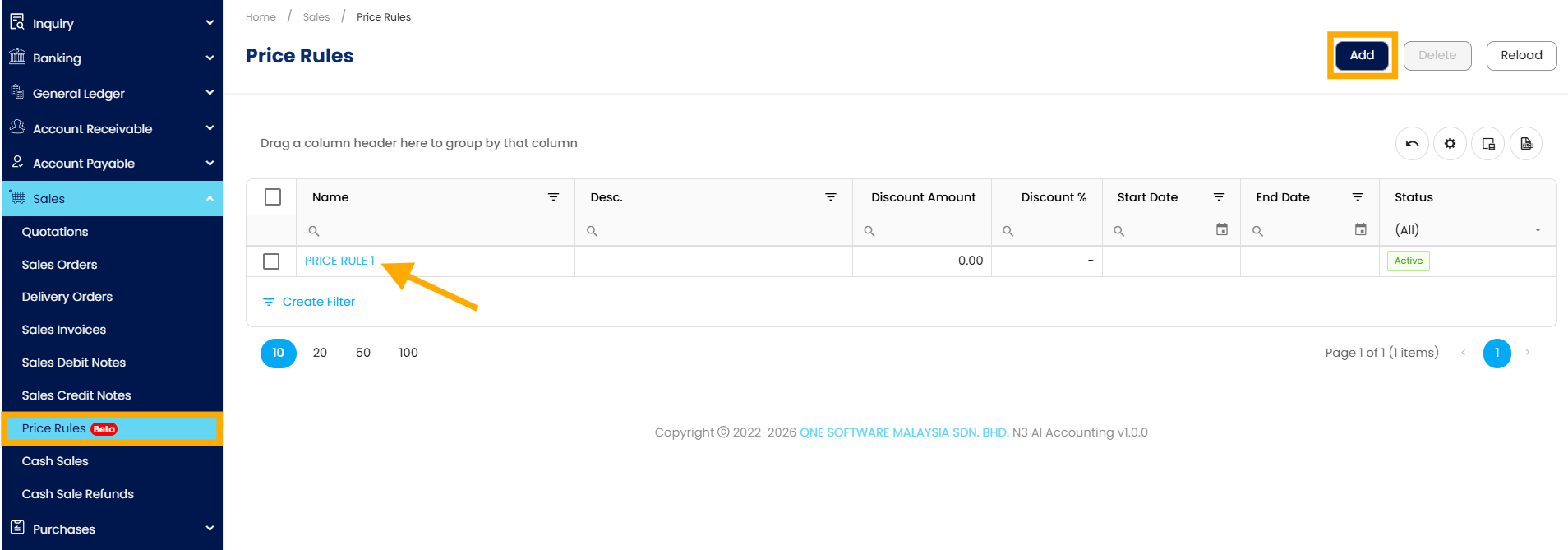
In the navigation pane, go to Sales > Price Rules > Select any existing rule (by clicking the blue code) or click Add to create a new one.
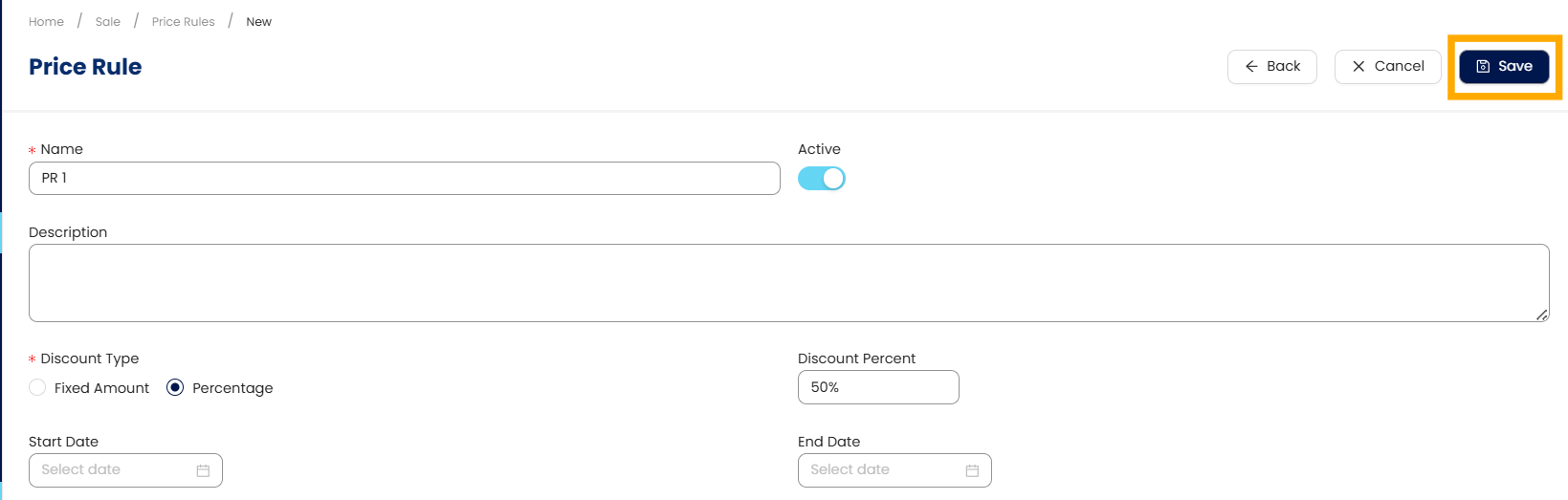
Enter the following details:
Rule Name (required)
Description (optional)
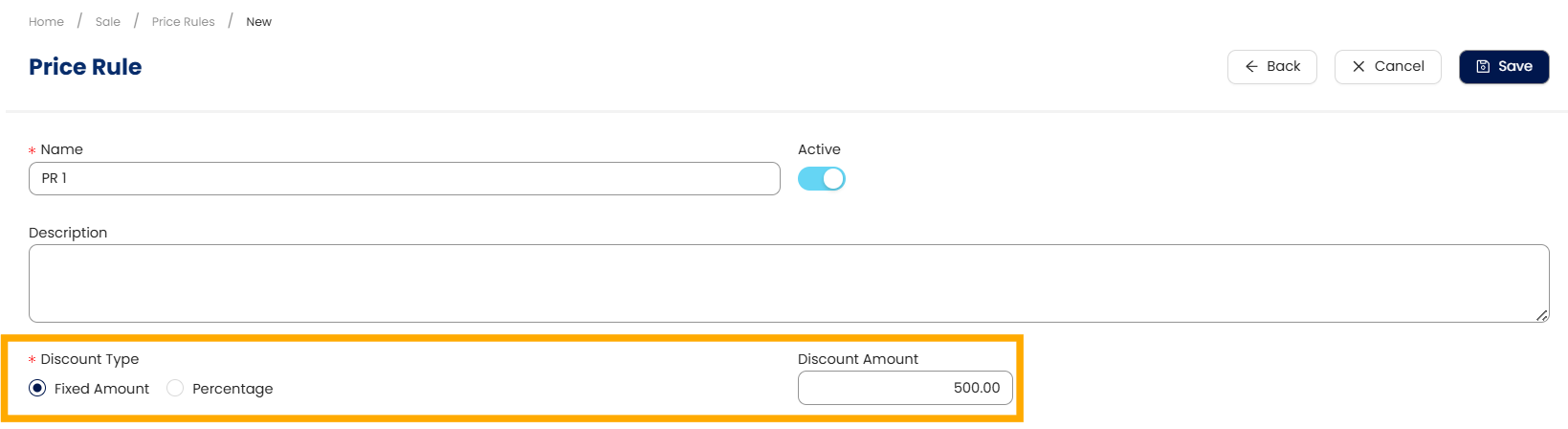
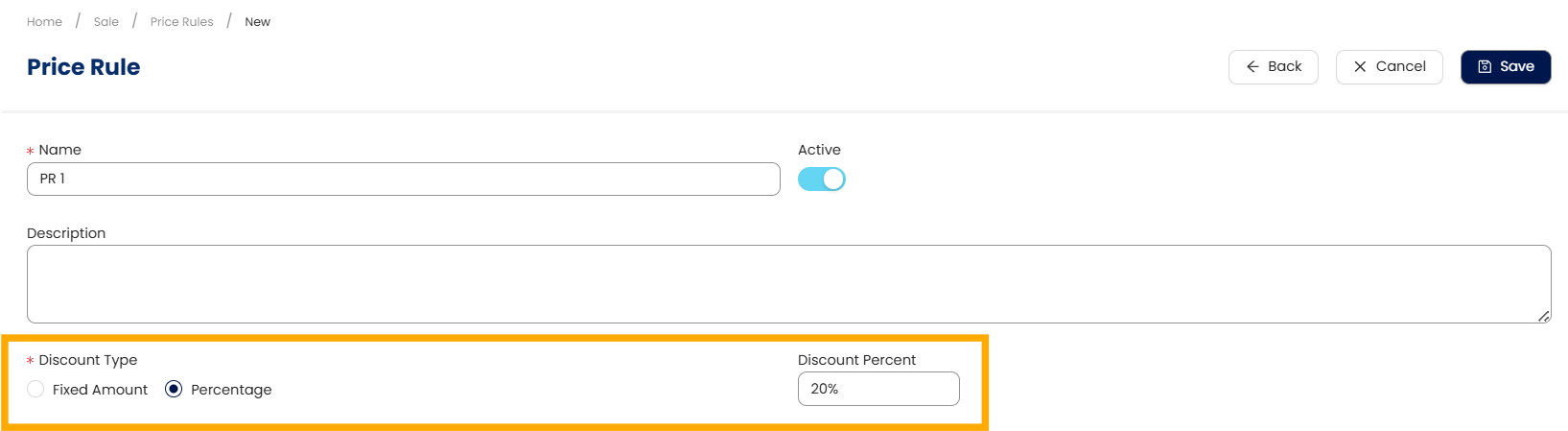
Discount Type: Fixed Amount or Percentage
Discount Value based on the selected type
Discount Type: Fixed Amount
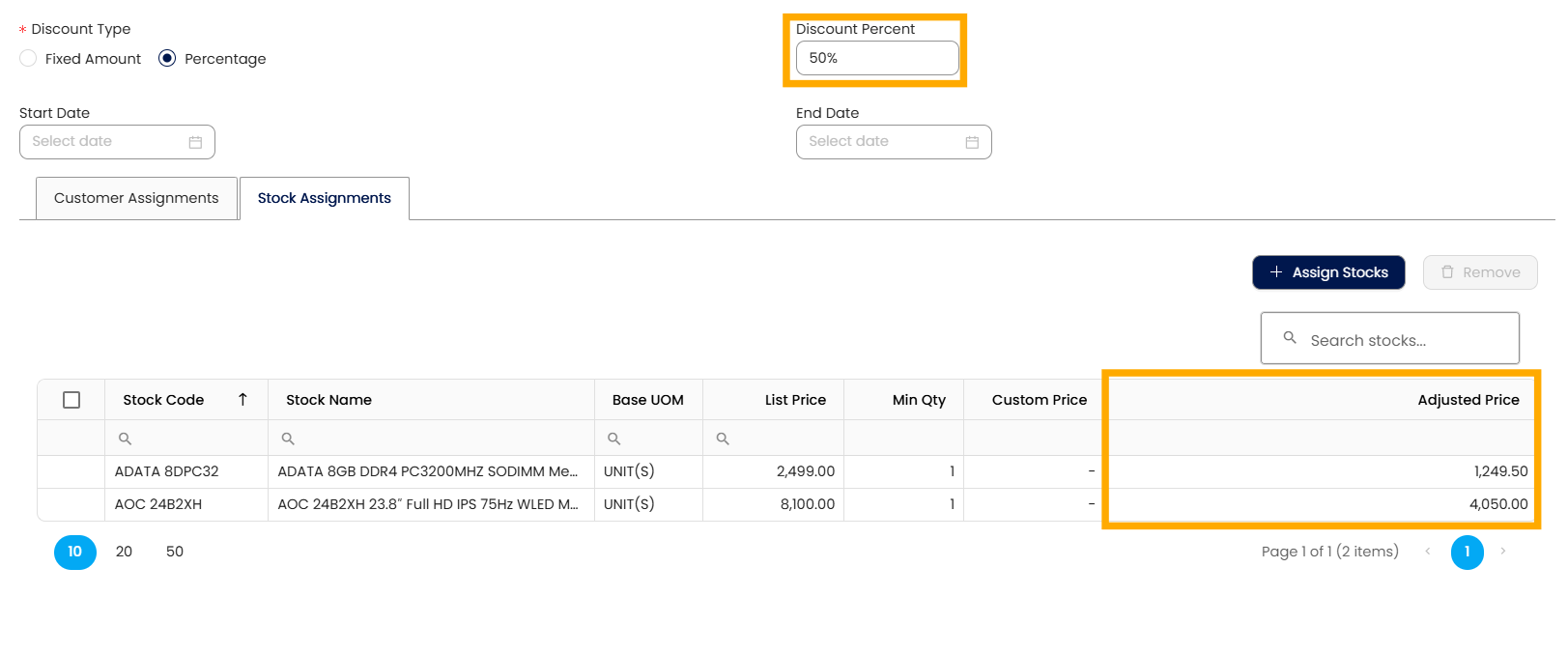
Discount Type: Percentage
Set the Start Date and End Date if you want the discount to be valid only for a specific period.

If left blank, the discount applies immediately and remains active until updated or removed.
Assign Customers and Items
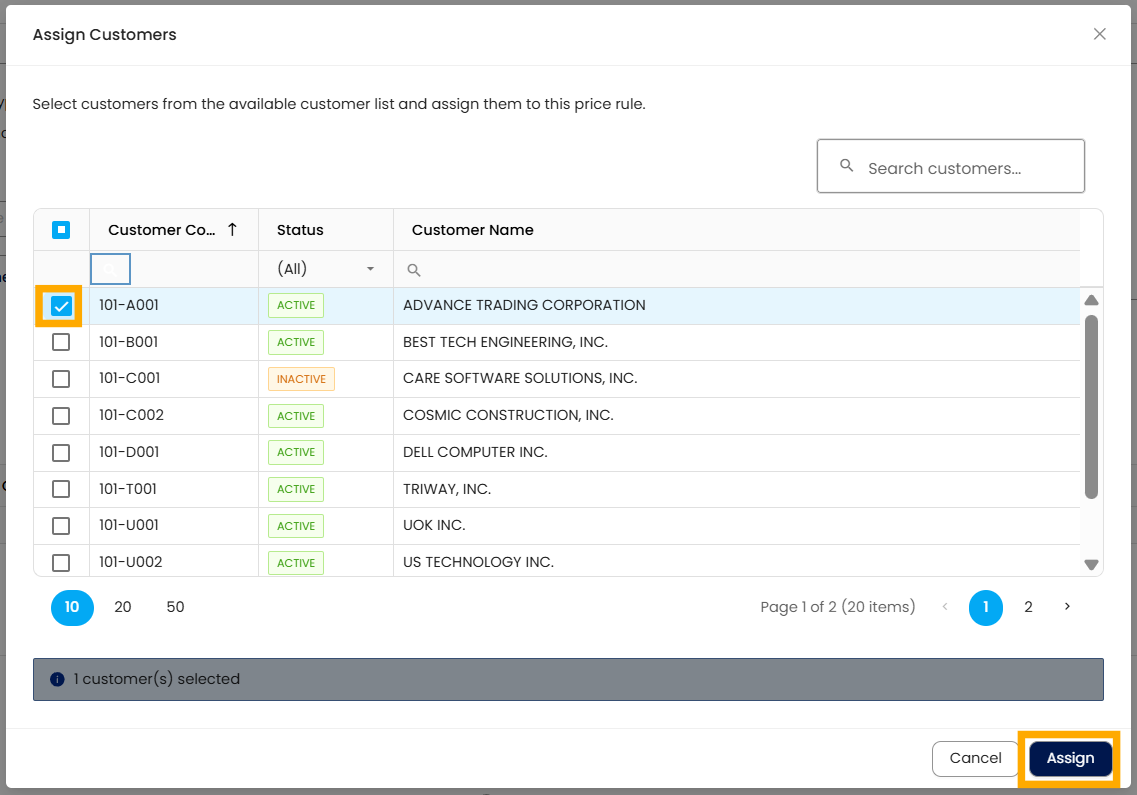
Go to the Customer Assignments tab > Click Assign Customers.
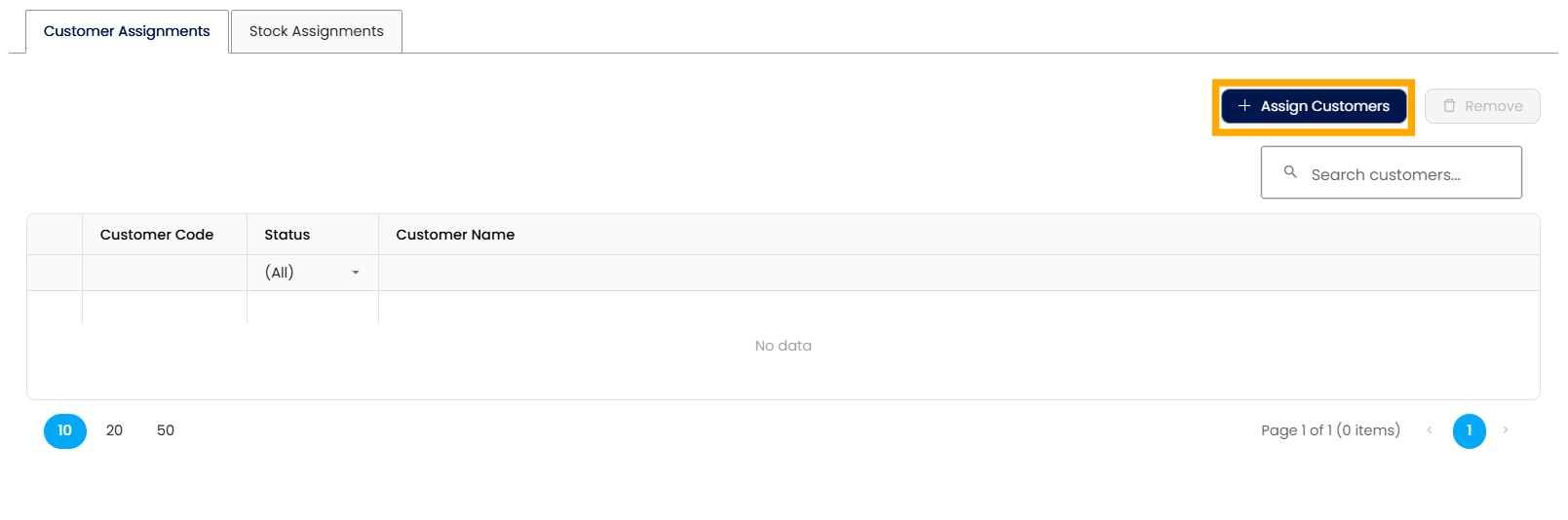
Select customer(s) > Click Assign.
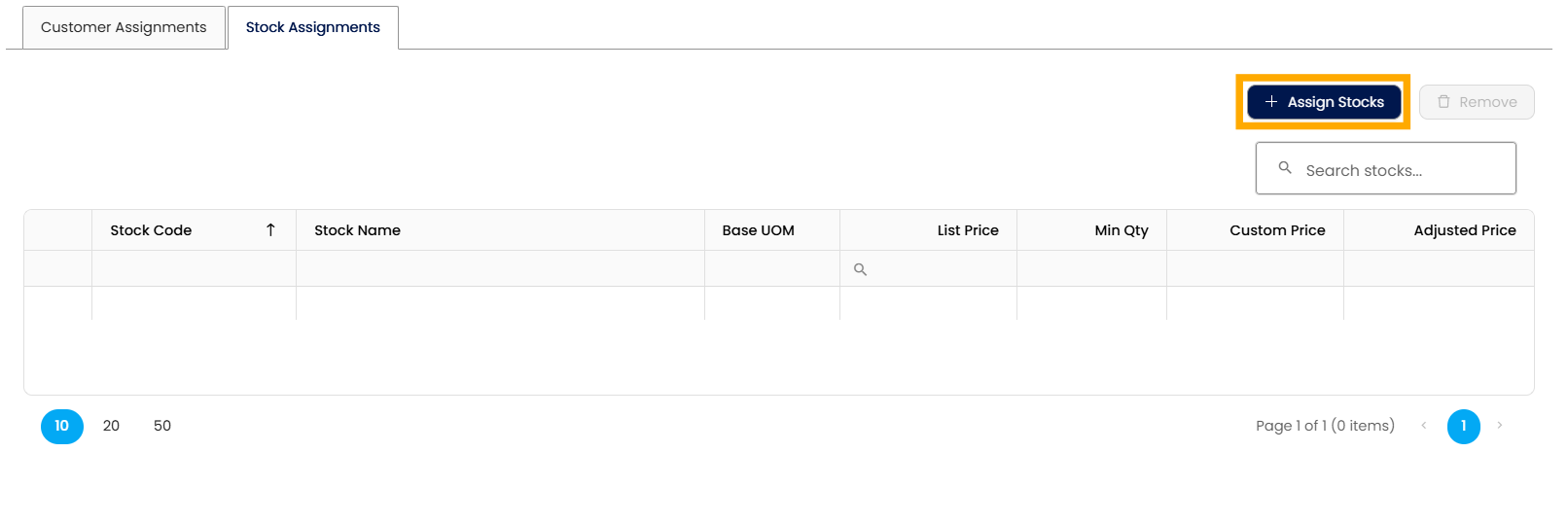
In the Stock Assignments tab, click Assign Stocks.
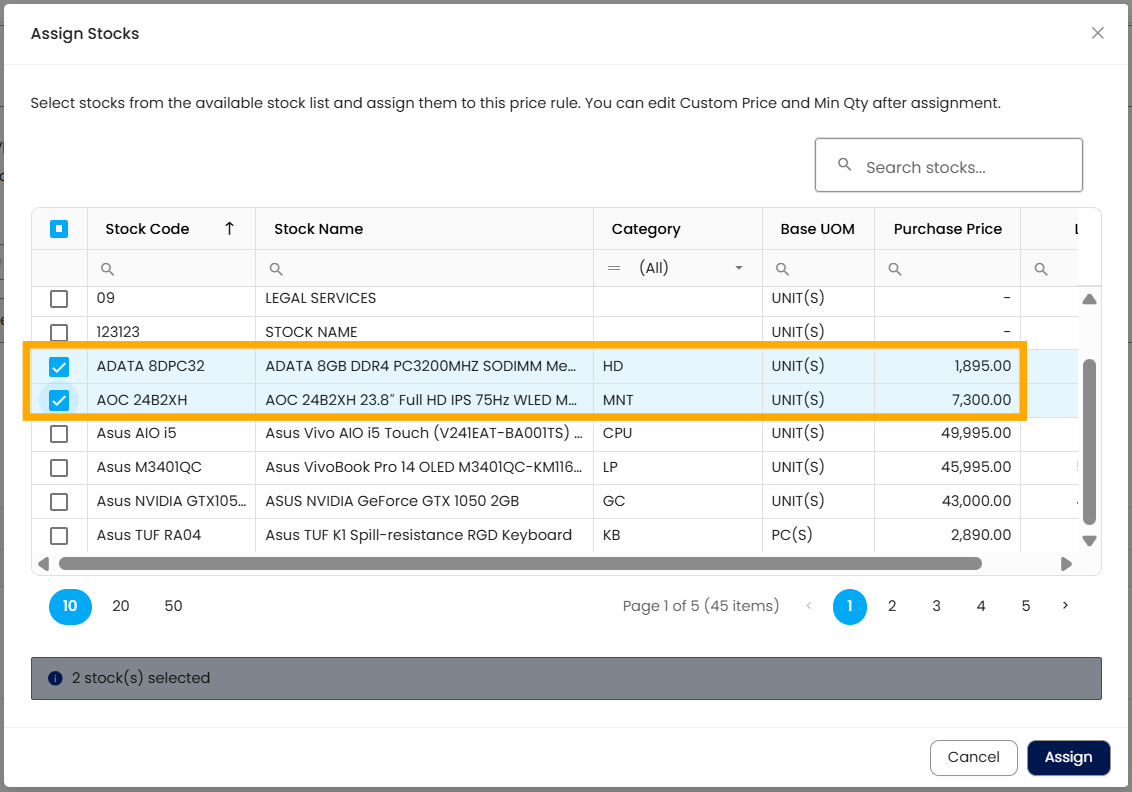
Select stock item(s) > Click Assign
Once the discount rule is saved, the discount will automatically take effect, and the price will be adjusted based on the configured discount
Click Save to finalize and apply the configured discount rule.
Notes:
If the assigned stock item has a custom price configured, the discount rule will not be applied, regardless of the discount type.
The Discount Rules feature is available only for Growth and Enterprise plans. For other plans, the Discount Rule remains disabled even if the Price Rule module is enabled.
Application:
Automated Discount Application: Apply correct discounts without manual entry
Customer-Specific Pricing: Manage special pricing agreements efficiently
Sales Efficiency: Speed up transaction processing
Pricing Consistency: Enforce standardized discount rules
Error Reduction: Minimize pricing and calculation mistakes
System Scope: N3 AI Accounting (formerly QNE AI Cloud Accounting)
Was this article helpful?
That’s Great!
Thank you for your feedback
Sorry! We couldn't be helpful
Thank you for your feedback
Feedback sent
We appreciate your effort and will try to fix the article