
Overview:
The Stock Inquiry feature in QNE AI Cloud Accounting allows inventory, warehouse, and sales
users to quickly review all system-recorded stock movements for a specific item. This includes
transactions such as receipts, issues, adjustments, and stock transfers that affect item
quantity.
Instead of generating full inventory reports, users can focus directly on item-level activity to
check current availability, validate inventory balances, or investigate unexpected quantity
changes—saving time and improving accuracy during inventory reviews.
Scenario:
An inventory or sales staff member notices a sudden or unexpected change in the available
stock of a specific item. Rather than navigating multiple inventory reports or transaction
modules, the user opens Stock Inquiry to view all stock movements for that item within a
selected date range. This allows them to quickly identify which transactions caused the
change and take appropriate action.
Procedure:
To review an item’s stock movements using Stock Inquiry in QNE AI Cloud Accounting:
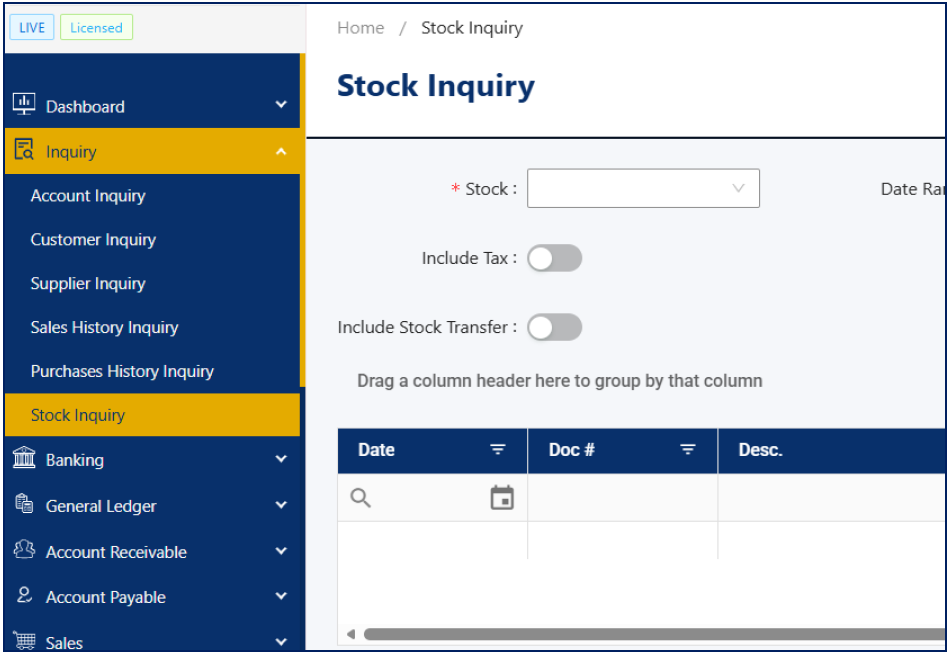
- Navigate to the Inquiry module and select Stock Inquiry.
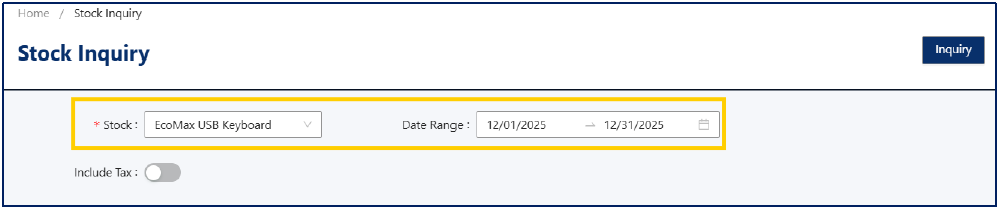
- In the Stock field, choose the item you want to review and set the Date Range.
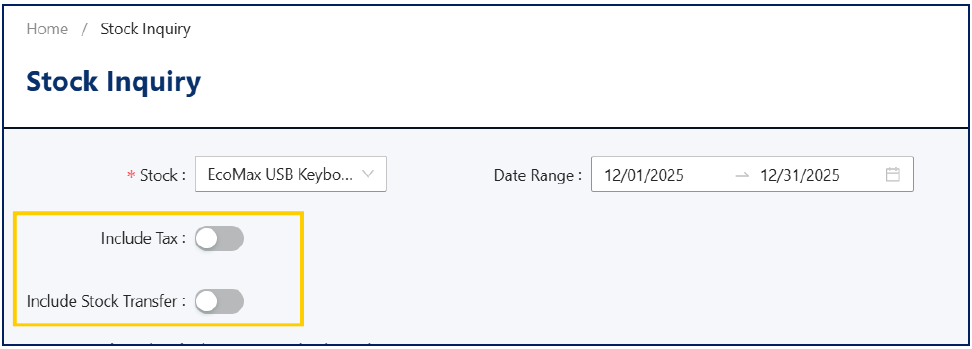
Optional Filters- Include Tax – Displays tax information for applicable transactions.
- Include Stock Transfer – Includes stock transfer entries in the movement list.
- Click Inquiry to display the list of stock transactions.
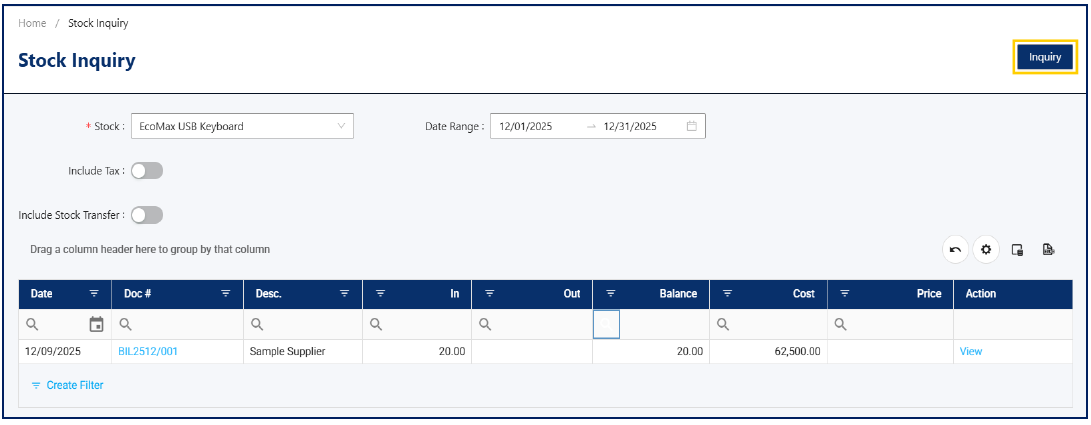
- Review the details shown, which include:
- Transaction Date
- Doc #
- Description / Transaction Type
- Quantity In and Quantity Out
- Balance
- Cost and Price (if applicable)
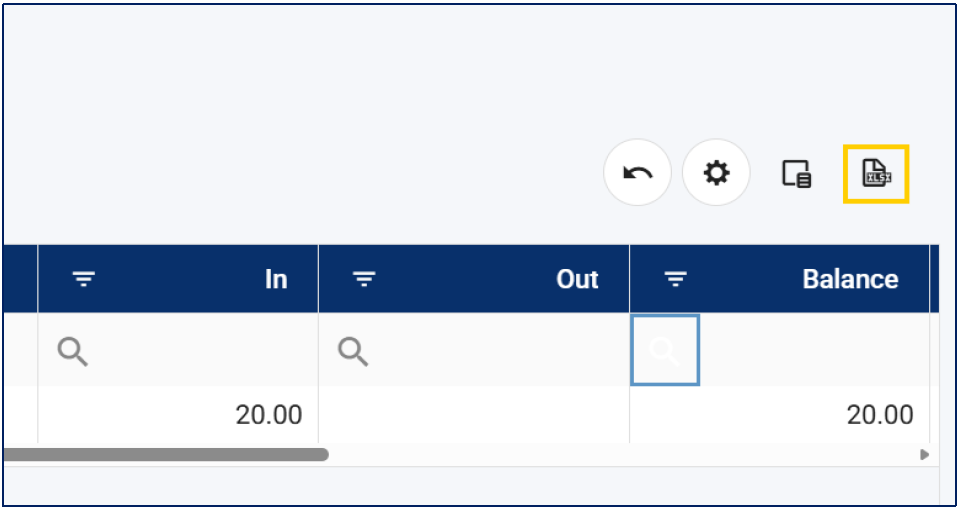
- If needed, click the Export to Excel icon if you need to save or share the results for reporting.
Note: You can click on the Doc # or the View link in the Action column to open the source document and view full transaction details.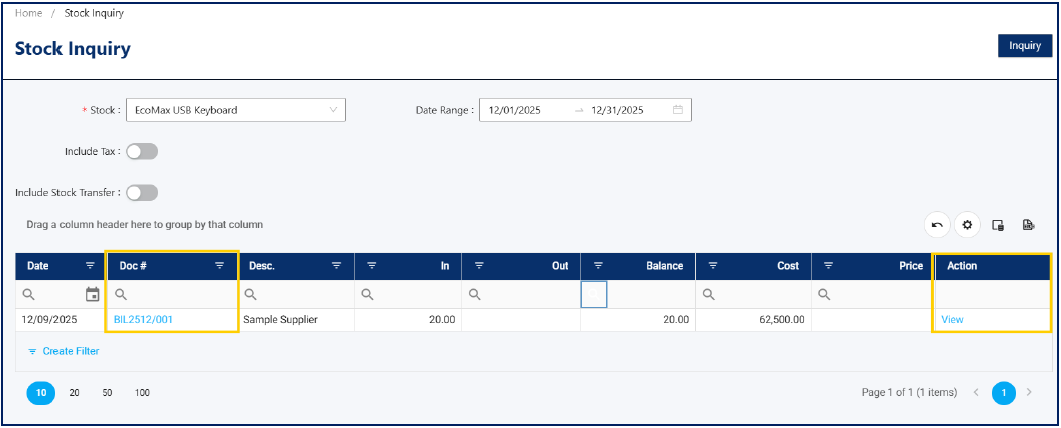
Application:
Stock Inquiry supports a wide range of operational and reporting needs, including:
- Investigating stock discrepancies by isolating all movements for a specific item within a defined period.
- Validating inventory balances before or after stock counts using real-time transaction data.
- Supporting audit reviews by tracing item quantity changes back to source documents.
- Assisting sales teams in confirming item availability and understanding recent stock changes.
- Preparing item-specific movement data for internal analysis or management reporting without running full inventory reports.
By using Stock Inquiry, users can work more efficiently, reduce delays in inventory
investigations, and maintain clear visibility into item-level stock activity.

Was this article helpful?
That’s Great!
Thank you for your feedback
Sorry! We couldn't be helpful
Thank you for your feedback
Feedback sent
We appreciate your effort and will try to fix the article