Overview:
Supplier Credit Notes are used to record deductions against a supplier’s outstanding payable. This commonly applies in cases such as purchase returns, pricing adjustments, or billing corrections, where the amount owed to the supplier needs to be reduced.
Scenario:
A supplier issues a credit note to deduct an amount from an existing payable, usually when the related purchase invoice has not yet been fully settled.
Solution:
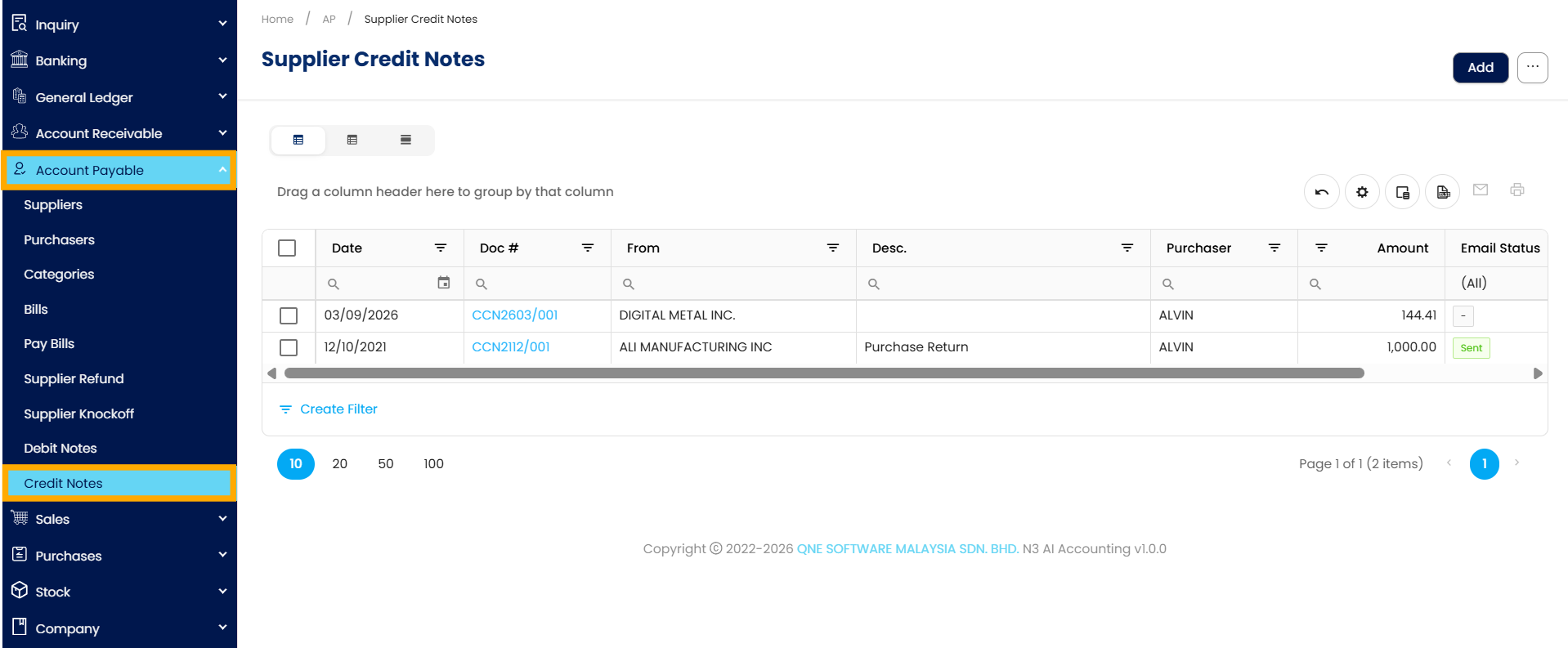
Navigate to Supplier Credit Notes:
Navigate to Accounts Payable, then click on Supplier Credit Notes. This is where all supplier credit note transactions are managed.
Open the Supplier Credit Notes Module:
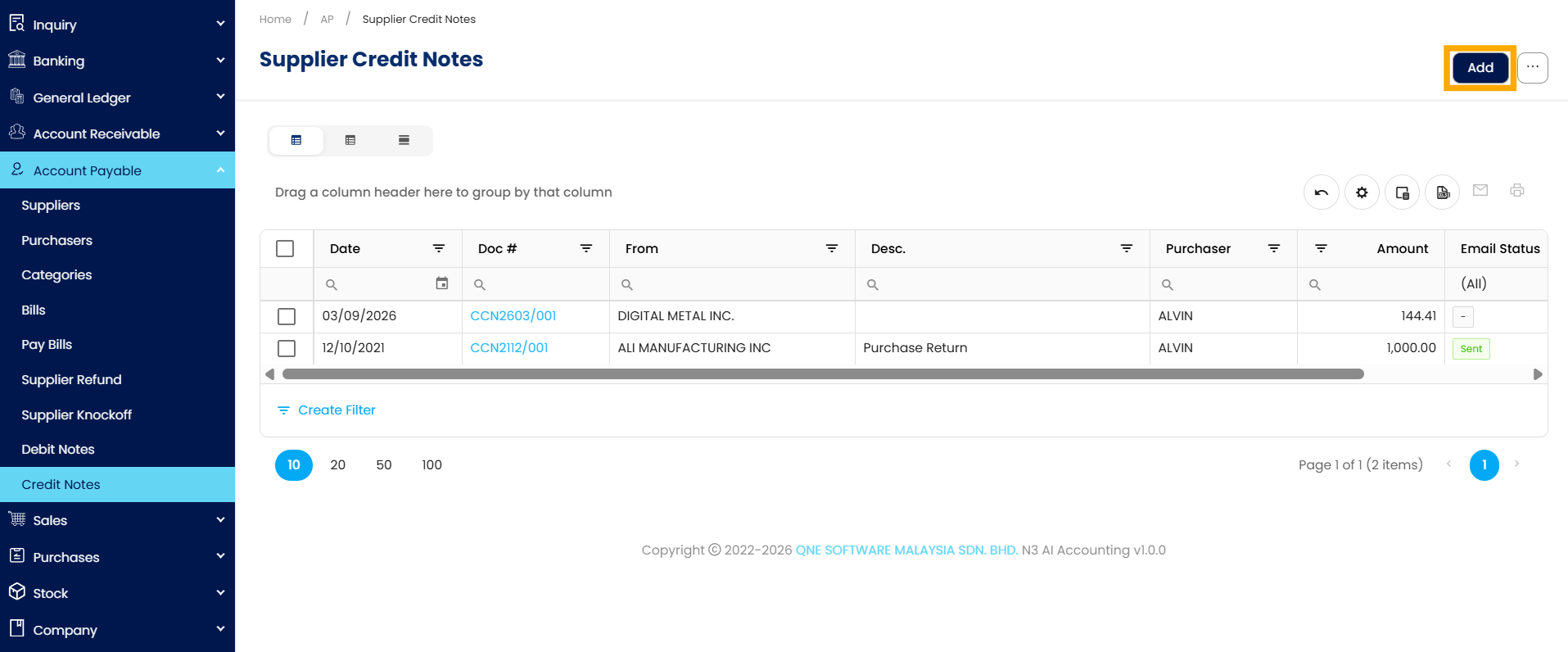
Once inside the Supplier Credit Notes module, you will see a list of all previously recorded Supplier Credit Notes. Click the Add button to begin creating a new Supplier Credit Note.
Create a Supplier Credit Notes:
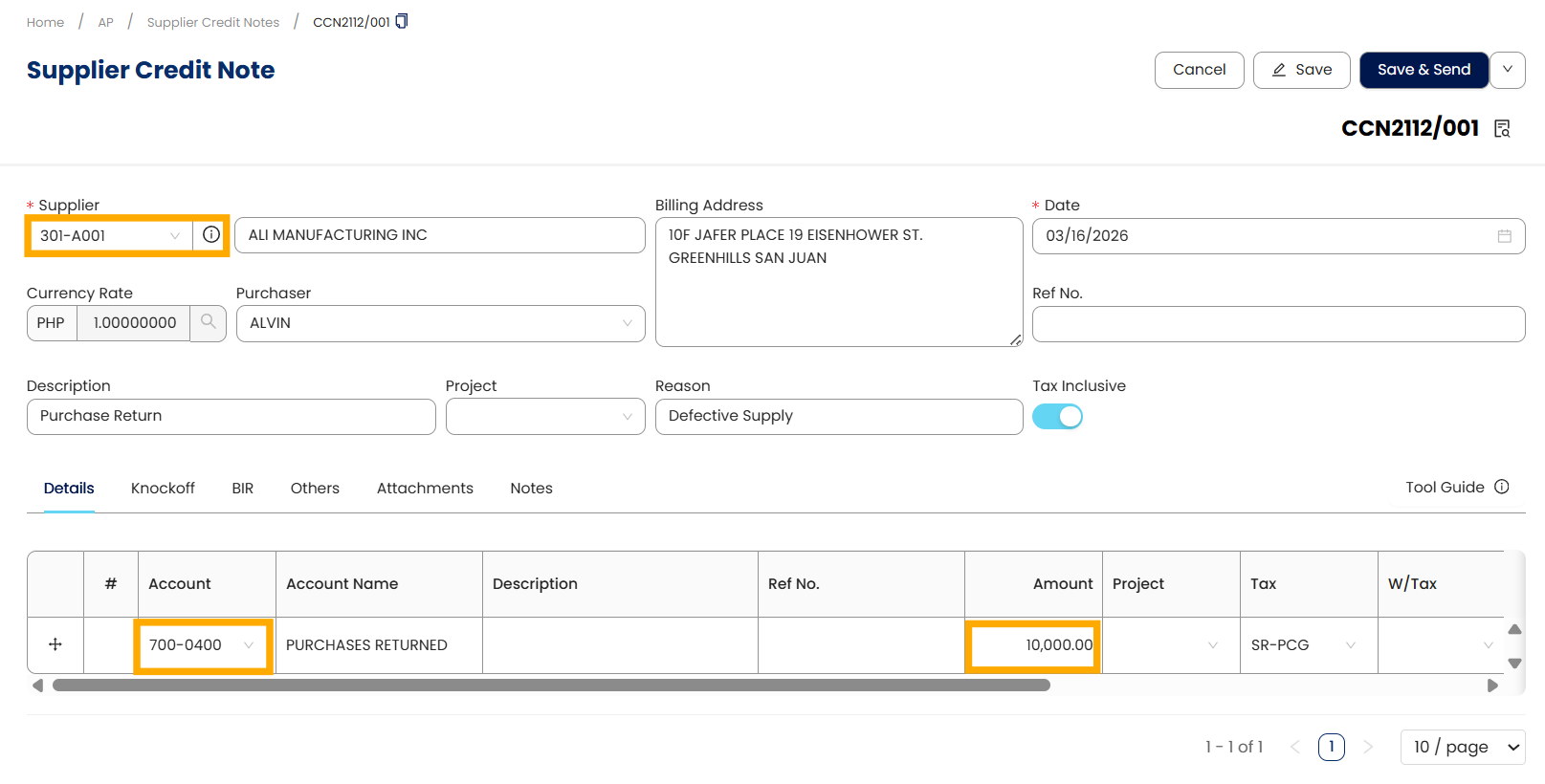
Select the supplier and input all relevant details.
Under the Details tab, choose the appropriate GL account(s) to be debited for the reversal. Input the amount to be deducted.
Apply the Credit Note to Outstanding Payables:
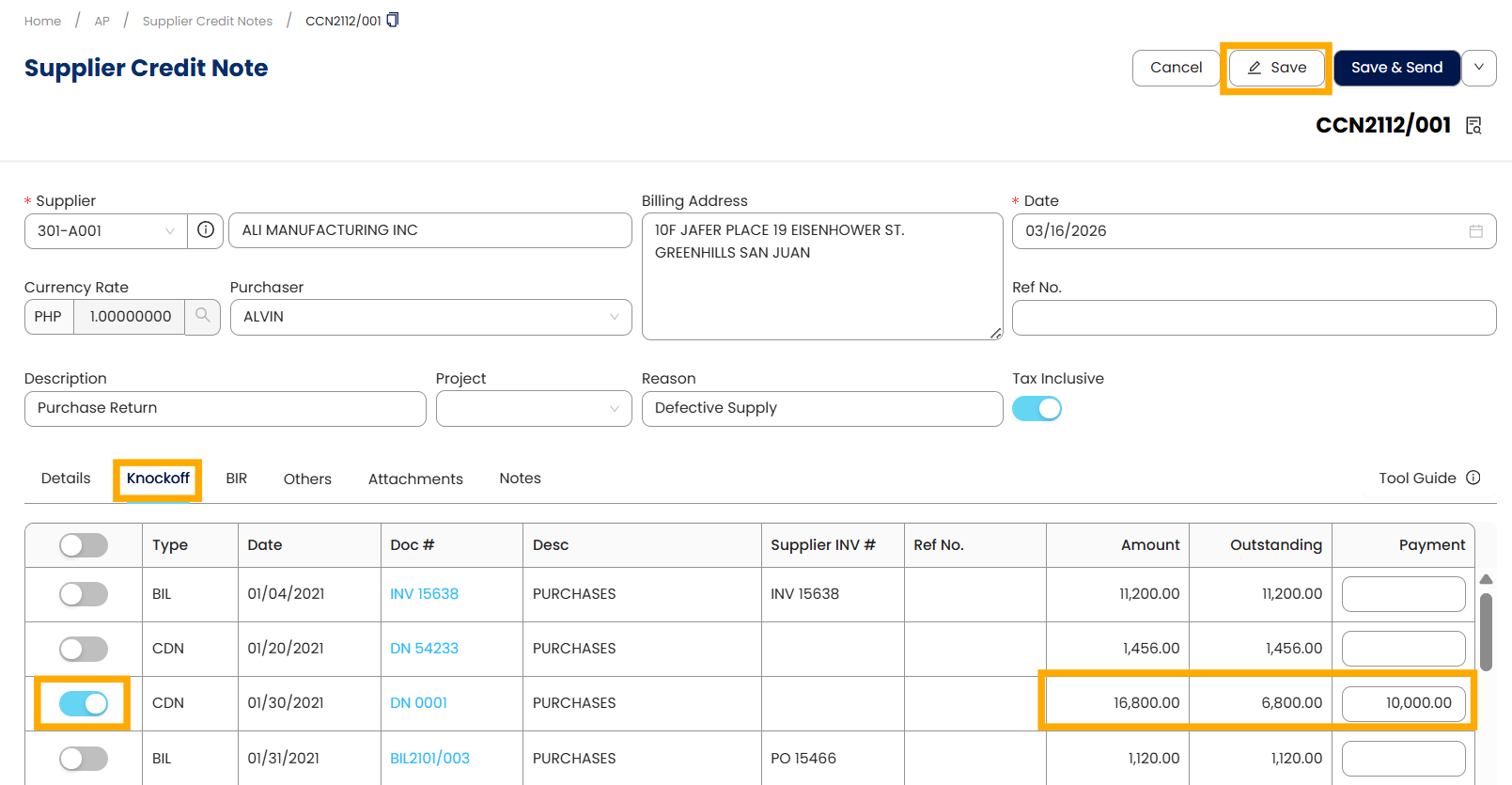
Go to the Knockoff tab to view all outstanding payables for the selected supplier. Tick the transaction(s) where the credit note will be applied to deduct the payable, then click Save.
Review the Supplier Credit Note:
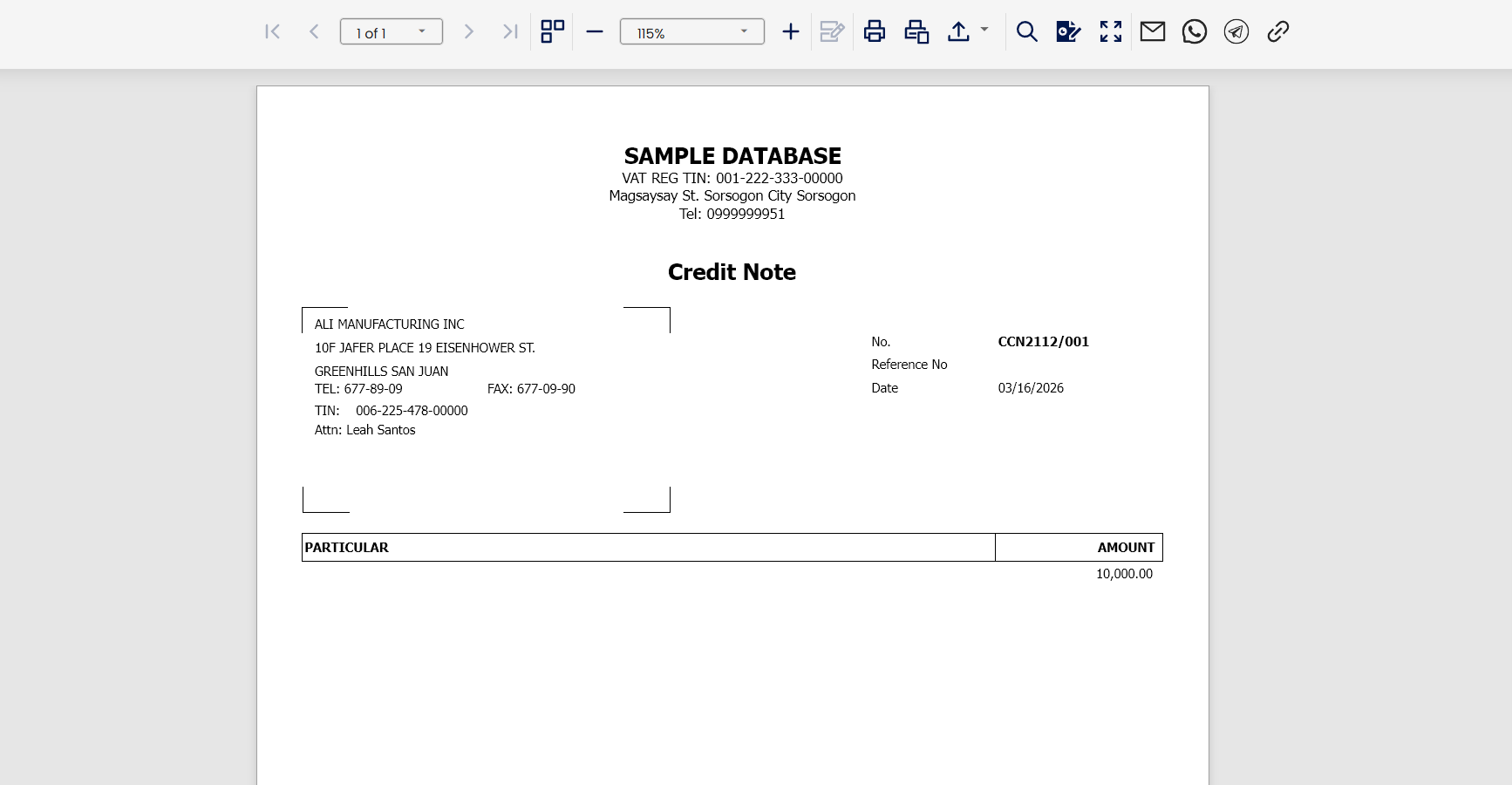
Click Preview to review the default Supplier Credit Note form and ensure all information is correct
Application:
This process ensures accurate deduction of supplier payables, proper reversal of expenses or inventory, and correct posting to the general ledger, helping maintain accurate and reliable records in N3 AI Accounting.
System Scope: N3 AI Accounting (formerly QNE AI Cloud Accounting)
Was this article helpful?
That’s Great!
Thank you for your feedback
Sorry! We couldn't be helpful
Thank you for your feedback
Feedback sent
We appreciate your effort and will try to fix the article