Overview:
A Purchase Debit Note is used to add charges to a supplier transaction after a Purchase Invoice has already been recorded. This is useful when adjustments such as supplier price corrections, billing discrepancies, or other supplier-approved charges need to be added to the original invoice involving inventory items or goods.
In N3 AI Accounting, Purchase Debit Notes help purchasing and accounting users update supplier balances accurately, maintain complete purchase records, and ensure financial reports reflect the correct payable amounts.
Use Purchase Debit Notes when the adjustment involves inventory or goods. For supplier adjustments that do not involve inventory items, use Supplier Debit Note instead.
Scenario:
Your company receives inventory items from a supplier and records a Purchase Invoice. After posting the invoice, the supplier notifies you that a price adjustment for the goods was not included in the original billing.
To update the supplier’s payable balance and correctly reflect the cost of the inventory purchased, you create a Purchase Debit Note in N3 AI Accounting.
Procedure:
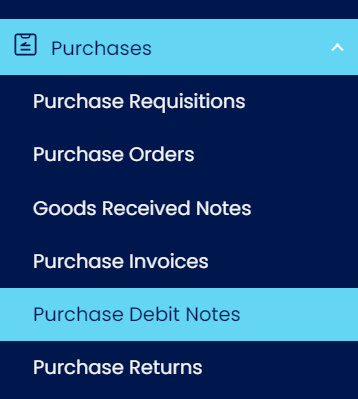
In the navigation pane, go to Purchases > Purchase Debit Notes.
Click Add.

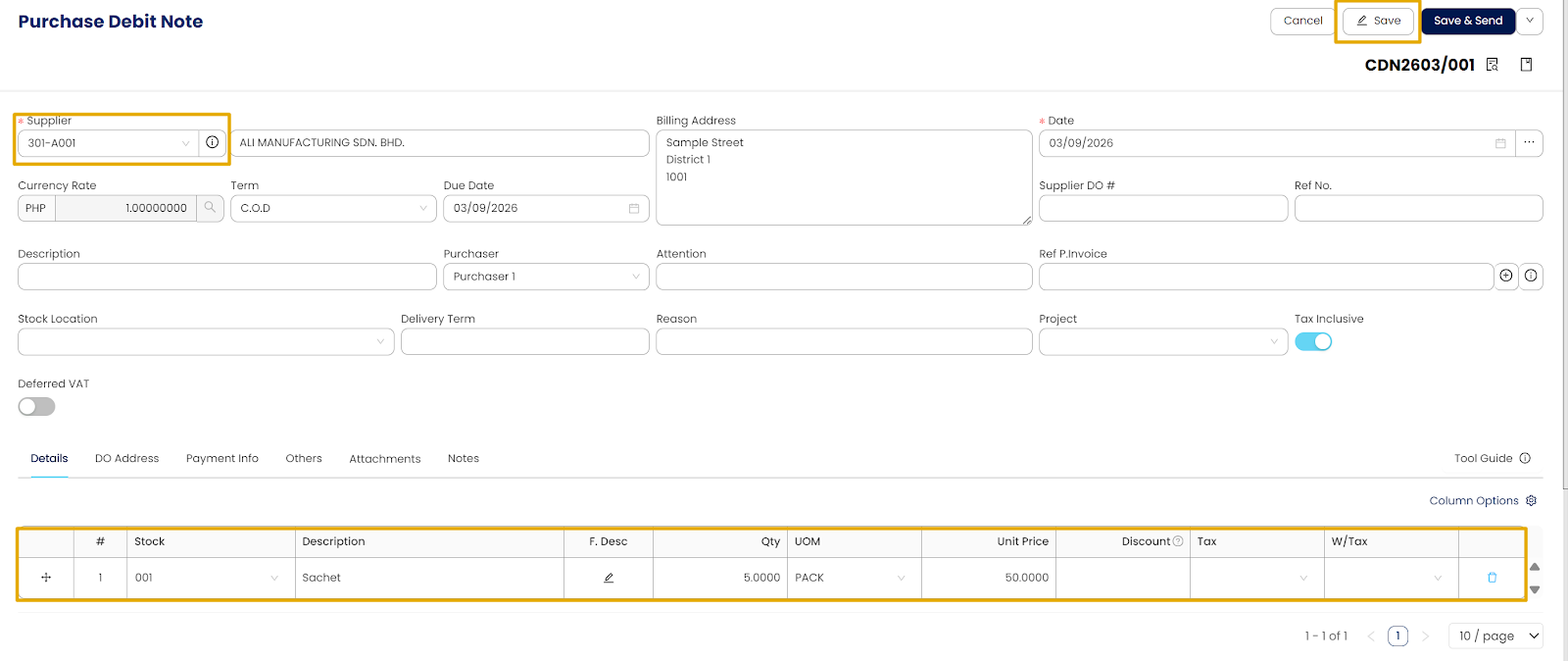
Fill out the Purchase Debit Note form.
Enter the necessary information, including the following fields:
Supplier – Select the supplier for the transaction.
Date – Enter or confirm the transaction date.
Stock – Select the inventory item related to the adjustment.
Click Save.
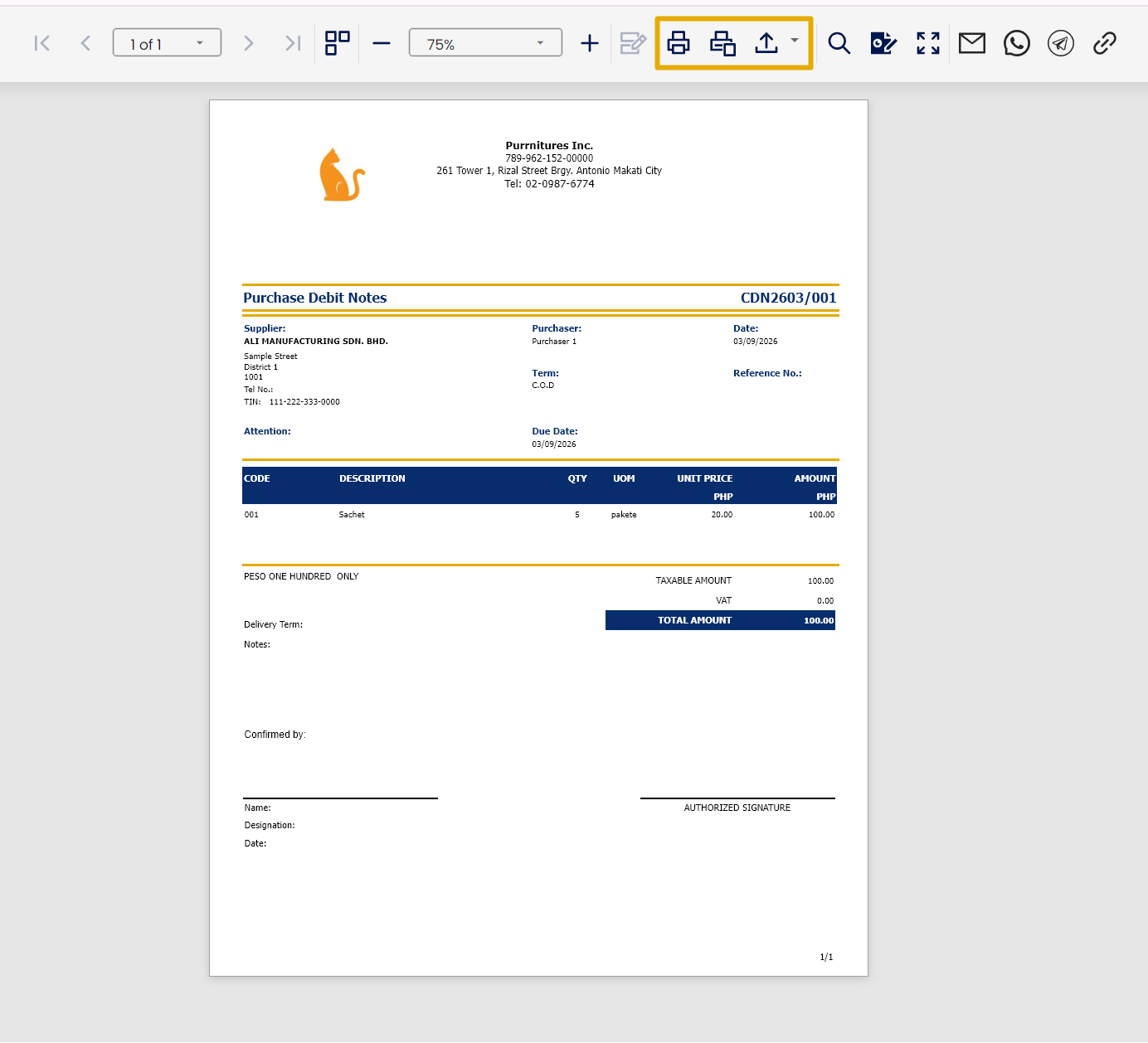
Click Preview to review the Purchase Debit Notes Voucher and confirm that the transaction details are correct.

You may also print or export the document as needed for record-keeping and audit purposes.
Application:
Purchase Debit Notes in N3 AI Accounting can be used in the following situations:
• Recording supplier price corrections for purchased goods when the original purchase invoice amount needs to be increased.
• Adjusting underbilled purchase invoices to reflect the correct payable amount for inventory items received.
• Updating the cost of purchased goods when a billing adjustment related to the items is identified after the invoice is recorded.
• Correcting inventory-related purchase transactions without deleting or modifying the original purchase invoice.
• Maintaining accurate supplier balances and audit records when additional charges for goods must be documented.
System Scope: QNE AI Cloud Accounting / N3 AI Accounting
Was this article helpful?
That’s Great!
Thank you for your feedback
Sorry! We couldn't be helpful
Thank you for your feedback
Feedback sent
We appreciate your effort and will try to fix the article