
Overview:
Coupon codes allow company administrators or billing users to activate purchased subscription plans or enable add-on services. These codes are provided after purchasing upgrades, renewals, or additional modules. Applying the coupon code updates your company’s subscription and activates the purchased features automatically.
Scenario:
You have purchased a subscription plan, renewal, or add-on feature from QNE and received a coupon code. You need to apply the code in the system to activate or extend your subscription.
Procedure:
Note: For QNE Certified Accountant Partners (CAP), apply your referral code first in Company > Company Profile > Referral Code Field before proceeding.
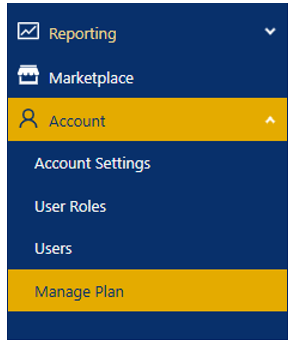
Step 1: Access the Manage Plan.
- Click Account > Manage Plan.
Step 2: Click Purchase Plan.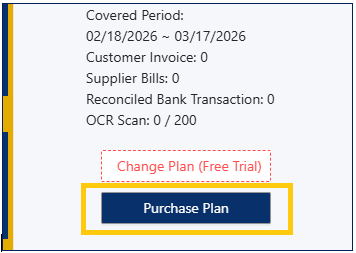
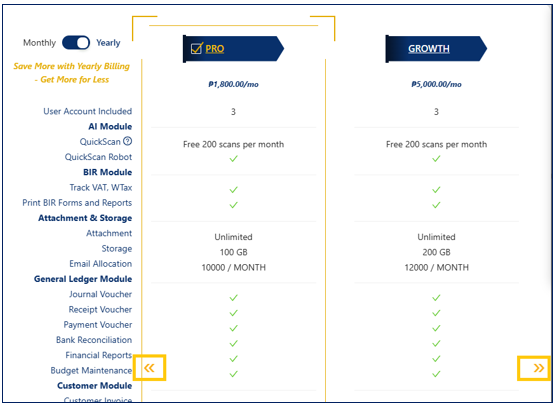
Step 3: Choose the Package and/or Add-Ons.
- Click the desired Package. Use the navigation arrows to view all available packages.
- Click Proceed to Add On.
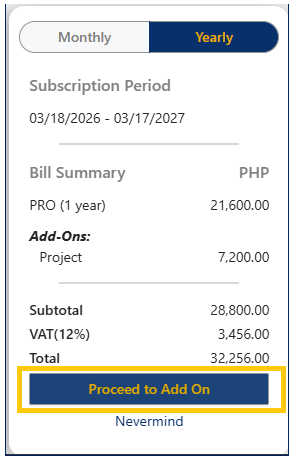
- Choose the Add-ons.
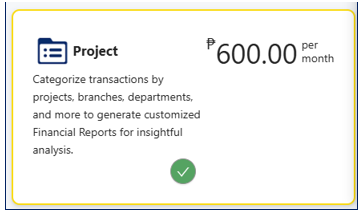
Step 4: Apply Coupon Code.
Note: For QNE Certified Accountant Partners (CAP), the subscription must be billed to Yearly if the coupon being applied is from your free subscription coupon codes.
- Enter Coupon Code, then Click Apply.
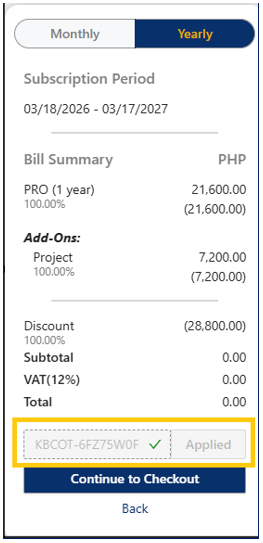
- Verify that the coupon code is successfully applied by confirming that the payable amount is waived or adjusted before proceeding to checkout.
- Click Continue to Checkout.
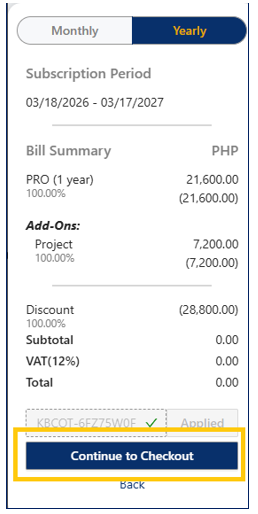
Step 5: Enter Billing Details.
- Input billing information in the fields provided.
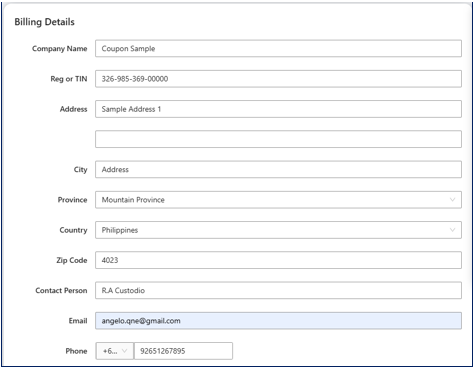
- Click Place your order.
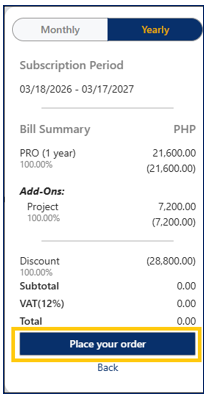
Step 6: Finalize the Order.
- Click Proceed.
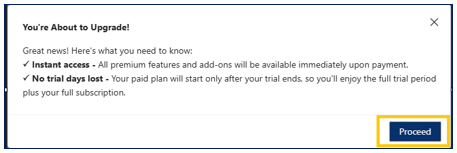
- Click Complete order.
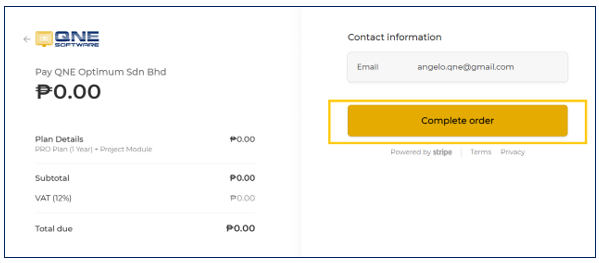
Application:
Example 1: Activating a New Subscription
A company purchases a one-year subscription plan and receives a coupon code after payment confirmation. By applying the coupon code in Manage Plan, the system immediately activates the subscription and updates the expiry date. This ensures uninterrupted access to the system without requiring manual activation from support.
Example 2: Extending an Existing Subscription
As a company’s subscription approaches its expiry date, the administrator purchases a renewal coupon. After applying the coupon code, the system automatically extends the subscription period and updates the new validity date. This prevents service disruption and ensures continuous access to company data and system features.
Example 3: Enabling an Add-On Module
A growing business requires additional functionality, such as Project or Multi-Location. After purchasing the add-on, the administrator applies the coupon code under Manage Plan. The system activates the selected module immediately, allowing users to access and use the new features without downtime or configuration delays.

Was this article helpful?
That’s Great!
Thank you for your feedback
Sorry! We couldn't be helpful
Thank you for your feedback
Feedback sent
We appreciate your effort and will try to fix the article