
Overview:
BIR Form 1601-EQ (Quarterly Remittance Return of Creditable Income Taxes Withheld – Expanded) is required for businesses that withhold Expanded Withholding Tax (EWT) and remit it quarterly to the Bureau of Internal Revenue (BIR).
After filing the monthly EWT returns for the first two months of a quarter, taxpayers must generate and file the quarterly 1601-EQ covering the entire three-month period.
In QNE AI Cloud, the BIR Form 1601-EQ report can be generated directly from the system using recorded EWT transactions, helping ensure accurate tax reporting and compliance.
Scenario:
AC Trading has already filed its monthly Expanded Withholding Tax (EWT) for January and February. As March closes, the accounting team must now generate the quarterly BIR Form 1601-EQ covering January to March to prepare for submission to the BIR.
To ensure the totals match their recorded EWT transactions and avoid filing errors, they generate the report directly from QNE AI Cloud.
Procedure:
Step 1: Access the BIR Form 1601-EQ Report
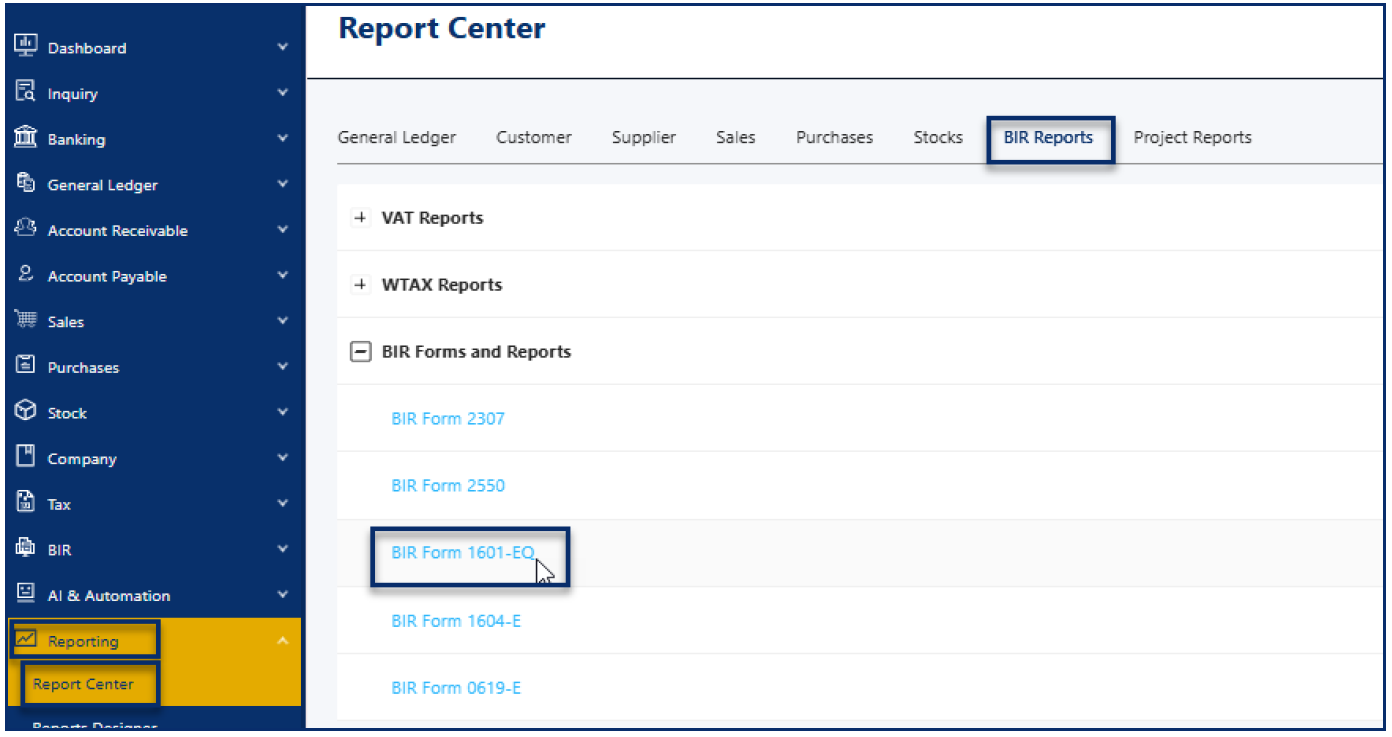
Go to Reporting > Report Center > BIR Report > BIR Form 1601-EQ
Step 2: Configure the Report Details
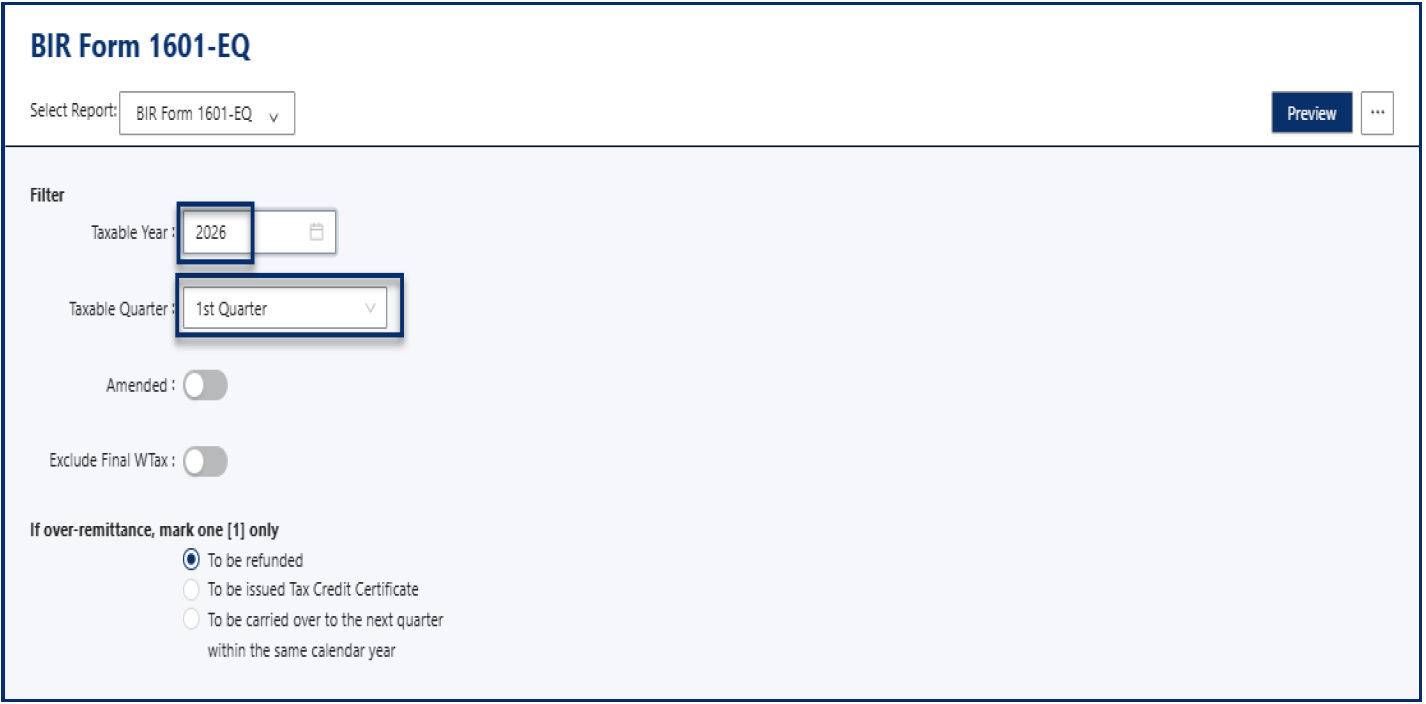
Select the appropriate Taxable Year.
Select the applicable Quarter.
If applicable, select:
Amended – if this is a correction to a previously filed return.
Over-remittance – if there is excess remittance from previous filings.
- Click Preview
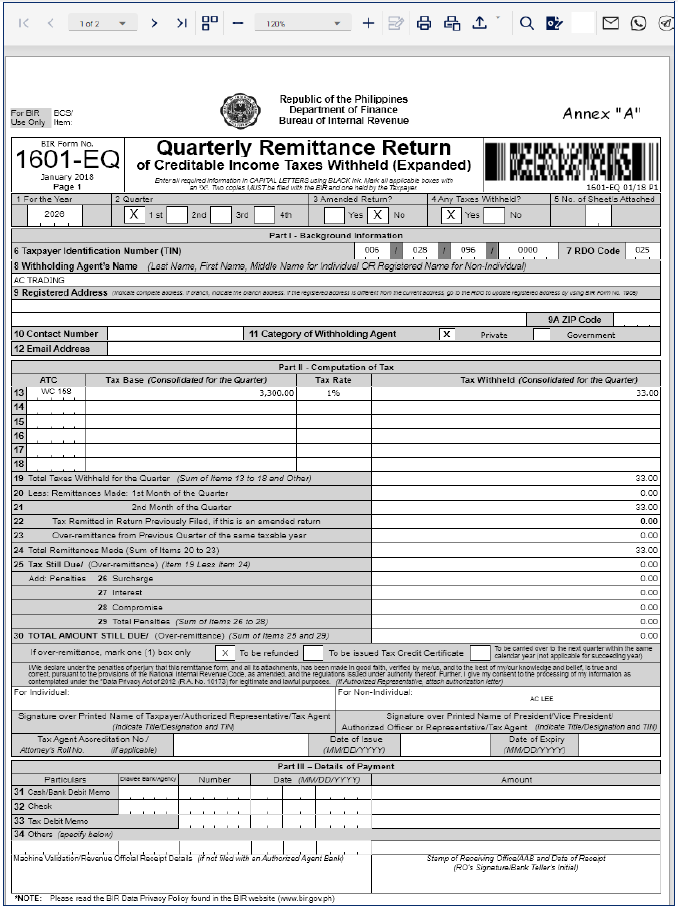
- The system will generate the completed BIR Form 1601-EQ based on recorded EWT transactions within the selected quarter.
Important Note:
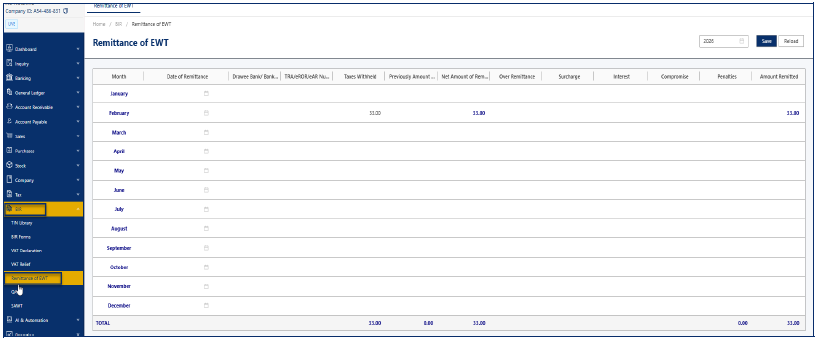
For Amended Returns, Over-remittance, and Penalties, ensure these entries are properly recorded under BIR > Remittance of EWT before generating the report.
Application:
You can use this feature to:
Prepare quarterly Expanded Withholding Tax returns accurately and efficiently
Validate EWT totals before official BIR submission
Review withholding transactions for compliance and reconciliation
Generate supporting documentation during audits

Was this article helpful?
That’s Great!
Thank you for your feedback
Sorry! We couldn't be helpful
Thank you for your feedback
Feedback sent
We appreciate your effort and will try to fix the article