Overview:
Date and Time Stamp is used for recording the date and time on transaction forms and report print-outs, indicating when they were generated or printed in the system.
Procedure:
To enable the Report Time and Date Stamp, Go to Header > User Options > Advanced Options
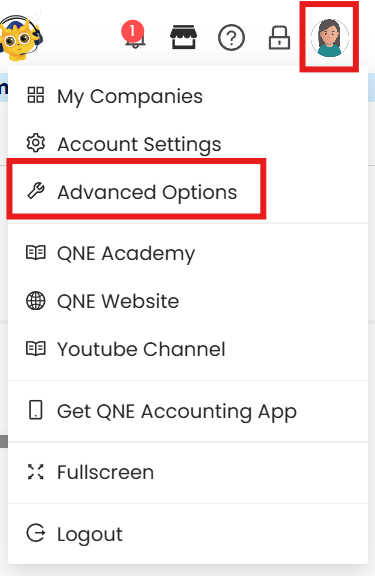
In Advance Options, go to the Report tab then click Setup in Report Information Stamp.

Tick Date and Time. Once done, click OK
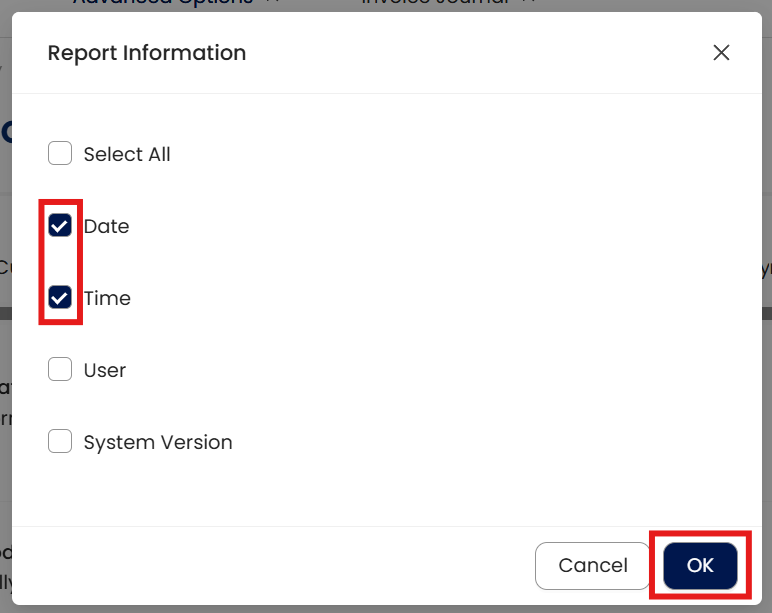
Note: You can also add the User and System Version by selecting them from the options.
Application:
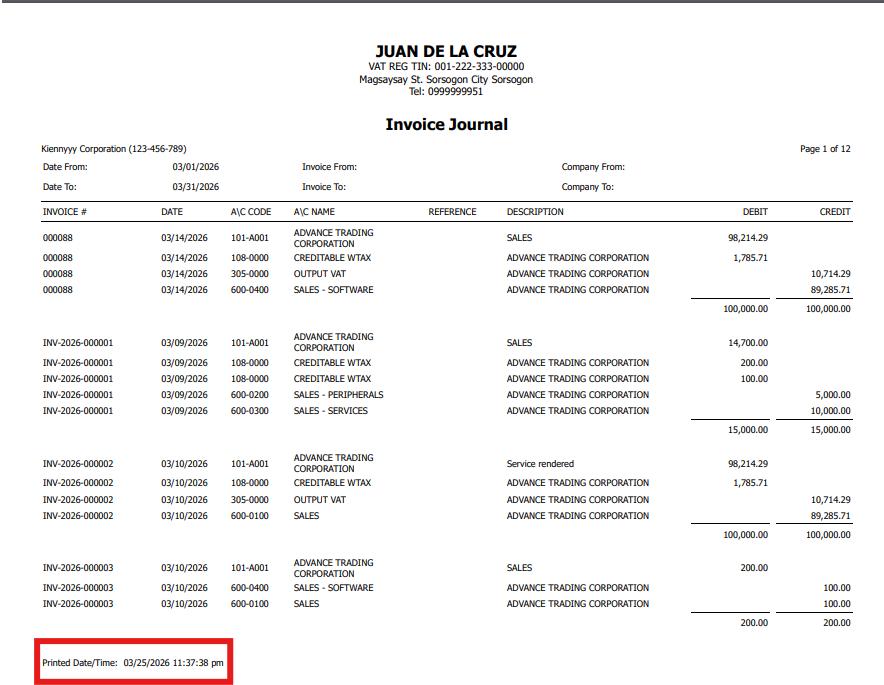
Preview a Report and notice that Time and Date Stamp is shown.
System Scope: QNE AI Cloud Accounting / N3 AI Accounting
Was this article helpful?
That’s Great!
Thank you for your feedback
Sorry! We couldn't be helpful
Thank you for your feedback
Feedback sent
We appreciate your effort and will try to fix the article