
Overview:
The Summary List of Sales and Purchases (SLSP) is a required report for VAT-registered businesses in the Philippines. It is submitted to the Bureau of Internal Revenue (BIR) as part of VAT compliance requirements.
In QNE Cloud Accounting, generating the SLSP DAT and CSV files is automated through the BIR Module. The system compiles the necessary VAT transactions and prepares the files in the correct format for submission.
Scenario:
Your company is VAT-registered and needs to submit the monthly SLSP report to the BIR. You have already recorded all sales, purchases, and importation transactions in QNE Cloud Accounting.
Now, you need to:
Generate the DAT file (for BIR submission via the VAT Relief tool)
Generate the CSV file (for review, reconciliation, or internal documentation)
Solution:
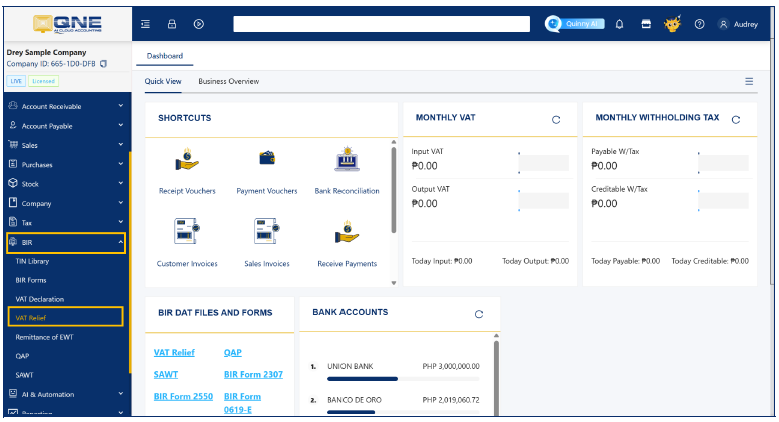
Navigate to the BIR Module
Go to BIR > VAT Relief.
This section allows you to extract VAT-related transactions for SLSP reporting.
Select the Required Parameters. Inside the VAT Relief screen:
Select the Transaction Type:
Purchase
Sales
Importation
Select the Taxable Year.
Select the Taxable Month.
Make sure the selected period matches the month you are reporting to the BIR.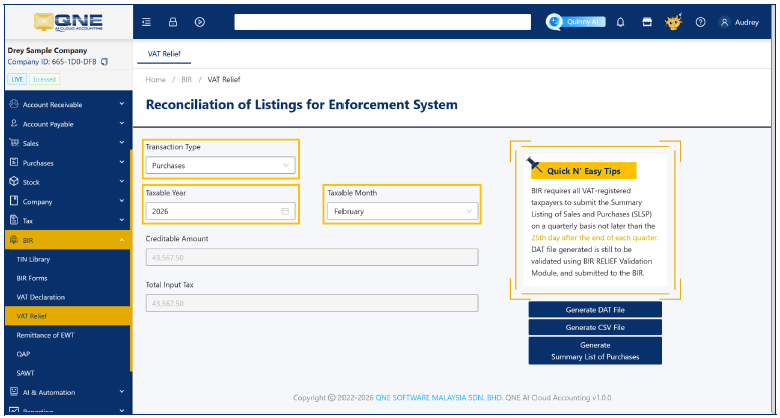
Generate the DAT File
Click Generate DAT File.
The system will automatically process the transactions.
The DAT file will automatically download to your computer.
This file is used for submission through the BIR VAT Relief system.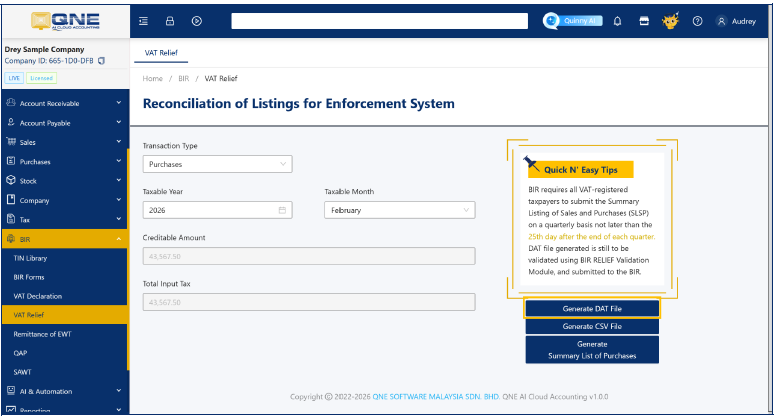
Generate the CSV File
Click Generate CSV File.
The system will automatically download the CSV file.
The CSV file is commonly used for Internal review, validation of transaction details, and reconciliation before submission.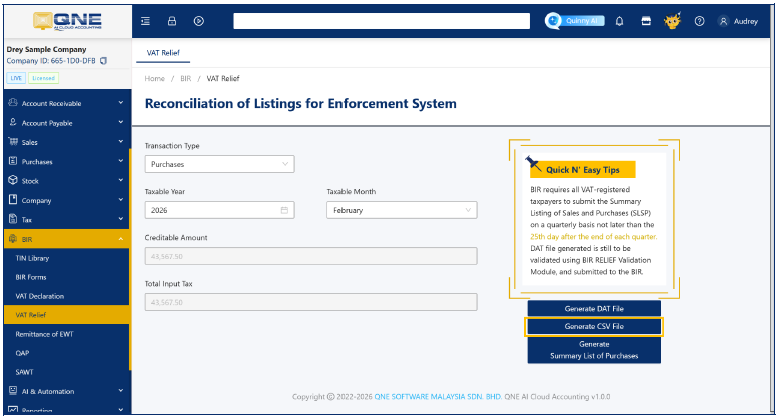
Application:
Generating the SLSP DAT and CSV files in QNE Cloud Accounting helps ensure accurate and timely compliance with BIR reporting requirements.
This feature is commonly used by:
Accountants preparing monthly VAT submissions
Finance teams conducting internal VAT reconciliation
Consultants assisting clients with compliance setup and reporting
Auditors validating VAT-related transactions
By using the automated VAT Relief function, businesses can reduce manual encoding errors, improve efficiency, and maintain proper documentation for regulatory and audit purposes.

Was this article helpful?
That’s Great!
Thank you for your feedback
Sorry! We couldn't be helpful
Thank you for your feedback
Feedback sent
We appreciate your effort and will try to fix the article