Overview:
A Purchase Order (PO) is an official document issued by a company to a supplier to request goods or services. In accounting systems like N3 AI Accounting, creating a Purchase Order helps businesses control purchasing, track commitments, and maintain proper documentation before goods are received or invoices are recorded.
This feature is typically used by procurement teams, accountants, or business owners to formalize purchasing requests and maintain proper transaction tracking before receiving goods or services.
This guide walks you through the process of creating a Purchase Order within N3 AI Accounting, ensuring accuracy in supplier transactions and better inventory and financial management.
Scenario:
A company needs to order office supplies from a supplier. Before the supplier delivers the items, the company creates a Purchase Order in the system to formally document the request, specify quantities and prices, and track the expected delivery.
The Purchase Order will later be used as a reference when receiving goods and processing supplier invoices.
Procedure:
1. In the navigation pane, go to the Purchasing > Purchase Orders.
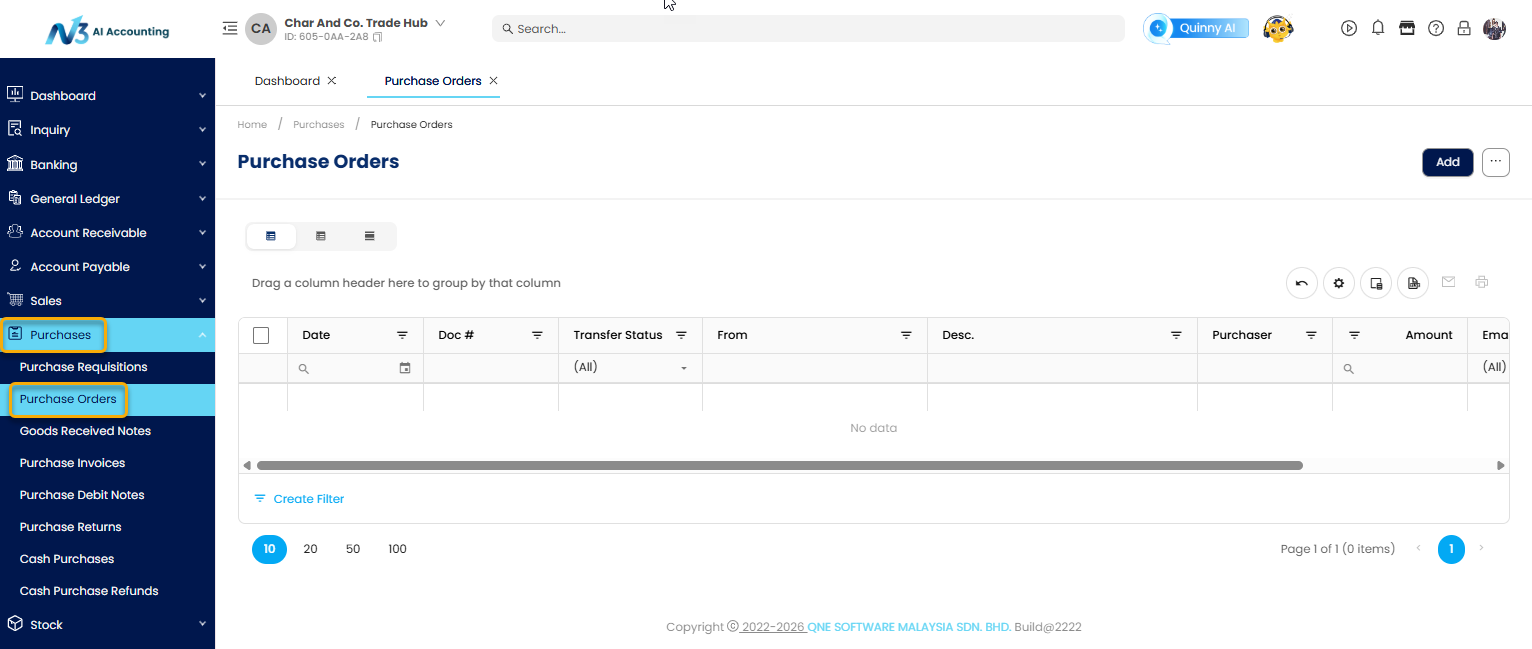
2. Click Add to open a new transaction form.

There are two options available for creating a Purchase Order:
Option 1: Create a Purchase Order by transferring the details from the Purchase Requisition.
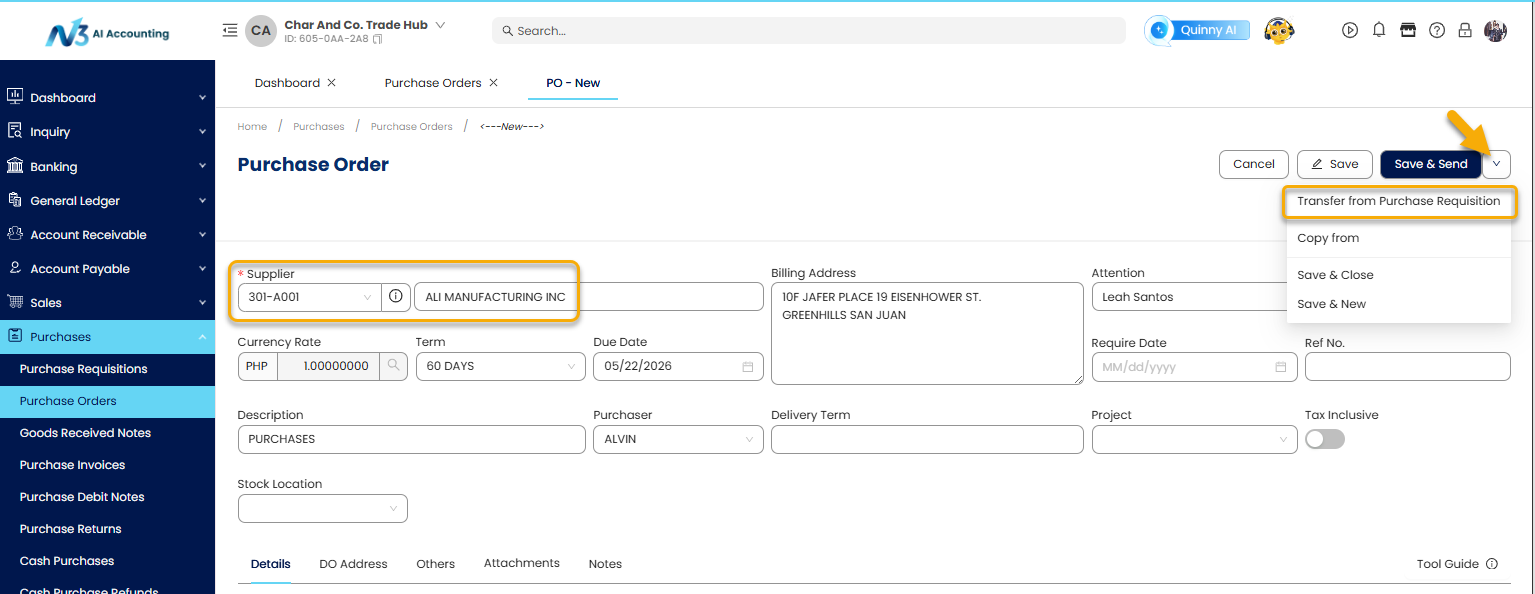
1. Select the Supplier code
2. Beside the Save & Send button is the More button, hover the mouse over to view the drop down menu.
3. Select the Transfer from Purchase Requisition
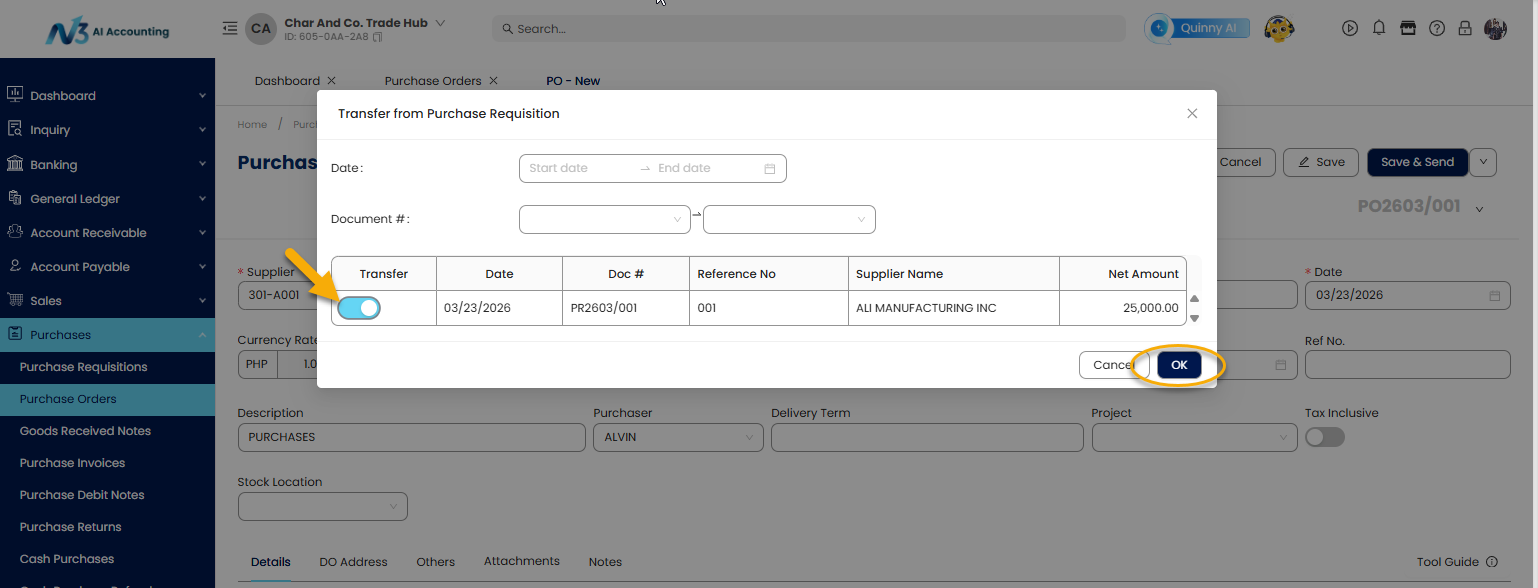
4. Toggle on the Purchase Requisition document that is to be transferred then click OK.
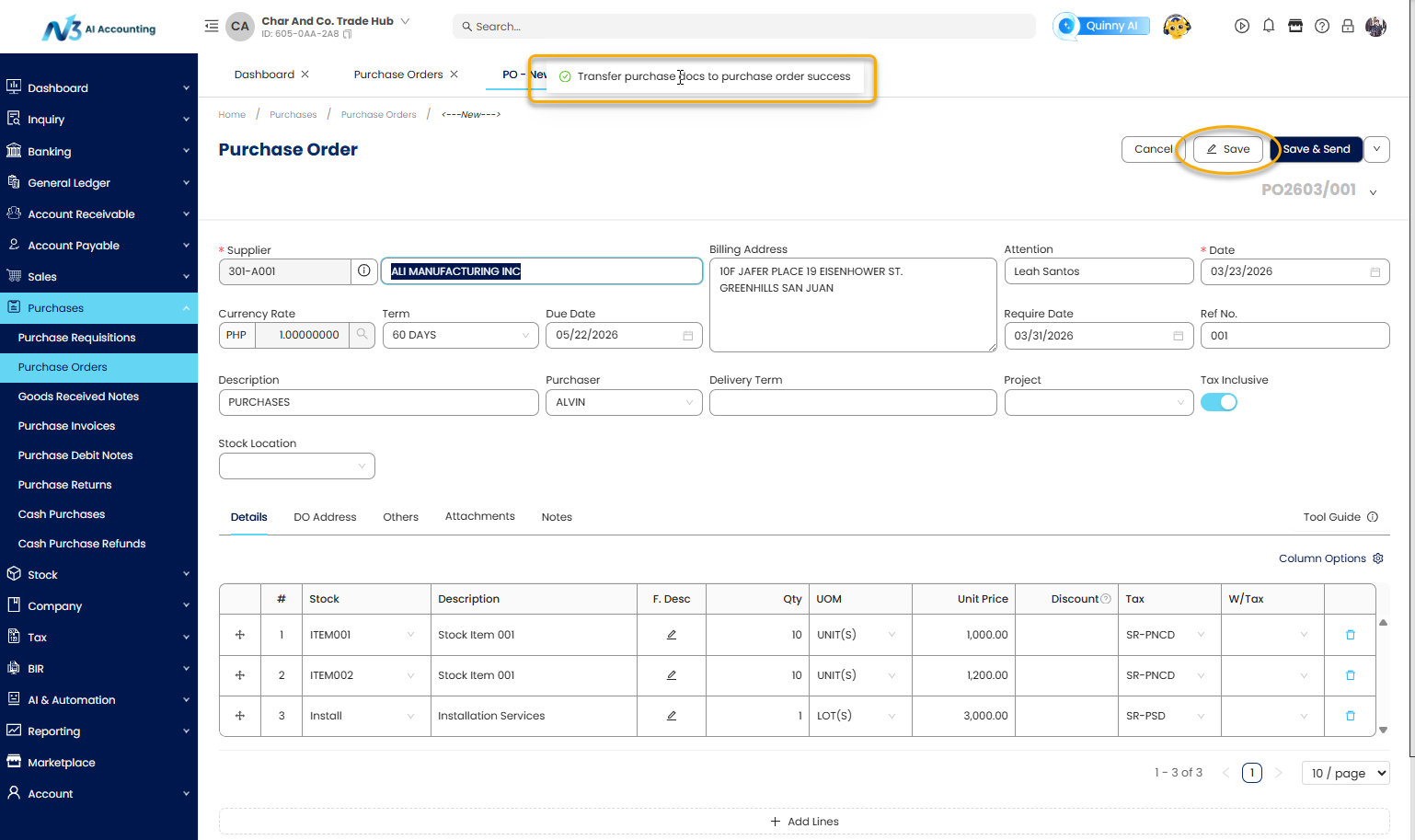
A confirmation message appears: "Transfer purchase docs to purchase order success”
5. Review the transferred item details.
6. Click Save.
Option 2: Create a Purchase Order manually.
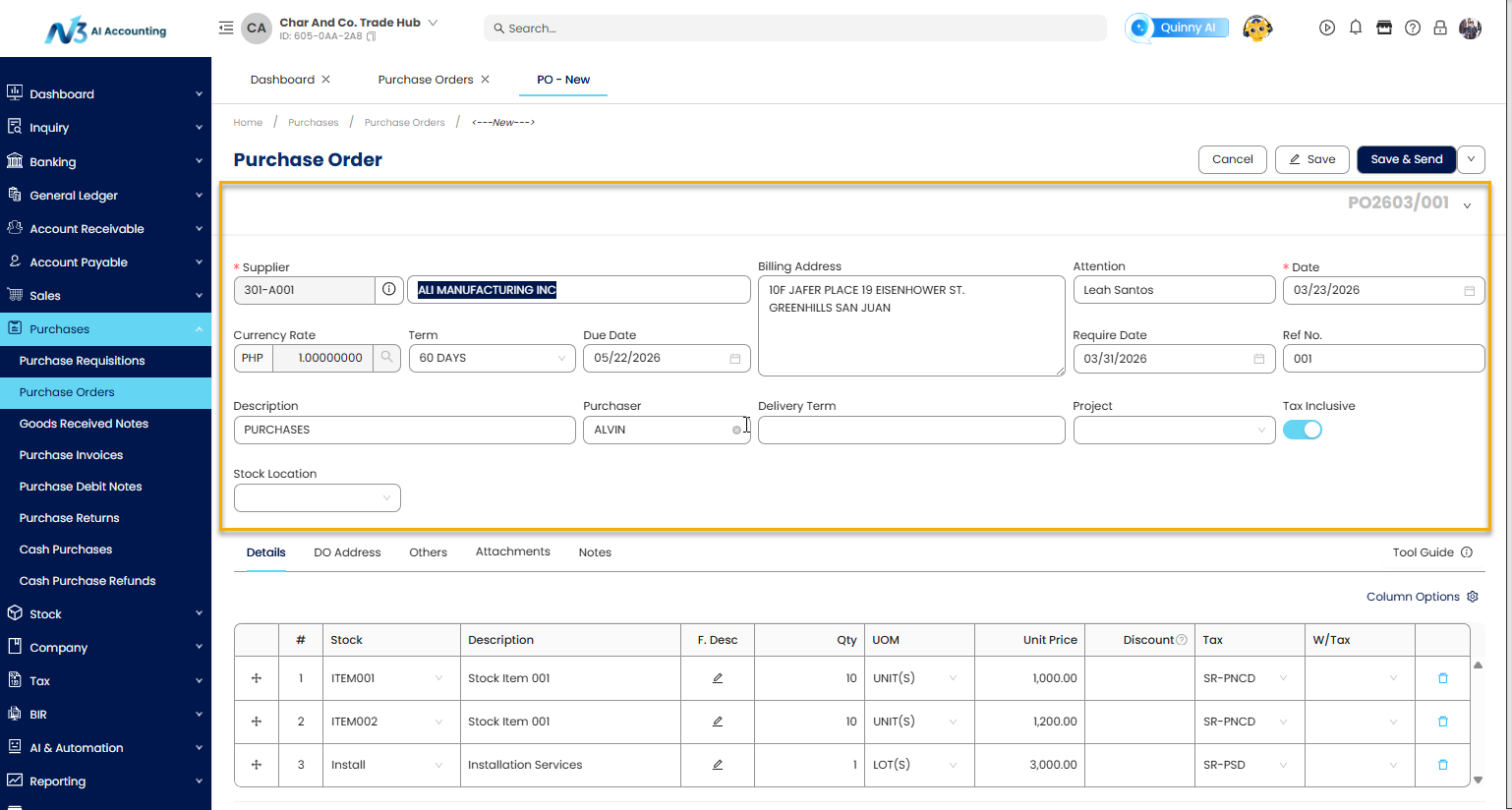
1. Fill in the required Header information, such as:
Supplier Code – Unique identifier for the supplier.
Billing Address - Automatically populated after selecting the Supplier Code.
Attention - Supplier contact person.
Date - Date when the goods are received.
Currency – Default is 1 for PHP. If using a foreign currency, manually enter the correct exchange rate.
Term – Payment terms agreed with the supplier (e.g., 30 days).
Due Date – The payment due date calculated from the Term.
Supplier PO # - Supplier purchase order number.
Ref No. - Internal reference number.
Description – Brief description of the transaction.
Purchaser – Person responsible for the purchase.
Stock Location – Location where goods will be stored.
Required Date – Date the items are needed.
Tax Inclusive – Enable if prices include tax.
Project – Associated project (if applicable).
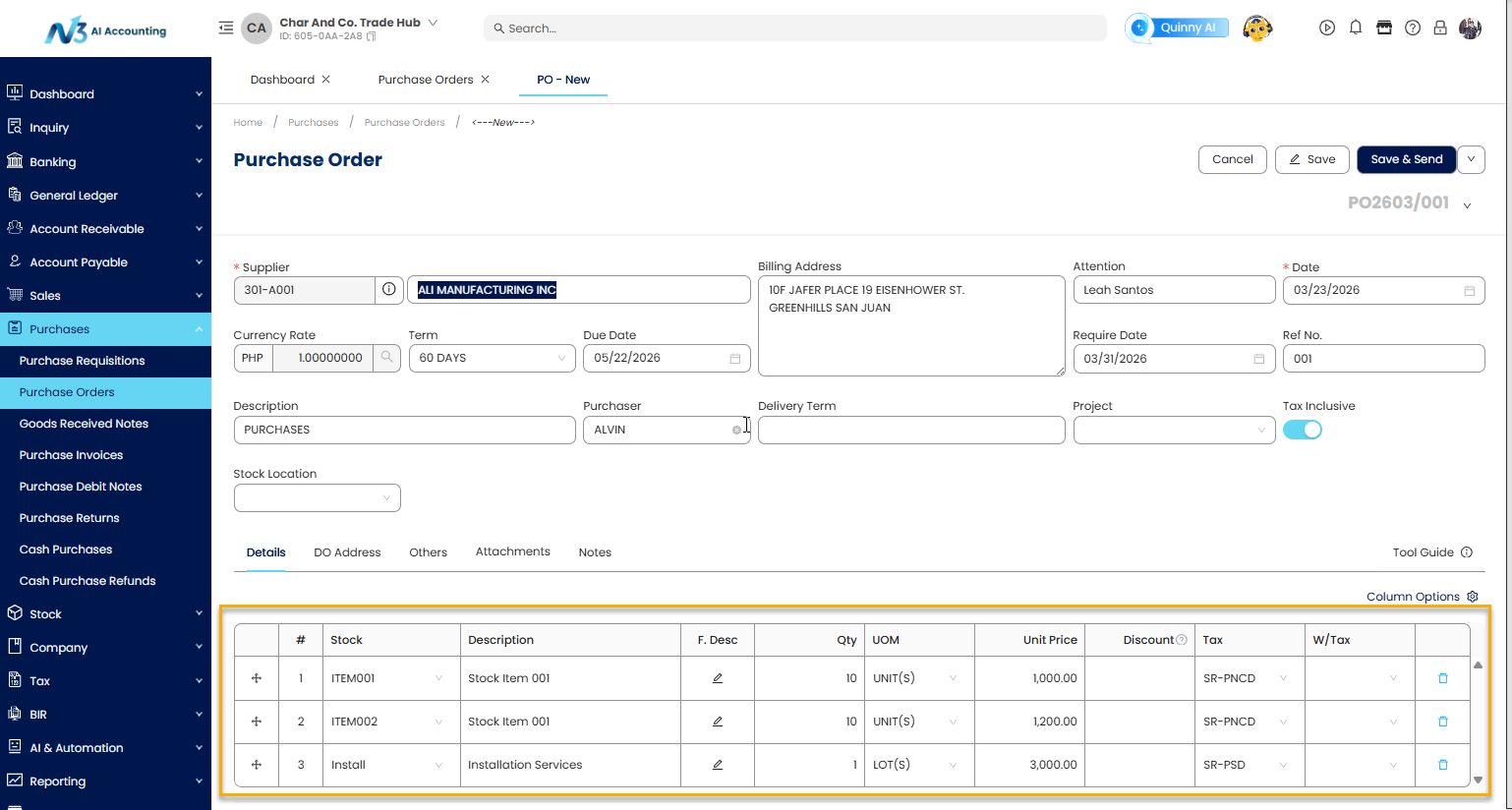
2. In the Details section, enter the item information
Stock – Stock code of the item.
Description – Automatically populated with the stock name once the Stock code is selected.
F.Desc – Additional details about the item if needed.
QTY - Quantity received.
UOM - Unit of Measure (e.g., pcs, boxes, liters).
Unit Price - Cost per unit.
Discount – Any Discount applied.
Tax - Applicable tax rate
WTAX - Withholding tax (if applicable).
3. Click Save.
Application:
Example 1: Office Supplies Procurement
A finance team needs to order 10 reams of paper and 5 ink cartridges from a supplier. By creating a Purchase Order in QNE Software:
The items, quantities, and agreed prices are recorded
The PO is sent to the supplier for confirmation
Upon delivery, the Purchase Order serves as a reference for receiving the goods and matching the supplier invoice
Example 2: Inventory Restocking
A retail business notices low stock levels of a fast-moving product. A Purchase Order is created to restock inventory:
Helps track committed purchases before goods arrive
Ensures inventory planning aligns with demand
Supports three-way matching (Purchase Order, Goods Receipt, Supplier Invoice)
Example 3: Service-Based Purchase
A company engages an external consultant. A Purchase Order is issued to document the agreed service fee and scope:
Acts as a formal agreement reference
Helps control expenses and approvals
Provides documentation for auditing and payment processing
System Scope: QNE AI Cloud Accounting / N3 AI Accounting
Was this article helpful?
That’s Great!
Thank you for your feedback
Sorry! We couldn't be helpful
Thank you for your feedback
Feedback sent
We appreciate your effort and will try to fix the article